Page 10
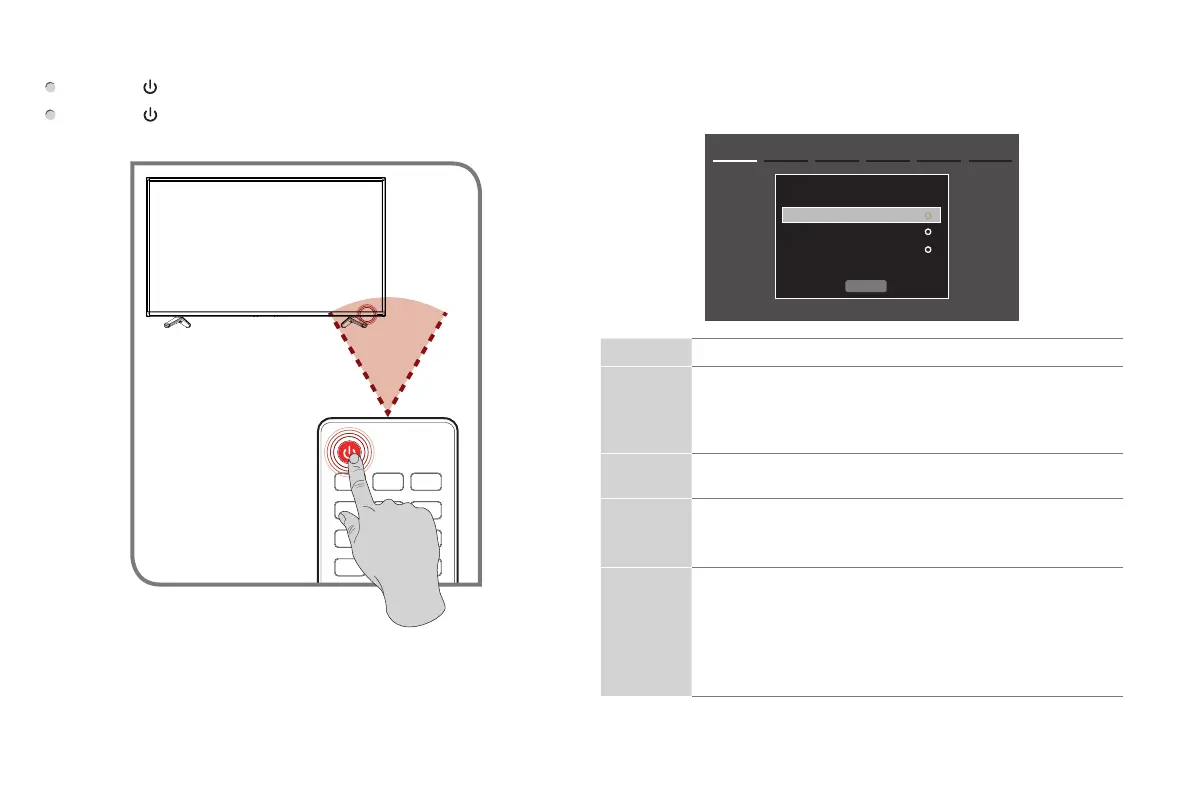
TurningyourTVon
Press the
button
. Your TV turns on.
Press the
button
again to turn off your TV. When you turn off
your TV, it goes into standby mode.
Step5.TurntheTVontoCustomizeSettings
Follow the on-screen instructions to complete the first-time setup
menu.
Menu Task
Language
setting
• Choose your language:
English
,
Spanish
or
French
and
then select
Next
.
• The
Welcome
page displays and shows the available
devices and interfaces.
Country
setting
• Select the country where you will operate the TV.
Time zone
setting
• Select the local time zone according to your region.
• Daylight Saving: Set the Daylight Saving time for your
area.
Use Mode • Select your Mode Setting: Home Mode or Retail Mode.
• Retail mode should only be selected by retailers who plan
to demonstrate the TV.
•
Home Mode
is the recommended setting which offers
full functionality of the television. If you selected
Retail
Mode
, Energy Savings is not realized.
Next
1. Language setting Next: Country Setting
Language settings
English
Español
Français



 To Next Page