Need help?
Do you have a question about the Hisense 32H5FC and is the answer not in the manual?
Lists all items included in the TV package, including accessories and documentation.
Specifies the tools needed to assemble and install the TV stand.
Instructions for attaching the TV stand using the provided legs and screws.
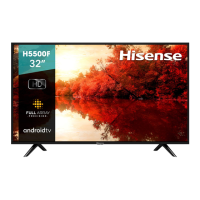
This document is a Quick Start Guide for the Hisense H5 Series Smart TV, model 32H5FC. It provides essential information for setting up and using the television, aiming to help users get the most out of their device while also encouraging environmentally friendly practices by reducing paper waste. For more detailed instructions and feature descriptions, users are directed to the full User Manual available online.
The Hisense H5 Series Smart TV is designed to provide a comprehensive entertainment experience, integrating various features for viewing content, connecting external devices, and accessing online services. As a Smart TV, it allows users to connect to the internet, browse the web, and access a range of applications such as Netflix, VUDU MOVIES & TV, Opera store, Pandora, Twitter, Facebook, Picasa, Accuweather, Viewster, and Youtube. This broad selection of apps enables streaming movies, TV shows, music, and social media directly from the television.
The TV supports multiple input sources, including ANT/CABLE for traditional broadcast signals, HDMI for high-definition multimedia devices, Component IN and AV IN for analog video and audio connections, DIGITAL AUDIO OUT for external audio systems, AUDIO OUT for headphones or analog audio adapters, USB for media playback from external storage, and LAN for wired internet connectivity. It also features wireless connectivity, enhancing its versatility.
The remote control is an integral part of the TV's functionality, offering a wide array of buttons for power on/off, input selection, channel navigation, volume control, menu access, and direct access to popular Smart TV applications like VUDU HD Movies, HiSmart Home Menu, YouTube App, and Netflix. Special function buttons are also included for aspects like display information, closed captions, and audio selection.
The setup process for the Hisense H5 Series Smart TV is designed to be straightforward. Users begin by attaching the TV stand or a wall mount bracket. The guide provides clear instructions for stand installation, emphasizing the importance of placing the TV on a soft, flat surface to prevent damage. For wall mounting, users are advised to remove the stand, place the TV face down, and use spacers (not included) between the TV and the bracket, along with specific screw lengths to ensure secure mounting and prevent internal damage.
Connecting devices to the TV ports is simplified with a detailed table illustrating each port, its corresponding cable, typical external equipment, and a brief description of its function. This helps users correctly identify and connect their external devices, such as antennas, DVD players, set-top boxes, and audio systems.
The remote control requires two AAA batteries, and the guide provides instructions for their insertion, including proper polarity alignment. It also offers important notes on battery disposal and maintenance to ensure safe and prolonged use.
Upon first power-on, the TV guides users through a customization setup menu. This includes selecting the language (English, Spanish, or French), country, time zone, and daylight saving settings. Users must also choose between "Home Mode" and "Retail Mode." "Home Mode" is recommended for full functionality and energy savings, while "Retail Mode" is intended for store demonstrations.
After initial setup, users must select the appropriate TV signal source. The INPUT menu, accessible via the remote, allows selection from various options like TV, AV, Component, HDMI, and HiMedia. The TV remembers the last selected input, reducing the need for frequent adjustments unless the source changes.
For network connectivity, the TV offers options to connect to the internet, which is crucial for accessing Smart TV features. Users are guided through network settings, including agreeing to Hisense Service Terms and Conditions if they wish to use internet services.
Channel search is another key usage feature, allowing users to scan for available channels via Antenna or Cable. The guide clarifies that if a cable or satellite box is used with a coaxial cable, the cable option should be selected, and the box should be turned on before scanning. If the box is connected via AV, Component, or HDMI, a channel scan is not necessary.
The guide includes a "Quick Problem-Solving Tips" section to assist users with common issues, promoting self-help before contacting customer support. This section covers problems such related to:
For each issue, possible solutions are provided, such as checking power cords, input connections, volume settings, mute status, color settings, antenna direction, and battery installation in the remote control. The guide also explains that a "clicking" sound from the cabinet due to temperature changes is normal.
In cases where troubleshooting does not resolve the problem, users are directed to contact the Hisense Consumer Electronics Care Center for further assistance.
The document also touches on remote control range information, noting that it works up to 26 feet in front of the TV and within a 30-degree horizontal or vertical angle. For programming universal cable or satellite remote controls, users are advised to consult their provider's manual or use Hisense codes provided in the guide.
Finally, the "Certification and Compliance" section highlights that the device complies with FCC rules for Class B digital devices, ensuring reasonable protection against harmful interference. It also mentions that the Wi-Fi Module complies with FCC radiation exposure limits, recommending a minimum distance of 20 centimeters between the radiator and the user's body. Trademarks and intellectual property rights, including HDMI™ and Dolby Digital, are also acknowledged.
 General
| Screen Size | 32 inches |
|---|---|
| Resolution | 1366 x 768 |
| Smart TV | Yes |
| Display Technology | LED |
| HDR | No |
| Refresh Rate | 60 Hz |
| HDMI Ports | 2 |
| USB Ports | 1 |
| Wi-Fi | Yes |
| Bluetooth | No |
| Audio Output | 10W |
| Operating System | VIDAA |
| Weight | 8.4 lbs |

 To Next Page