EasyManua.ls Logo

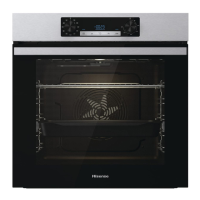
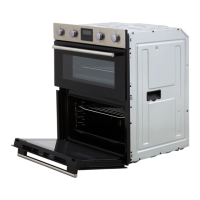
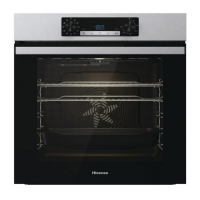
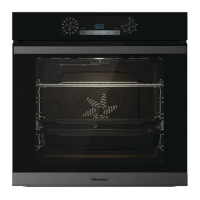
Hisense BSA65226AB - User Manual

Hisense BSA65226AB
37 pages
Print Icon
To Next Page IconTo Next Page
Loading...
INSTRUCTIONS FOR USE
OF A BUILT-IN OVEN

Questions and Answers

Summary

Safety precautions

Other important safety warnings

Essential safety guidelines for safe operation and to prevent hazards.

Appliance description

Rating plate - product information

Details found on the appliance's rating plate, including model and technical specifications.

Control unit

Overview of the oven's control panel, buttons, and display functions.

Push-pull knobs

Instructions for operating the oven's push-pull control knobs.

Appliance equipment

Guides

Explains the function and types of oven guides for rack levels, including wire and pull-out.

Oven door switch

Describes the switch that controls oven heating and fan when the door opens/closes.

Cooling fan

Details the operation and purpose of the oven's cooling fan system.

Oven equipment and accessories

Lists and describes standard oven accessories like wire racks and baking trays.

Before first use

Switching on for the first time

Initial setup procedures, including clock setting and basic configuration.

Choosing the settings

CHOOSING THE COOKING SYSTEM

Guide to selecting different cooking modes and their corresponding symbols.

SETTING THE COOKING TEMPERATURE

Instructions for setting the desired cooking temperature for various programs.

TIMER FUNCTIONS

How to set and use the oven's timer for cooking duration and delayed start functions.

Starting the cooking process

Extra gratin

How to use the gratin function for enhancing food crusts during the final cooking stage.

Baking with addition of steam

Using steam injection for improved browning and crispier food textures.

General settings

Clock displayed

How to set and adjust the clock display format (12-hour or 24-hour).

Acoustic signal volume

Adjusting the volume of audible signals or turning them off.

Display illumination

Adjusting the brightness level of the oven's digital display.

Display unit - night mode

Setting the display to automatically dim during nighttime hours.

Standby

Function to enable or disable automatic switching of the clock display.

Adaptive function

Allows adjusting cooking time based on previous usage patterns.

Factory settings

Resets all appliance settings to their original factory default values.

General tips and advice for baking

Fast preheating of the oven

Guidelines for utilizing the fast preheating function effectively for specific recipes.

Slow Bake

Method for slow and controlled cooking at low temperatures for tender results.

Cooking with a temperature probe

Recommended doneness levels for different types of meat

Guide to target core temperatures for various meats to achieve desired doneness levels.

Cleaning and maintenance

Using the Steam Clean program to clean the oven

Step-by-step instructions for performing oven cleaning using the Steam Clean function.

Removing wire and fixed pull-out (extendible) guides

Procedures for safely removing oven rack guides for cleaning or replacement.

Removing and replacing the oven door and glass panes

Instructions for cleaning or replacing oven door glass panes and door assembly.

Soft door closing and opening

Explanation of the soft door closing mechanism and how it operates.

Replacing the bulb

Step-by-step guide for replacing the oven's internal light bulb.

Troubleshooting table

Disposal

Cooking test

Summary

Safety precautions

Other important safety warnings

Essential safety guidelines for safe operation and to prevent hazards.

Appliance description

Rating plate - product information

Details found on the appliance's rating plate, including model and technical specifications.

Control unit

Overview of the oven's control panel, buttons, and display functions.

Push-pull knobs

Instructions for operating the oven's push-pull control knobs.

Appliance equipment

Guides

Explains the function and types of oven guides for rack levels, including wire and pull-out.

Oven door switch

Describes the switch that controls oven heating and fan when the door opens/closes.

Cooling fan

Details the operation and purpose of the oven's cooling fan system.

Oven equipment and accessories

Lists and describes standard oven accessories like wire racks and baking trays.

Before first use

Switching on for the first time

Initial setup procedures, including clock setting and basic configuration.

Choosing the settings

CHOOSING THE COOKING SYSTEM

Guide to selecting different cooking modes and their corresponding symbols.

SETTING THE COOKING TEMPERATURE

Instructions for setting the desired cooking temperature for various programs.

TIMER FUNCTIONS

How to set and use the oven's timer for cooking duration and delayed start functions.

Starting the cooking process

Extra gratin

How to use the gratin function for enhancing food crusts during the final cooking stage.

Baking with addition of steam

Using steam injection for improved browning and crispier food textures.

General settings

Clock displayed

How to set and adjust the clock display format (12-hour or 24-hour).

Acoustic signal volume

Adjusting the volume of audible signals or turning them off.

Display illumination

Adjusting the brightness level of the oven's digital display.

Display unit - night mode

Setting the display to automatically dim during nighttime hours.

Standby

Function to enable or disable automatic switching of the clock display.

Adaptive function

Allows adjusting cooking time based on previous usage patterns.

Factory settings

Resets all appliance settings to their original factory default values.

General tips and advice for baking

Fast preheating of the oven

Guidelines for utilizing the fast preheating function effectively for specific recipes.

Slow Bake

Method for slow and controlled cooking at low temperatures for tender results.

Cooking with a temperature probe

Recommended doneness levels for different types of meat

Guide to target core temperatures for various meats to achieve desired doneness levels.

Cleaning and maintenance

Using the Steam Clean program to clean the oven

Step-by-step instructions for performing oven cleaning using the Steam Clean function.

Removing wire and fixed pull-out (extendible) guides

Procedures for safely removing oven rack guides for cleaning or replacement.

Removing and replacing the oven door and glass panes

Instructions for cleaning or replacing oven door glass panes and door assembly.

Soft door closing and opening

Explanation of the soft door closing mechanism and how it operates.

Replacing the bulb

Step-by-step guide for replacing the oven's internal light bulb.

Troubleshooting table

Disposal

Cooking test

Hisense BSA65226AB Specifications

General IconGeneral
BrandHisense
ModelBSA65226AB
CategoryOven
LanguageEnglish

Related product manuals