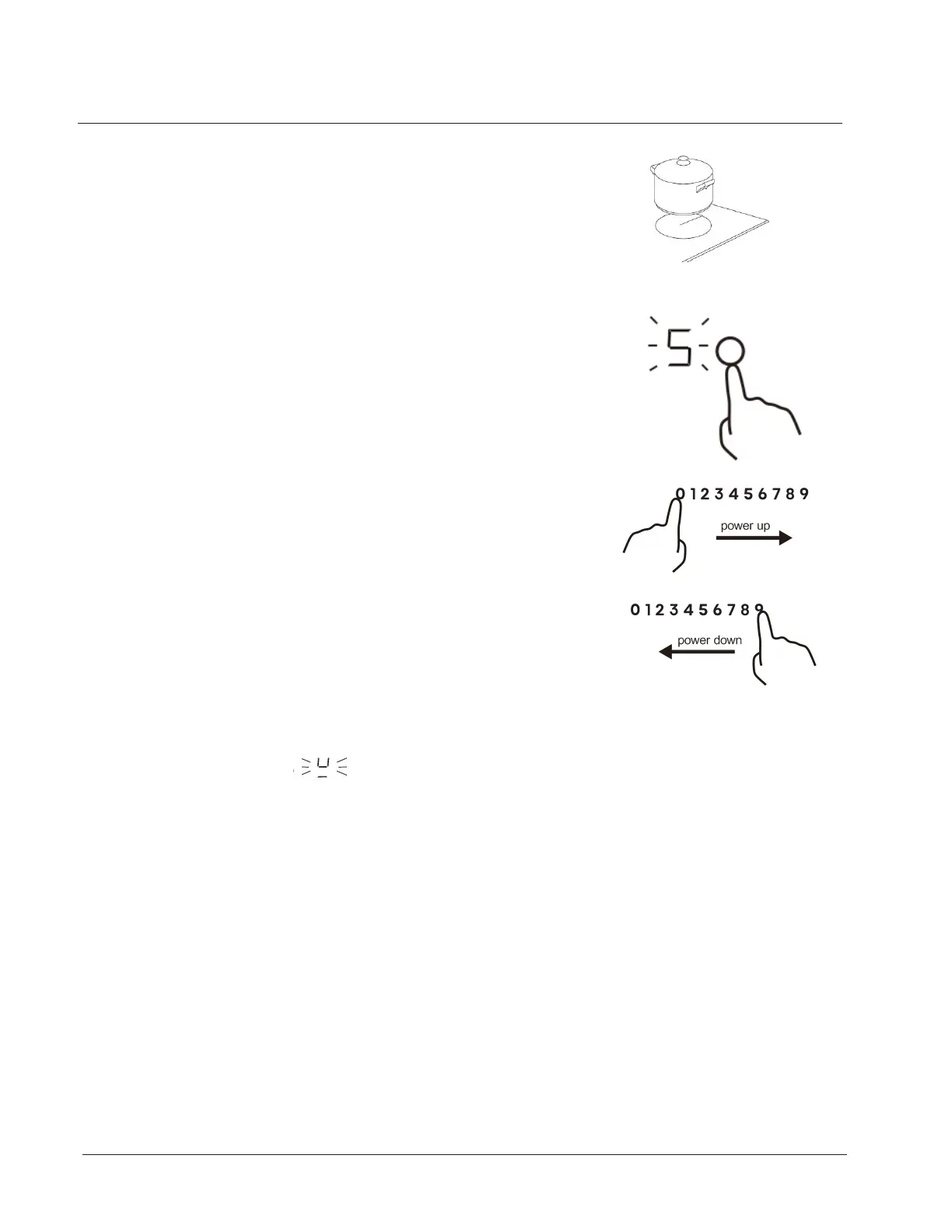
2. Place a suitable pan on the cooking zone that you wish
to use.
• Make sure the bottom of the pan and the surface Of the
cooking zone are clean and dry.
3. Touching the heating zone selection control, the
indicator next to the button will show“5”and flash 5
seconds. If there is no operation in 1 minutes, the buzzer
beeps once and the hob will go into the standby mode .
Press the ON/OFF Control again to restart the hob.
4. Ajust heat setting by touching the the slider control.
• If you don’t choose a heat setting within 1 minute, the
Induction hob will automatically switch off. You will need
to start again at step 1.
• You can modify the heat setting at any time during
cooking.
• you have not placed a pan on the correct cooking zone or,
• the pan you’re using is not suitable for induction cooking or,
• the pan is too small or not properly centered on the cooking zone.
No heating takes place unless there is a suitable pan on the cooking zone.
The display will automatically turn off after 2 minutes if no suitable pan is
placed on it.
If the display flashes setting alternately with the heat setting
Using your Freestanding Cooker
25



 To Next Page