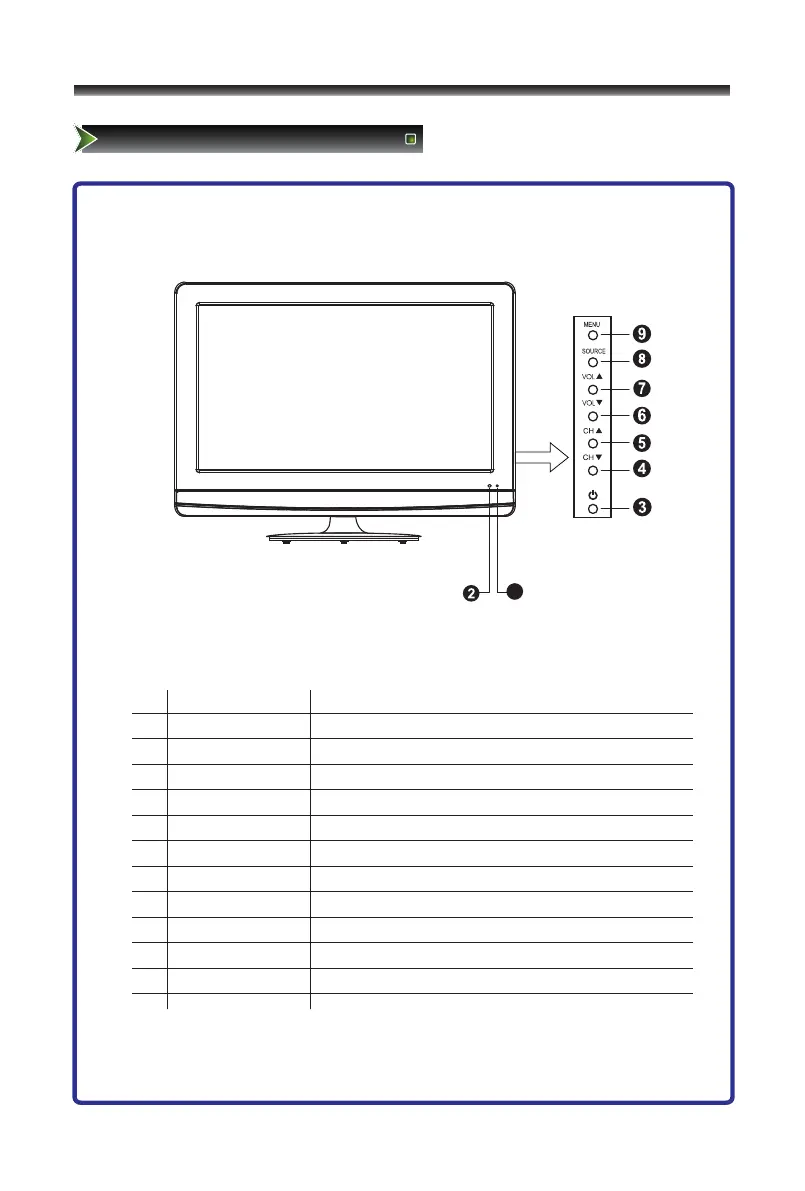
1
Red indicates standby mode. Blue shows that the
unit is on.There will be no light when the power
switch is in the off position.
Receives signals from the remote control. Do not block.
Press to turn your TV on or off (standby mode).
Press to go to the previous channel.
Press to go to the next channel.
Press to decrease the volume.
Press to increase the volume.
Press to select the signal source for your TV.
Press to activate the on-screen display (OSD).
Note:
1.The figures are for reference only, please refer to the actual set.
2.For some sets, there is no light when the power is on.



 To Next Page