2.13.6 Magic Focus Initialize
Adjustment Preparation
(1) Receive any NTSC signal. (Set is in Normal mode.)
(2) Digital convergence adjustment should have been
completed.
(3) Set is in DCU adjustment mode.
Adjustment Procedure
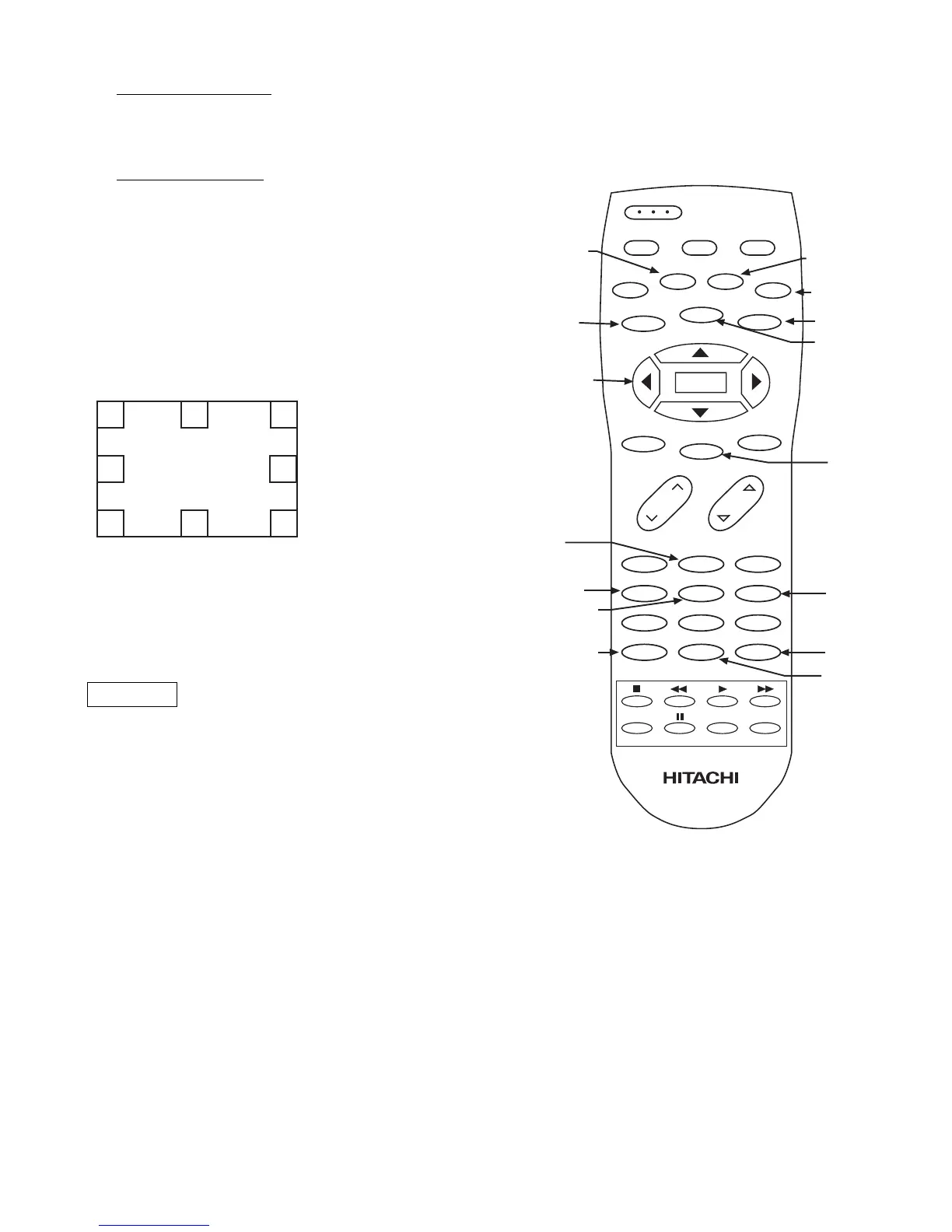
(1) Press “PIP MODE” and then “PIP CH” to initialize
Magic Focus. The initialize operation starts and
several windows appear during this operation. It
takes about 30 seconds or less.
(2) When green dots appear, initialize operation is
finished.
(3) Turn power OFF.
(4) Receive any 1080i signal. Select Aspect 5/PICTURE
FORMAT/SET UP of menu. (Set is in V. Squeeze
mode.)
(5) Repeat above steps (1)~(3) gain.
NOTE: DCU has 2 modes, Normal and V. Squeeze
(1080i through) mode.
Therefore, this adjustment needs to be done
for both modes.
REMARKS
Another way to start the initialize operation:
(1) Press “SERVICE ONLY” Sw. on CONVER/FOCUS
PWB to set DCU adj. mode.
(2) Press [PIP MODE] key on R/C. Then “ROM WRITE
?” is displayed for alarm. Next, press [PIP CH] key
on R/C, the initalize operation starts. When green
dots appear, initalize operation is finished.
NOTE: If there is an error message, red dots or an error
code, refer to page 40, CONVERGENCE
ERRORS.



 To Next Page