English
63
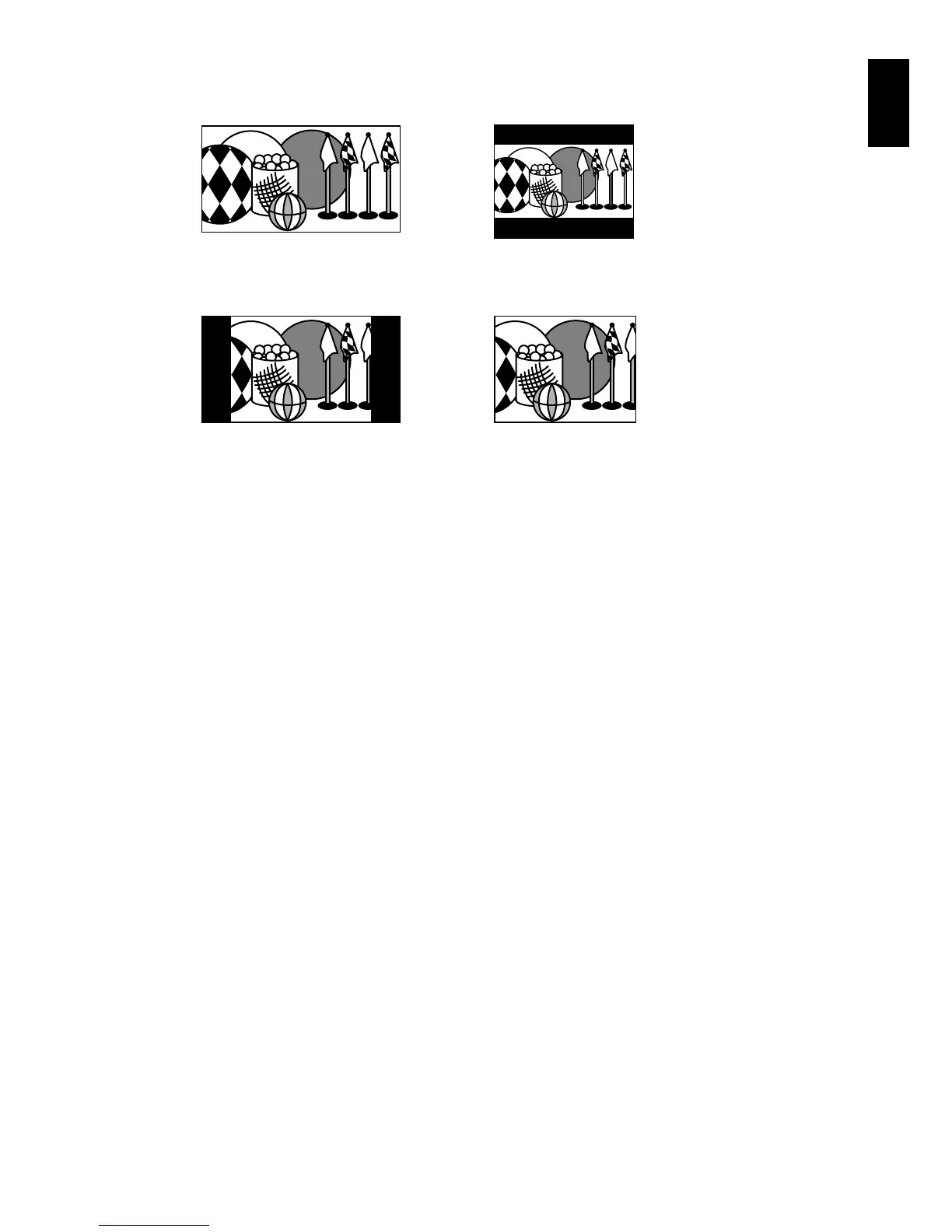
An image recorded with “16:9 On” specified will appear as follows:
Images recorded with “16:9 Off” specified will appear as follows:
Note:
• The 16:9 setting will be kept even after the DVD video camera/recorder is turned off.
• The 16:9 mode cannot be used with photo recording, external input*, S-VIDEO external input*.
• When using a DVD-RW (VF-mode)/DVD-R/+RW:
You cannot specify the combination of “VIDEO Mode: STD” and “16:9 On”. If you specify “16:9 On” and try to
switch the VIDEO Mode to STD from XTRA or FINE, the screen will automatically switch to the 4:3-aspect ratio
display.
• Once the DVD-RW (VF-mode)/DVD-R disc has been recorded in the wide-screen mode, you will not be able to
switch to recording of external input* or S-VIDEO external input* using the same disc.
• When using DVD-RW (VF-mode)/DVD-R, switching between wide mode (16:9) and normal mode (4:3) will not be
possible while using the same disc.
• Images recorded with “16:9 On” (aspect ratio 16:9) specified will be played back with the setting used during
recording regardless of the 16:9 setting then being used.
• The 16:9 setting is not compatible with ID-1/ID-2**.
• To view images recorded at 16:9 setting, switch the aspect ratio of your TV: See TV instruction manual for this
switching.
• When using a video selector, the TV may not automatically be switched to 16:9 mode.
• When the power switch is set to “N” or “P”, the aspect ratio of screen in recording pause will be 4:3 regardless of
the setting on 16:9 wide mode.
• If you connect the DVD video camera/recorder with a disc recorded in wide mode to a TV with 4:3 display only
and play it back, vertically long images will appear. To display 4:3 images, set “TV aspect type” (p. 105) to 4:3 and
view the images.
• If you play back a +RW recorded in wide mode on a DVD recorder/player, etc., vertically long images will appear
even on a wide-screen TV. In this case, change the setting on the DVD recorder/player, or set “TV aspect type”
(p. 105) to 4:3 and view the images.
* The DZ-BX37A/BX35A cannot receive any externally input signal.
**This system records the aspect ratio (16:9, 4:3) information in void space between video signals.
Display on LCD monitor screen Display in viewfinder
Display on LCD monitor screen Display in viewfinder






 To Next Page