English
143
INSTALLING USB DRIVER
With Windows XP
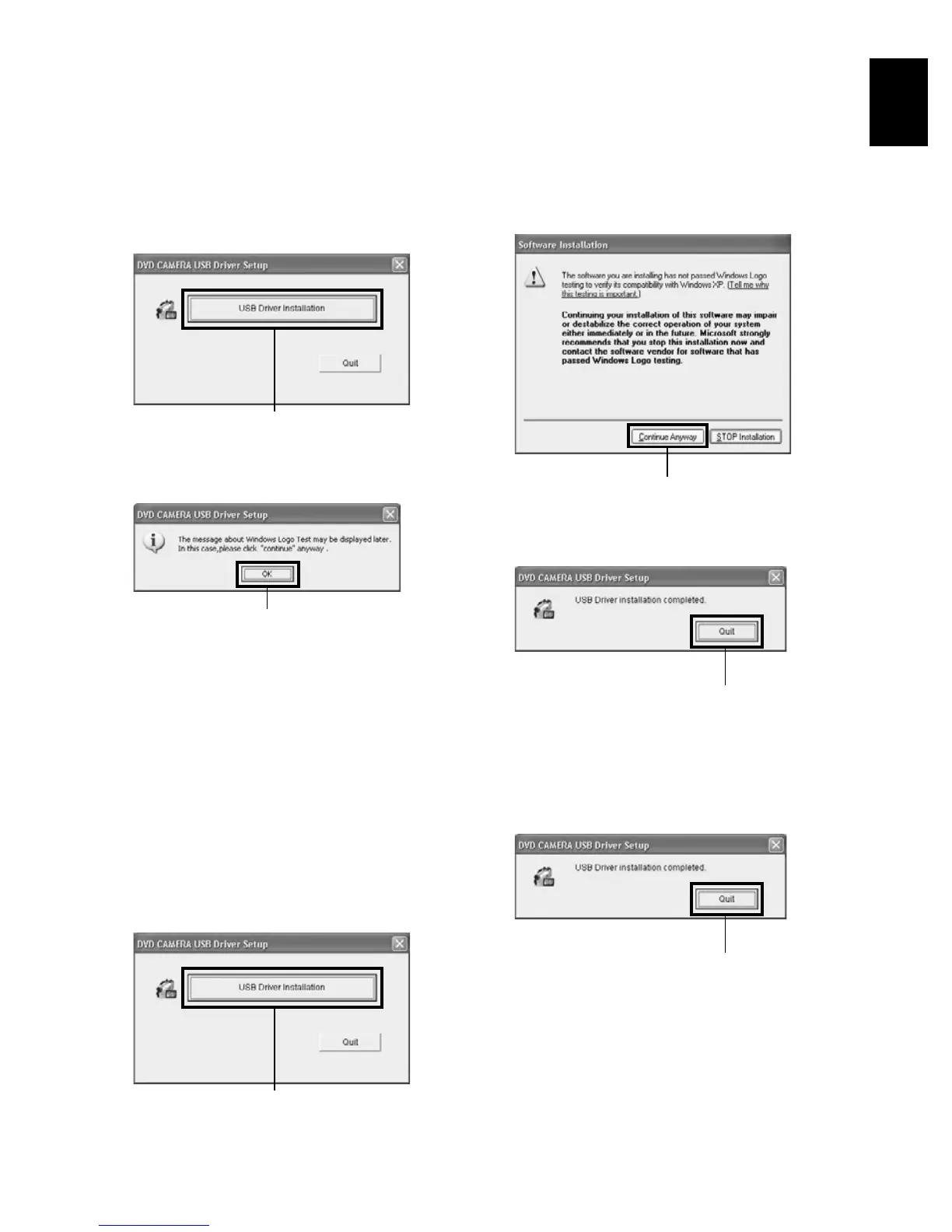
1Click “USB Driver Installation” on the installer
screen.
2The USB driver installer screen will appear:
Click “USB Driver Installation”.
3Check the contents and then click “OK”.
4The message on Windows logo test will appear:
Carefully read it and then click “Continue
Anyway”.
Installation will start.
5Click “Quit”.
Installing the USB driver is now complete.
With Windows 2000/Me/98 Second Edition
1Click “USB Driver Installation” on the installer
screen.
2The USB driver installer screen will appear:
Click “USB Driver Installation”.
Installation will start.
3Click “Quit”.
Installing the USB driver is now complete.
Click
Click
Click
Click
Click
Click















 To Next Page