English
71
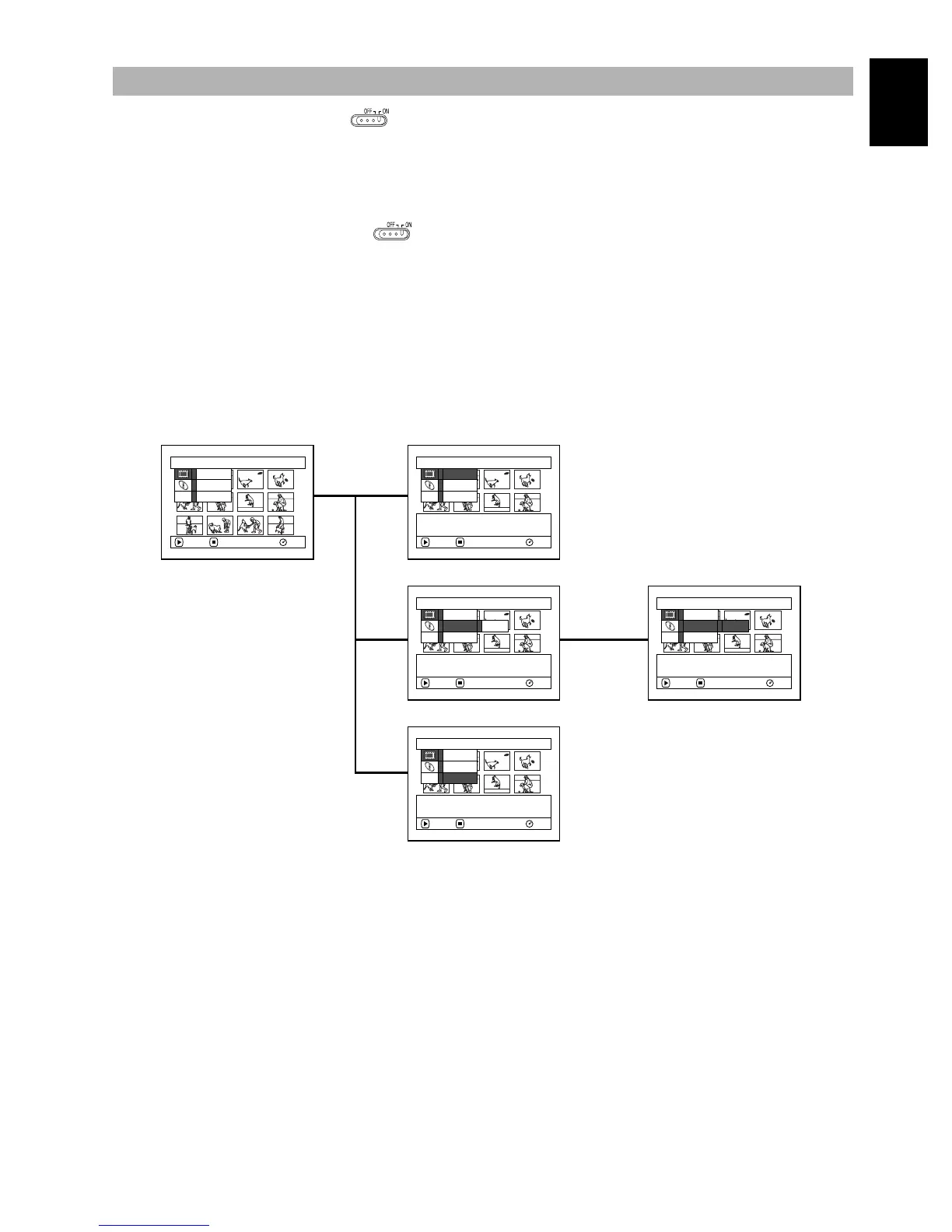
Set the QUICK MODE switch to ON, and then, while Disc Navigation screen is being displayed
on the LCD monitor, press the MENU button: The menu of Quick mode will appear.
Only the fundamental menu items will appear in the Quick mode, and the explanation of the function
on which the cursor is positioned will be displayed across the bottom of menu (except during recording).
1Set the QUICK MODE switch to ON.
2Press the DISC NAVIGATION button.
3Select a scene, and then press the MENU
button.
1
FLOW OF QUICK MODE (WITH DVD-RAM DISC):
The details of each function are described on pages showing the Normal mode: See each reference page.
●Scene
Disc Navigation Functions
ETC
Scene
Ed i t
Copy
ENTER RETURN RA
M
De l e t e
ETC
Scene
Ed i t
Copy
Delete selected scene.
ENTER RETURN RA
M
De l e t e
ETC
Scene
Ed i t Fade
Copy
Ed i t scenes.
ENTER RETURN RA
M
De l e t e
ETC
Scene
Edi t Fade
Copy
Add fading to the beginning
and/or end of scene.
ENTER RETURN RA
M
De l e t e
ETC
Scene
Ed i t
Copy
Copy the selected photo
to card.
ENTER RETURN RA
M
De l e t e
(P. 109)
(P. 116)
(P. 113)















 To Next Page