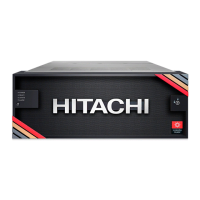
The Hitachi Virtual Storage Platform E1090 (VSP E1090) is a storage system designed for self-installation, offering a comprehensive solution for data storage needs. This guide outlines the installation, setup, and initial configuration processes, ensuring users can deploy the system without direct assistance from a Hitachi Vantara representative.
Function Description:
The VSP E1090 serves as a robust storage system, providing a platform for managing and storing data. It is designed to be integrated into existing data center environments, supporting both Fibre Channel and iSCSI connectivity for host attachments. The system's core function is to provide reliable and scalable data storage, with features aimed at ease of installation and ongoing management.
Important Technical Specifications:
While specific detailed technical specifications like capacity, IOPS, or throughput are not explicitly listed in the provided excerpts, the manual does highlight several key aspects:
- Power: The system operates with auto-adjusting input voltage for 200-240 VAC, 50-60 Hz power connections. It features redundant power supplies (one per controller) to ensure continuous operation even if one power supply loses AC power.
- Connectivity: Each controller supports 10-gigabit Ethernet copper (RJ-45) or optical (fiber) iSCSI connectivity. Fibre Channel data ports are also available for host connections.
- Rack Compatibility: The VSP E1090 can be mounted in a Hitachi Universal Rack or a 4-post EIA 310-D compliant 19-inch rack with square mounting holes and rear-facing power distribution units (PDUs). The rail kit includes pins compatible with both square and circular shaped holes.
- Management Console Requirements: A customer-supplied Windows-based PC with an Internet connection and a supported web browser (Internet Explorer version 11 or later, Chrome, or Firefox) is required for initial setup and ongoing management. The management console needs to be configured with a specific IP address (192.168.0.18) and subnet mask (255.255.255.0) for initial access.
- Network Settings: The system supports IPv4 and IPv6 configurations, allowing users to define IP addresses, subnet masks, default gateways, and DNS servers. It also supports auto-negotiation for network connection mode, which automatically sets the speed and duplex mode to the highest supported by the system and the connected device.
Usage Features:
- Self-Installation: The VSP E1090 is designed for self-installation, simplifying deployment. The guide provides step-by-step instructions for unpacking, verifying component locations, installing controllers and drive boxes into the rack, and cabling.
- Pre-configured Components: Controller and drive boxes are shipped fully configured, reducing the complexity of initial setup. Each component comes with identification labels to facilitate correct placement within the rack.
- Initial Setup Wizard: A Windows-based management console is used to perform the initial setup, guided by an "Initial Setup Wizard." This wizard helps configure system information, date and time settings, and network settings.
- Management Interface: The system uses Hitachi Storage Advisor Embedded for management, accessible via a web browser. This interface allows users to perform tasks such as user administration, password changes, and network configuration.
- Flexible Cabling: The system supports both iSCSI and Fibre Channel cables for connecting drive boxes to the controller, depending on the available connectors.
- Rack Layout Guidance: The manual includes detailed rack layout diagrams and item descriptions (UNIT#, CBL#, DBN#, U Location, SYSTEM Serial #, SYSTEM COO) to ensure accurate placement of components.
- Bezel Attachment: The front bezel can be attached and secured with a key, providing a clean aesthetic and physical security.
Maintenance Features:
- Power Redundancy: The dual power supplies and the recommendation to route them to independent PDUs on separate branch circuits ensure high availability and continued operation in case of a power supply failure or AC power loss to one supply.
- Alert Notifications: The system supports syslog and SNMP notifications, allowing administrators to configure the storage system to send alerts for monitoring purposes. While email notifications are mentioned, the guide recommends using Hitachi Remote Ops for this function.
- Hitachi Remote Ops Integration: The VSP E1090 integrates with Hitachi Remote Ops monitoring system, which proactively monitors the storage system and notifies Hitachi Vantara when service is required. This system runs on Windows, Linux, and Solaris operating systems.
- Support Website Access: Users are encouraged to register an account on the Hitachi Vantara Support Website to access documentation, download software (like Hitachi Remote Ops), and open support cases.
- Technical Bulletins and Interoperability Reports: Hitachi Vantara provides technical bulletins and interoperability reports to keep users informed about new features, bug fixes, proper use, handling, and compatibility information for supported hosts and hardware.
- Default Password Management: The initial setup process includes changing the default password for the maintenance user, emphasizing the importance of recording and securing this new password for system maintenance and future wizard runs.
- Time Synchronization: The system allows for UTC timezone configuration and synchronization with an NTP server, ensuring accurate timekeeping, which is crucial for logging and system operations. It also supports automatic clock adjustment for Daylight Saving Time.

 Need help?


 To Next Page
 General