Chapter 14 Operation Examples
14-5
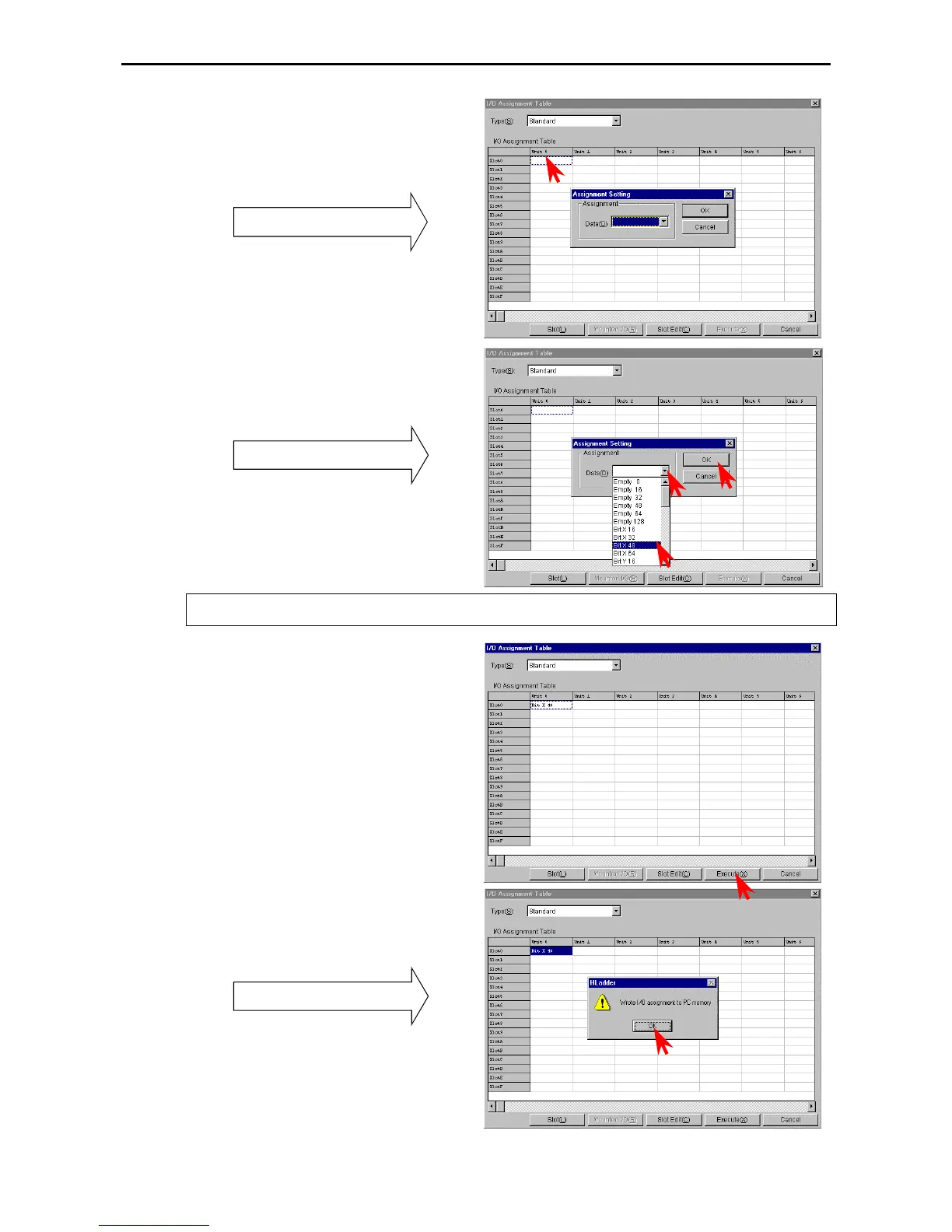
[Setting from the I/O Assign List]
1] Double-click the cell for the unit number and
slot number to be set.
The Assignment Setting dialogue box is displayed.
The Assignment Setting dialogue box
v
2] Click the W of the data and select I/O type
from the pull-down display.
3] Click the [OK] button to close the Assignment
Setting dialogue box.
Setting of I/O type
In the same way, repeat steps 1] to 3] to assign X48
and 16 vacant points to Slot 1 and 2 respectively.
If a wrong value has been entered, the slot is left blank by assigning [Vacant 0] and is treated as though nothing is
assigned to it.
4] Click the [Execute] button.
The information assigned to the PC memory is
written.
5] Click the [OK] button in the confirmation
dialogue box to close the I/O Assignment List
dialogue box.
Confirmation dialogue box



 To Next Page