Chapter 14 Operation Examples
14-12
S T E P
5 Saving the Program
Save the program and comment that has been created to a floppy disk.
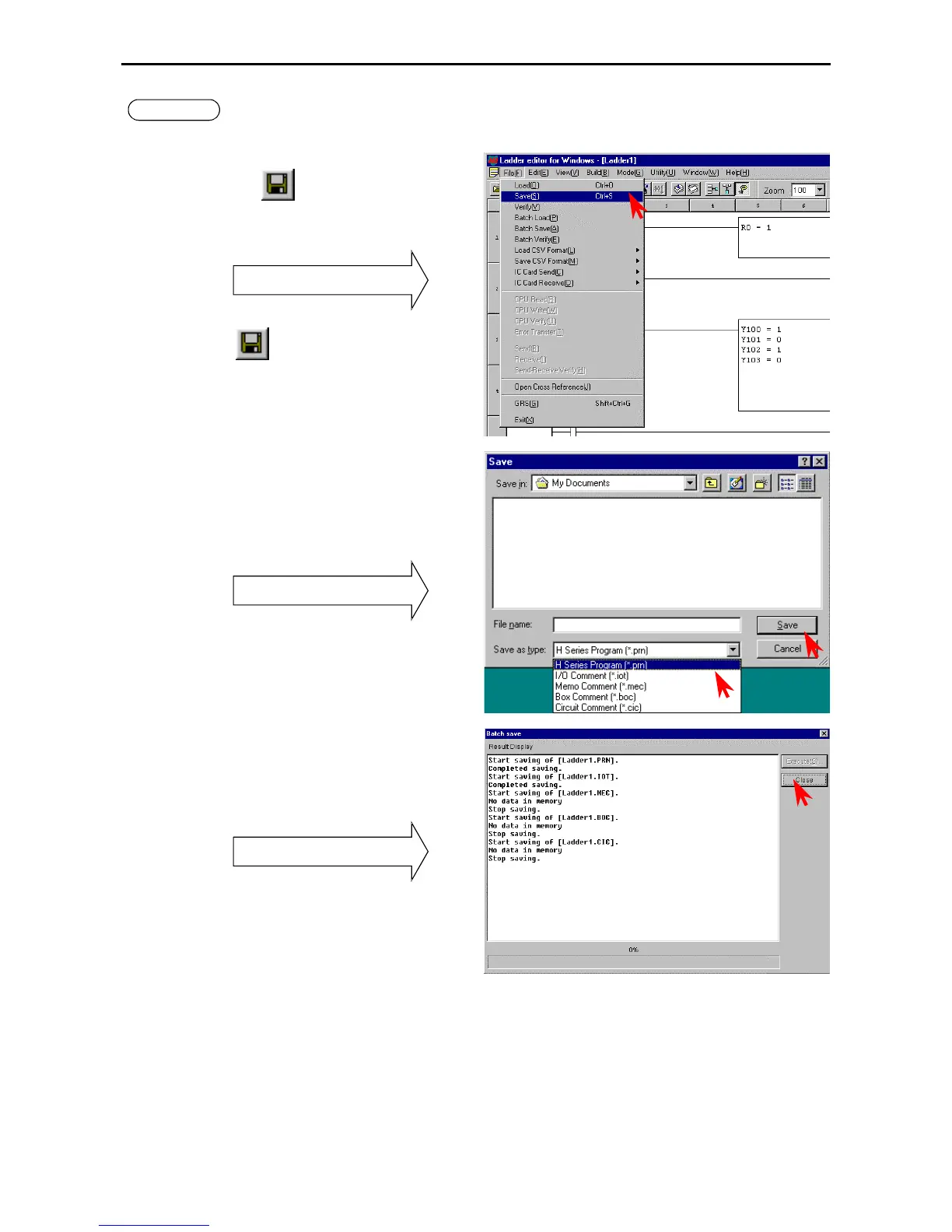
Click [File] → [Record] in the Menu bar, the
Record icon
, or [File] → [Batch Record].
The dialogue for Record or Batch Record is
displayed.
Pull-down menu
Record
: Specify the file type and save.
Batch Record: Saves a program and all the
comment files.
Record dialogue box:
Specify the directory to save in, file name, and
file type.
Batch Record dialogue box:
Specify the place to save and file name.
Click the [Save] button to save.
Record dialogue box
File name extensions are not necessary to input.
Record and Batch Record display the results of the
save operations for one file and five files
respectively.
The figure to the left shows an example of a result
display for the Batch Record.
Batch Record Result dialogue box



 To Next Page