8
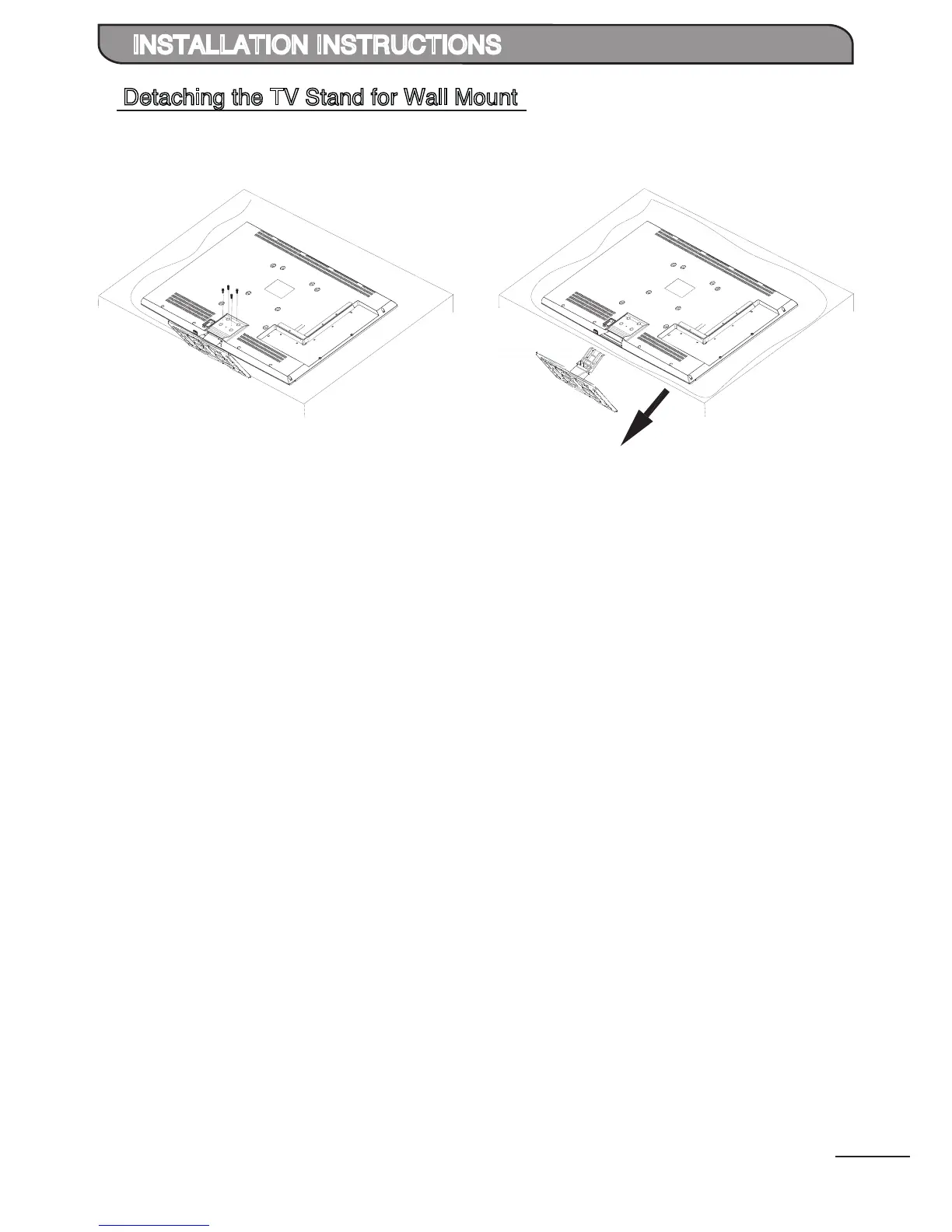
Detaching the TV Stand for Wall Mount
INSTALLATION INSTRUCTIONS
1
Unscrew and remove the 4 screws as shown.
Carefully slide out the base stand.
2
Carefully place the TV with its front side facing
down on a cushioned flat surface. Unscrew and
remove the 4 screws as shown.


 To Next Page