EasyManua.ls Logo

Hitachi PJTX200J - User Manual

Hitachi PJTX200J
82 pages
Print Icon
To Next Page IconTo Next Page
Loading...
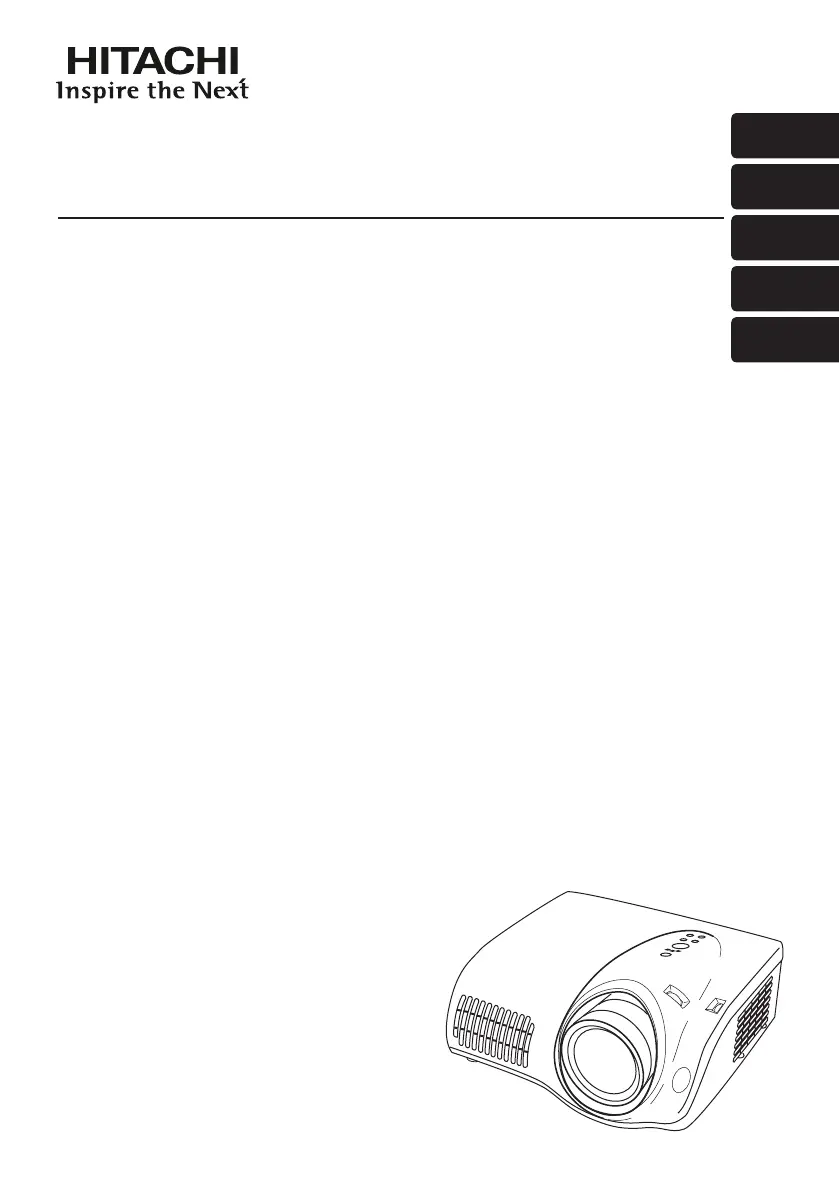
Projector
PJ-TX200
ENGLISH
FRANÇAIS
DEUTSCH
ESPAÑOL
ITALIANO
Users Manual - Operating Guide
Thank you for purchasing this projector.
Please read this users manual thoroughly to ensure the proper use of this product.
Manuel d'utilisation - Guide d'utilisation
Merci d’avoir acheté ce projecteur.
Veuillez lire ce manuel d’utilisation entrement, pour vous assurer que vous utiliserez
correctement ce produit.
Bedienungsanleitung - Benutzerhandbuch
Herzlichen Glückwunsch zum Kauf dieses Projektors.
Bitte lesen Sie sich diese Bedienungsanleitung sorgfältig durch, um richtige und sichere
Verwendung dieses Produkts sicherzustellen.
Manual de usuario - Guía de funcionamiento
Muchas gracias por la adquisición de este proyector.
Lea detenidamente el manual del usuario para asegurarse de usar apropiadamente este
producto.
Manuale d'istruzioni - Guida operativa
Vi ringraziamo per avere acquistato questo proiettore.
Per garantirne l'impiego corretto vi raccomandiamo di leggerne a fondo il manuale d'istruzioni.

Table of Contents

Questions and Answers

  • M
    Mrs. Jennifer RoseAug 16, 2025
    What to do if my Hitachi PJTX200J says 'CHECK THE AIR FLOW'?
    • J
      Jessica SmithAug 16, 2025
      If the Hitachi Projector displays 'CHECK THE AIR FLOW,' it indicates that the internal temperature is high. Turn off the projector and allow it to cool down for at least 20 minutes. Then, check for any blockage of the air passage, ensure the air filter is clean, and verify that the surrounding temperature does not exceed 35°C. If the problem persists, set the FAN SPEED in the SERVICE menu to HIGH.
  • K
    Kenneth WalshAug 19, 2025
    What to do if Hitachi PJTX200J Projector displays 'CHECK THE AIR FLOW'?
    • H
      Hannah WilliamsAug 19, 2025
      If your Hitachi Projector displays the message 'CHECK THE AIR FLOW', it indicates that the internal temperature is high. Turn off the power and let the projector cool down for at least 20 minutes. Then, check: * Is the air passage aperture blocked? * Is the air filter dirty? * Does the surrounding temperature exceed 35°C? If the issue persists, set the FAN SPEED in the SERVICE item of the OPTION menu to HIGH.
  • D
    Debbie WoodardAug 22, 2025
    What to do if Hitachi PJTX200J shows 'REMINDER *** HRS PASSED AFTER THE LAST FILTER CHECK'?
    • C
      calebsandersAug 22, 2025
      If your Hitachi Projector displays 'REMINDER *** HRS PASSED AFTER THE LAST FILTER CHECK. FILTER MAINTENANCE IS ESSENTIAL TO REMOVE WARNING MESSAGE, RESET FILTER TIMER', immediately turn the power off. Clean or change the air filter. After cleaning or changing the filter, reset the FILTER TIME.
  • C
    Cory ChambersAug 26, 2025
    What to do if my Hitachi PJTX200J Projector says 'FILTER MAINTENANCE IS ESSENTIAL'?
    • J
      John JohnstonAug 26, 2025
      If your Hitachi Projector displays the message 'FILTER MAINTENANCE IS ESSENTIAL TO REMOVE WARNING MESSAGE, RESET FILTER TIMER,' immediately turn the power off. Clean or change the air filter following the instructions provided in “Air filter”. After cleaning or changing the filter, make sure to reset the FILTER TIME.
  • J
    Jason BakerAug 28, 2025
    What to do if my Hitachi Projector says 'No input is detected'?
    • M
      Mrs. Lisa JohnsonAug 28, 2025
      If your Hitachi Projector displays 'NO INPUT IS DETECTED,' confirm the input signal connection and the status of the signal source.
  • J
    Jacob KramerAug 31, 2025
    Why does my Hitachi PJTX200J say 'Sync is out of range'?
    • J
      James RileyAug 31, 2025
      If your Hitachi Projector displays 'SYNC IS OUT OF RANGE,' confirm the specifications for both the projector and the signal source.
  • R
    robertrobinsonSep 3, 2025
    What to do if Hitachi Projector displays 'SYNC IS OUT OF RANGE'?
    • E
      Elizabeth OwenSep 3, 2025
      If your Hitachi Projector displays the message 'SYNC IS OUT OF RANGE ON *** fH *****kHz fV *****Hz', please confirm the specifications for both the projector and the signal source.
  • J
    Jordan GainesSep 6, 2025
    How to fix 'NO INPUT IS DETECTED' on Hitachi PJTX200J?
    • A
      Andrew GambleSep 6, 2025
      If your Hitachi Projector displays 'NO INPUT IS DETECTED ON ***', confirm the input signal connection and the status of the signal source.
  • D
    dmurraySep 9, 2025
    How to fix 'no input signal' on my Hitachi Projector?
    • D
      Donald PenaSep 9, 2025
      If your Hitachi Projector displays 'no input signal,' confirm the input signal connection and check the status of the signal source.
  • A
    Ashley CookSep 12, 2025
    What to do if the Hitachi Projector shows that the wavelength of the input signal is out of range?
    • M
      Mr. Danny DouglasSep 12, 2025
      If your Hitachi Projector indicates that the horizontal or vertical wavelength of the input signal is out of the response parameter range, confirm the specifications for both the projector and the signal source.

Hitachi PJTX200J Specifications

General IconGeneral
BrandHitachi
ModelPJTX200J
CategoryProjector
LanguageEnglish

Related product manuals