EasyManua.ls Logo

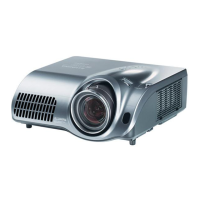
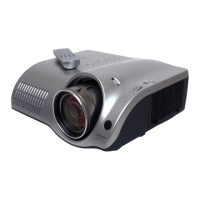
Hitachi PJ-TX200 - User Manual

Hitachi PJ-TX200
82 pages
Print Icon
To Next Page IconTo Next Page
Loading...
Projector
PJ-TX200
ENGLISH
FRANÇAIS
DEUTSCH
ESPAÑOL
ITALIANO
Users Manual - Operating Guide
Thank you for purchasing this projector.
Please read this users manual thoroughly to ensure the proper use of this product.
Manuel d'utilisation - Guide d'utilisation
Merci d’avoir acheté ce projecteur.
Veuillez lire ce manuel dutilisation entièrement, pour vous assurer que vous utiliserez
correctement ce produit.
Bedienungsanleitung - Benutzerhandbuch
Herzlichen Glückwunsch zum Kauf dieses Projektors.
Bitte lesen Sie sich diese Bedienungsanleitung sorgfältig durch, um richtige und sichere
Verwendung dieses Produkts sicherzustellen.
Manual de usuario - Guía de funcionamiento
Muchas gracias por la adquisición de este proyector.
Lea detenidamente el manual del usuario para asegurarse de usar apropiadamente este
producto.
Manuale d'istruzioni - Guida operativa
Vi ringraziamo per avere acquistato questo proiettore.
Per garantirne l'impiego corretto vi raccomandiamo di leggerne a fondo il manuale d'istruzioni.

Table of Contents

Other manuals for Hitachi PJ-TX200

Questions and Answers

  • M
    Mathew SmithAug 15, 2025
    What to do if my Hitachi PJ-TX200 says 'CHECK THE AIR FLOW'?
    • R
      Rodney MooreAug 15, 2025
      If the Hitachi Projector displays 'CHECK THE AIR FLOW,' it indicates that the internal temperature is high. Turn off the projector and allow it to cool down for at least 20 minutes. Then, check for any blockage of the air passage, ensure the air filter is clean, and verify that the surrounding temperature does not exceed 35°C. If the problem persists, set the FAN SPEED in the SERVICE menu to HIGH.
  • J
    John HullAug 18, 2025
    What to do if Hitachi Projector displays 'CHECK THE AIR FLOW'?
    • L
      loriwillisAug 18, 2025
      If your Hitachi Projector displays the message 'CHECK THE AIR FLOW', it indicates that the internal temperature is high. Turn off the power and let the projector cool down for at least 20 minutes. Then, check: * Is the air passage aperture blocked? * Is the air filter dirty? * Does the surrounding temperature exceed 35°C? If the issue persists, set the FAN SPEED in the SERVICE item of the OPTION menu to HIGH.
  • R
    Robin CurtisAug 21, 2025
    What to do if Hitachi PJ-TX200 shows 'REMINDER *** HRS PASSED AFTER THE LAST FILTER CHECK'?
    • S
      Stephanie Mason DDSAug 22, 2025
      If your Hitachi Projector displays 'REMINDER *** HRS PASSED AFTER THE LAST FILTER CHECK. FILTER MAINTENANCE IS ESSENTIAL TO REMOVE WARNING MESSAGE, RESET FILTER TIMER', immediately turn the power off. Clean or change the air filter. After cleaning or changing the filter, reset the FILTER TIME.
  • C
    Christina SummersAug 25, 2025
    What to do if my Hitachi Projector says 'FILTER MAINTENANCE IS ESSENTIAL'?
    • L
      lrodriguezAug 25, 2025
      If your Hitachi Projector displays the message 'FILTER MAINTENANCE IS ESSENTIAL TO REMOVE WARNING MESSAGE, RESET FILTER TIMER,' immediately turn the power off. Clean or change the air filter following the instructions provided in “Air filter”. After cleaning or changing the filter, make sure to reset the FILTER TIME.
  • R
    Ross WrightAug 27, 2025
    What to do if my Hitachi Projector says 'No input is detected'?
    • D
      David TaylorAug 27, 2025
      If your Hitachi Projector displays 'NO INPUT IS DETECTED,' confirm the input signal connection and the status of the signal source.
  • C
    crystal45Aug 30, 2025
    Why does my Hitachi PJ-TX200 Projector say 'Sync is out of range'?
    • W
      williamscourtneyAug 31, 2025
      If your Hitachi Projector displays 'SYNC IS OUT OF RANGE,' confirm the specifications for both the projector and the signal source.
  • K
    kgrantSep 2, 2025
    What to do if Hitachi PJ-TX200 Projector displays 'SYNC IS OUT OF RANGE'?
    • L
      ljordanSep 2, 2025
      If your Hitachi Projector displays the message 'SYNC IS OUT OF RANGE ON *** fH *****kHz fV *****Hz', please confirm the specifications for both the projector and the signal source.
  • C
    Carlos ClarkSep 5, 2025
    How to fix 'NO INPUT IS DETECTED' on Hitachi PJ-TX200?
    • C
      Claudia PorterSep 5, 2025
      If your Hitachi Projector displays 'NO INPUT IS DETECTED ON ***', confirm the input signal connection and the status of the signal source.
  • T
    Theresa HamiltonSep 8, 2025
    How to fix 'no input signal' on my Hitachi PJ-TX200?
    • K
      Katherine MartinezSep 8, 2025
      If your Hitachi Projector displays 'no input signal,' confirm the input signal connection and check the status of the signal source.
  • H
    Heather HesterSep 12, 2025
    What to do if the Hitachi PJ-TX200 shows that the wavelength of the input signal is out of range?
    • T
      Thomas BallardSep 12, 2025
      If your Hitachi Projector indicates that the horizontal or vertical wavelength of the input signal is out of the response parameter range, confirm the specifications for both the projector and the signal source.

Summary

Safety Guide and Symbols

About the Symbols

Explains the meaning of symbols used throughout the manual for safety and operation.

Typical Symbols

Illustrates common symbols indicating warnings, cautions, and compulsory actions.

General Safety Precautions

Handling Hazards and Placement Safety

Covers fire, shock, children, liquids, unstable surfaces, and disassembly warnings.

High Temperature and Power Safety

High Temperature and Lens Safety

Cautions about projector heat, and warnings regarding looking into the lens.

Power Cord and Grounding Safety

Ensures correct power cord usage and proper grounding for electrical safety.

Lamp, Cord, and Battery Handling

Lamp and Cable Handling Safety

Safe practices for handling the projector lamp and connection cables.

Remote Control Battery Safety

Safe handling procedures for batteries used in the remote control.

Movement, Environment, and Air Filter Safety

Safe Projector Movement and Placement

Guidelines for safely moving, placing, and arranging the projector.

Environmental Hazards and Air Filter

Avoiding contaminants and the importance of maintaining the air filter.

Maintenance and Display Characteristics Safety

Internal Cleaning and Lens Care

Advice on cleaning projector internals and caring for the lens.

Display Characteristics and Panel Printing

Notes on bright/dark spots and potential LCD panel printing.

Consumables and Operation Environment Safety

Consumables and Operating Environment

Information on consumables, operating environment, and interference.

Operation Order and Eye Care

Correct power sequence, eye comfort, and sound volume.

Lamp Information

Lamp Warnings and Disposal

Safety, handling, and disposal of the projector lamp.

Warranty and After-Service

Warranty and Service Procedures

Guidance on warranty conditions and contacting support.

Operating Guide Introduction

Manual Overview and Trademarks

Welcome, safety guide reference, and trademark acknowledgements.

Getting Started and Preparations

Projector Features and Manual Guide

Key capabilities and symbol explanations.

Package Contents and Part Identification

Included items and projector component identification.

Control Buttons and Ports

Details projector buttons and input/output ports.

Remote Control Functions

Operating the remote control.

Initial Setup - Lens Cover and Arrangement

Attaching lens cover and basic placement.

Initial Setup - Projection Distance and Environment

Tables for projection parameters and environmental considerations.

Initial Setup - Elevation and Power Connection

Adjusting projector height and connecting power supply.

Initial Setup - Connecting Devices

Connecting VCR, HDMI, DVI, SCART, and Computer.

Initial Setup - Computer Signals and Plug-and-Play

Compatible resolutions and system compatibility.

Initial Setup - Remote Control Batteries and Operation

Loading batteries and using the remote control.

Projector Operation

Powering the Projector On and Off

Step-by-step guides for powering up and down the projector.

Selecting Input Signals and Auto Adjust

Switching video sources and performing automatic picture setup.

Display Adjustments - Position, Zoom, Focus

Fine-tuning the image projection using lens shift, zoom, and focus.

Basic Operation and EASY MENU

Basic Operation - Aspect, Iris, Mode, Black

Adjusting aspect ratio, brightness, picture modes, and black levels.

Basic Operation - Brightness, Contrast, Color, My Memory

Fine-tuning picture elements and saving custom settings.

EASY MENU Operation and Functions

Accessing and using quick settings for various parameters.

Advanced Menu Features

Advanced Menu Navigation

How to access and control advanced settings.

PICTURE Settings

Detailed adjustments for Gamma, Color Temp, Brightness, Contrast, etc.

IMAGE Settings

Adjusting image scaling and positioning.

INPUT Settings

Configuring various input sources.

SETUP Settings

Keystone, Whisper, Mirror adjustments.

SCREEN Settings

Display language, startup images, MyScreen, shutter.

OPTION Settings

Timers, service functions, filter messages, and factory reset.

Maintenance Procedures

Lamp Replacement and Disposal

Safety, replacement steps, and disposal guidelines for the lamp.

Air Filter and Projector Cleaning

Maintaining the air filter, cleaning the projector body and lens.

Troubleshooting Guide

Error Messages and Indicator Lamps

Explains system messages and status lights.

Common Issues and Solutions

Guides for diagnosing and resolving non-defect problems.

Specifications and Support

Technical Specifications and Dimensions

Product details and physical measurements.

Glossary of Terms

Definitions of technical vocabulary.

Hitachi Contact Information

Global support and sales contacts.

Hitachi PJ-TX200 Specifications

General IconGeneral
Lamp Life2000 hours
Display Technology3LCD
Brightness2000 lumens
Resolution1280 x 720
InputsComponent, Composite, S-Video, VGA

Related product manuals