EasyManua.ls Logo

Hitachi VM-E110A - User Manual

Hitachi VM-E110A
66 pages
Print Icon
To Next Page IconTo Next Page
Loading...
For Your Safety
1
Instruction Manual
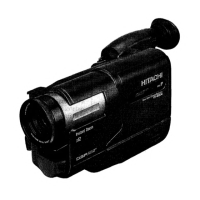
8mm Video Camcorder
VM-E110A/310A
Hitachi Home Electronics (America), HITACHI (HSC) CANADA, INC.
Inc. 3300 Trans Canada Highway, Pointe
Claire,
3890 Steve Reynolds Blvd., Norcross, GA 30093 Quebec, H9R1B1, CANADA
Tel. 404-279-5600 Tel. 514-697-9150
HITACHI SALES CORPORATION OF
HAWAII, INC
3219 Koapaka Street, Honolulu, Hawaii 96819
Tel. 808-836-3621
Thank you for buying a Hitachi product. You've chosen the best 8 mm video camcorder
for you, and we want to help you make the most of your purchase. Please take time to
become familiar with the manual and how it is set up. Keep it handy for feature
reference.
QR12521 © Hitachi, Ltd. 1995 Printed in Japan KG-M(N)


Table of Contents

Questions and Answers

  • E
    Edward WeberAug 14, 2025
    How to insert cassette into Hitachi VM-E110A cassette compartment?
    • K
      Kimberly RodriguezAug 14, 2025
      To properly insert a cassette into the cassette compartment of your Hitachi camcorder, load the cassette in the direction indicated by the arrow on the cassette, with the cassette window facing outward.
  • V
    vwilliamsAug 17, 2025
    What to do if picture does not appear in Hitachi VM-E110A viewfinder?
    • M
      Morgan MillerAug 17, 2025
      If you don't see a picture in the viewfinder of your Hitachi Camcorder, make sure to remove the lens cap. Also, ensure the power switch is set to “CAMERA”. Finally, check that the AV input cable is disconnected from the camera/recorder.
  • P
    pmccannAug 20, 2025
    Why Hitachi VM-E110A Camcorder can not be set to recording mode?
    • M
      Maria JamesAug 20, 2025
      If your Hitachi camcorder won't record, verify that the record protect tab on the cassette is not engaged. Also, make sure the power switch is in the “CAMERA” position and the camera/recorder is connected to the TV (or VCR).
  • J
    Jermaine YangAug 25, 2025
    What to do if Hitachi VM-E110A cannot go into recording mode?
    • N
      Nicole HessAug 25, 2025
      If your Hitachi camcorder won't enter recording mode, check the record protect tab on the cassette. Also, ensure that “FOCUS M” is not displayed in the viewfinder; if it is, press the “Focus” select button to remove it.
  • J
    James PerezAug 27, 2025
    How to fix picture bending at the top of Hitachi Camcorder TV screen?
    • T
      Tiffany GibsonAug 27, 2025
      If the picture bends at the top of your TV screen when using your Hitachi camcorder, it could be due to an older TV receiver type, which may need modification. Alternatively, the tape could be damaged; try using another cassette.
  • J
    James NielsenAug 30, 2025
    How to improve interference on Hitachi Camcorder playback picture?
    • C
      Cheryl MitchellAug 30, 2025
      To improve the playback picture on your TV when using your Hitachi camcorder, adjust the fine-tuning knob on the television set until you achieve the best picture quality.
  • R
    Robert PhillipsSep 3, 2025
    Why “PLAY” button cannot be engaged on Hitachi Camcorder?
    • S
      saragrossSep 3, 2025
      If the “PLAY” button on your Hitachi camcorder isn't working, ensure that the power switch is set to the “VIDEO” position.
  • M
    Michelle GriffinSep 6, 2025
    What to do if color of Hitachi VM-E110A TV screen is too bright?
    • M
      Mary LeonSep 6, 2025
      If the color on your TV screen is too bright, too faint, or changes when using your Hitachi camcorder, your TV set might have a VIR circuit. Try turning it off during playback.
  • J
    Jenna HallSep 9, 2025
    What to do if no picture appears on television screen when “PLAY” button is pressed on Hitachi VM-E110A Camcorder?
    • W
      william84Sep 9, 2025
      To solve the issue of no picture appearing on the TV screen when you press the “PLAY” button on your Hitachi camcorder, set the television to the correct channel (3 or 4), depending on the channel selected in the RF channel select switch of the RF output adapter. This assumes the TV is connected to the camera/recorder using an RF output adapter.

Summary

IMPORTANT SAFEGUARDS

Key Safety Instructions

Essential safety advice covering instructions, warnings, power sources, and overloading.

IMPORTANT SAFETY INSTRUCTIONS FOR AC ADAPTER;CHARGER

AC Adapter;Charger Safety

Specific safety warnings and precautions for the AC adapter and charger.

Before You Begin

Moisture Precautions

Warnings and advice regarding moisture exposure and its effects on the camcorder.

Getting Started

Basic Techniques

Recording and Playback Basics

Step-by-step guides for making a basic recording and playing back footage.

Advanced Techniques

Troubleshooting

Common Operational Issues

Solutions for cassette handling, recording, and TV program recording problems.

Limited Warranty

US Warranty Terms & Limitations

Explains US warranty conditions, limitations, and exclusions.

Canadian Warranty Details

Specific warranty information and protection plan conditions for Canada.

Hitachi VM-E110A Specifications

General IconGeneral
TypeCamcorder
Recording MediaVHS-C
ViewfinderElectronic
Zoom6x optical zoom
Weight1.1 kg
Optical Zoom6x
Focus AdjustmentAuto / Manual
Lens6x zoom
MicrophoneBuilt-in

Related product manuals