34. "PLAY" Button
Usedfor playback of tape.
NOTE: When the camera!recorder is in record!paUse(stand'by)model pressingand 1
holding this button will play the tape at normal spee& l
35. "F.FWD" Button
Press this button during stop or rewind mode, and fast-forwarding starts.
Press the button during playback of tape, and the tape is played back in the forward
direction approximately 9 times faster than the normal speed to confirm the recorded
content.
Press "PLAY" button to return to normal playback mode or press "STOP" button to stop
tape movement.
NOTE: You Can als0 VisuallY scan forward when the camera/recorder is in record/paUse 1
(stand-by) mode by pressing and holding this buttonl
36. "RESET" Button
When the linear time counter is displayed in the viewfinder, pressing this button resets
the counter to "0:00:00".
37. "MENU" Button
Use this button to select the camera/recorder's function.
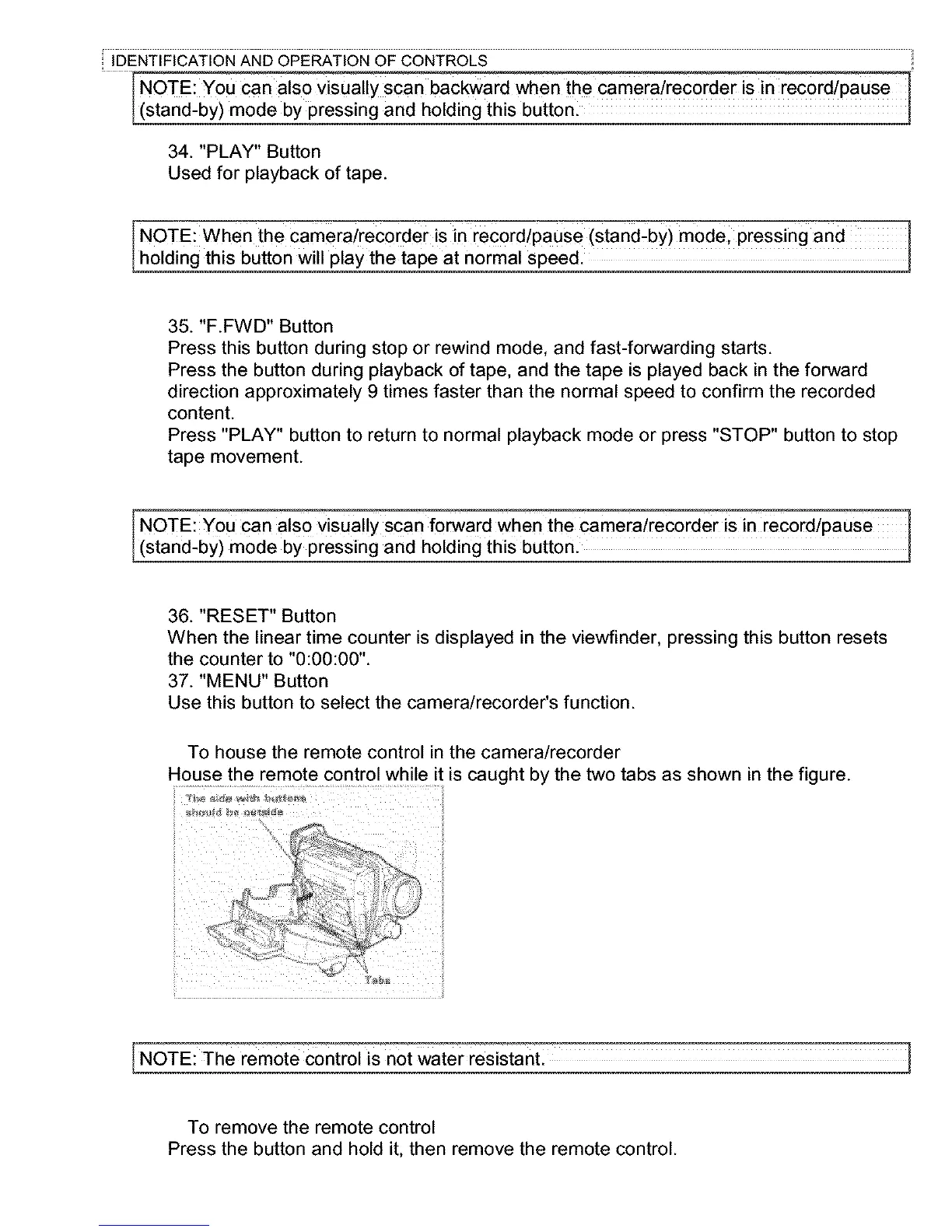
To house the remote control in the camera/recorder
House the remote control while it is caught by the two tabs as shown in the figure.
'2
jt
[NOTE: The remote c0ntr01 is not Water resistanL
To remove the remote control
Press the button and hold it, then remove the remote control.



 To Next Page