::MAKINGASAMPLE CAMERA RECORDING
NOTES:
• The "TAPE END" indication in the viewfinder starts flashing when there is less than three
minutes recording time left on the cassette.
° If the record/pause mode continues for more than 5 minutes, the camera/recorder's power
is automatically turned off. To turn on again, turn the operate control to select "ZOOMx16"
again. The camera/recorder enters record/pause (stand-by) mode.
S _
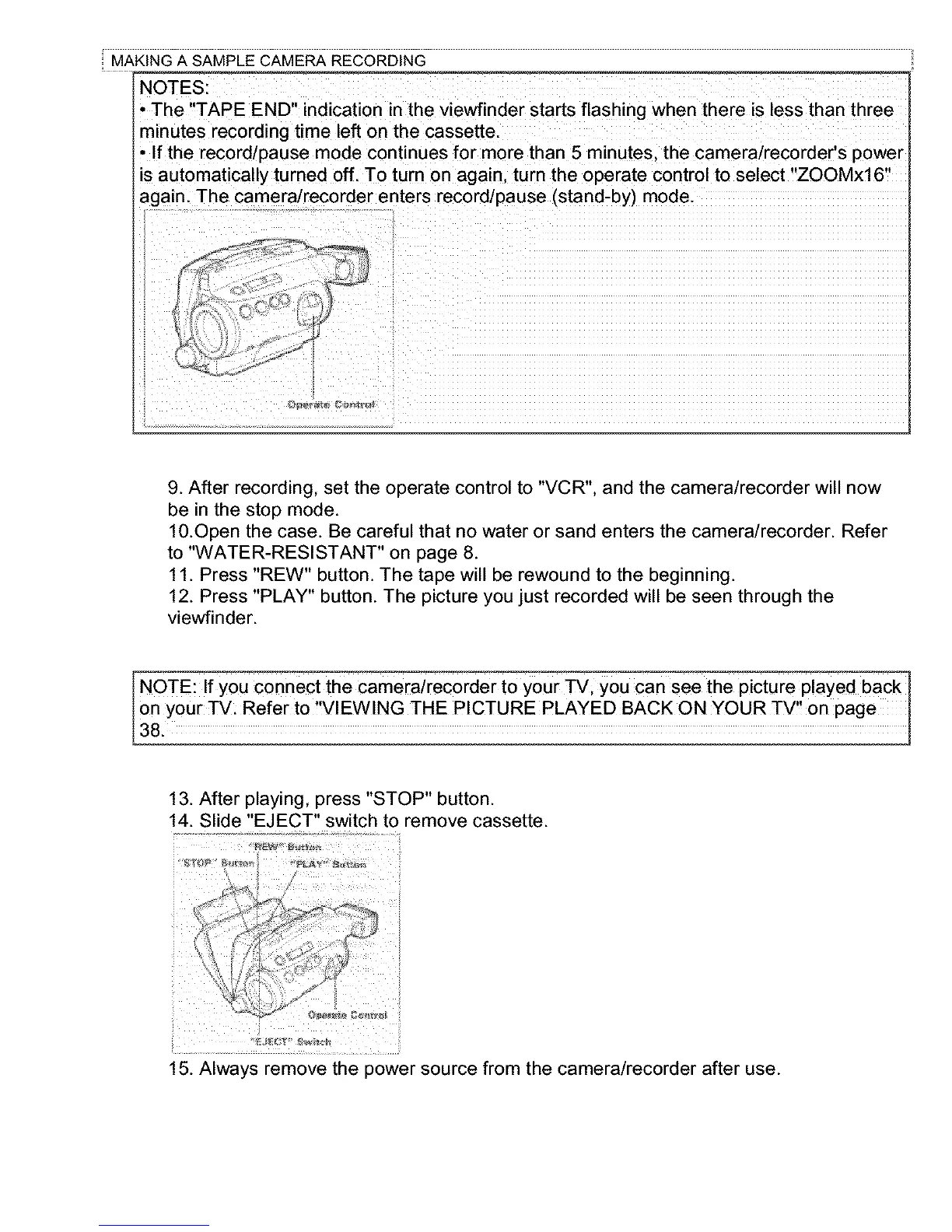
9. After recording, set the operate control to "VCR", and the camera/recorder will now
be in the stop mode.
10.Open the case. Be careful that no water or sand enters the camera/recorder. Refer
to "WATER-RESISTANT" on page 8.
11. Press "REW" button. The tape will be rewound to the beginning.
12. Press "PLAY" button. The picture you just recorded will be seen through the
viewfinder.
I NOTE: If you Connect the camerairec0rder to your TV; you can see the picture played back 1
on your _: Refer to,VIEWING THE PICTURE PLAYED BACK ON YOUR TV,! on page I
38,
13. After playing, press "STOP" button.
14. Slide "EJECT" switch to remove cassette.
/
h
15. Always remove the power source from the camera/recorder after use.



 To Next Page