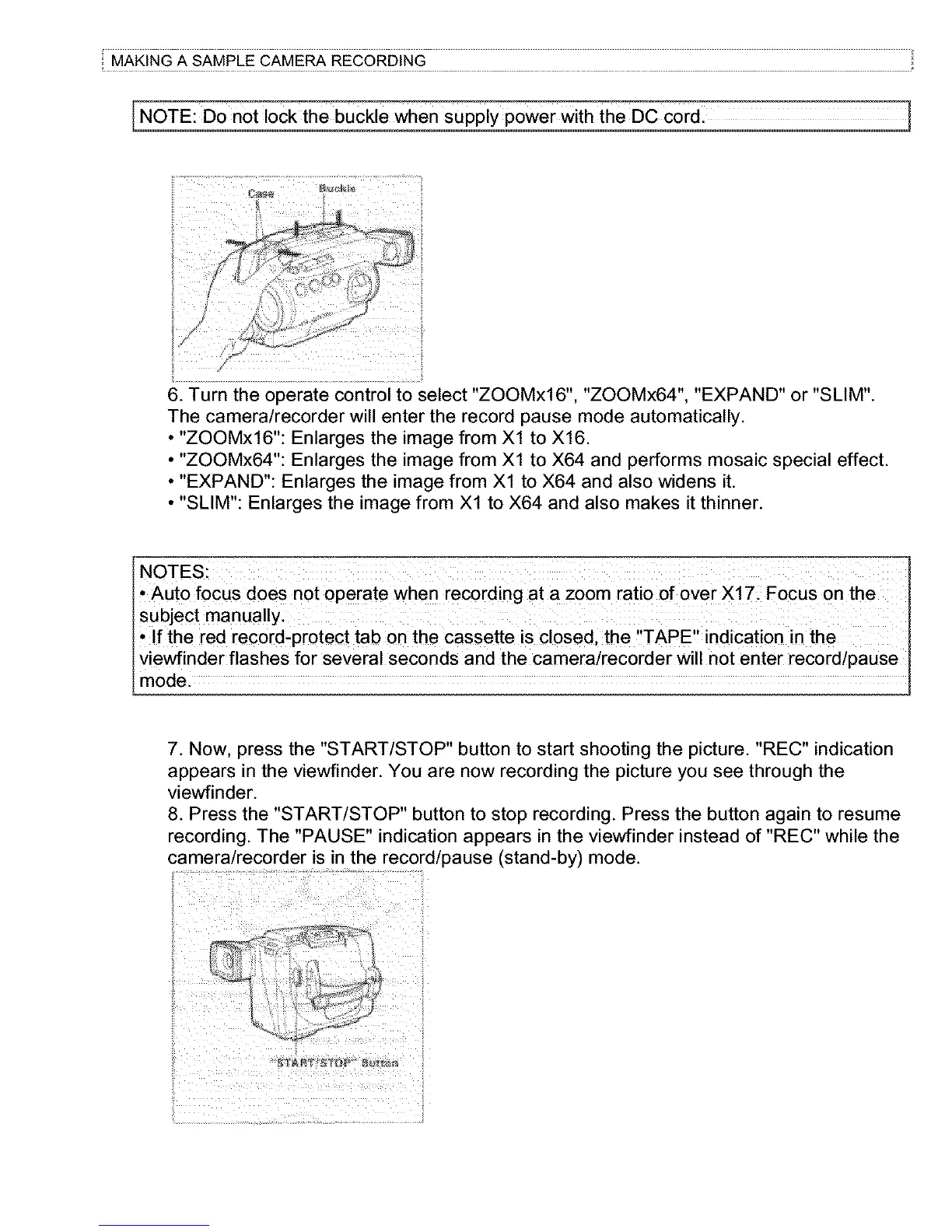
[NOTE: D0 not lock the buckle when sUpply p0wer With the DC c0rdl
t ttttt ............... t
I
6. Turn the operate control to select "ZOOMxl 6", "ZOOMx64", "EXPAND" or "SLIM".
The camera/recorder will enter the record pause mode automatically.
• "ZOOMx16": Enlarges the image from Xl to X16.
• "ZOOMx64": Enlarges the image from Xl to X64 and performs mosaic special effect.
• "EXPAND": Enlarges the image from Xl to X64 and also widens it.
• "SLIM": Enlarges the image from Xl to X64 and also makes it thinner.
NOTES:
* Auto focus does not Operate when recording at a zoom ratio of over X171 Focus on the
* !f the red recordiprotect tab on the cassette is closed, the ,,TAPE', indication in the
viewfinder flashes for several seconds and the came[a/reco[der will not enter record/pause
7. Now. press the "START/STOP" button to start shooting the picture. "REC" indication
appears in the viewfinder. You are now recording the picture you see through the
viewfinder.
8. Press the "START/STOP" button to stop recording. Press the button again to resume
recording. The "PAUSE" indication appears in the viewfinder instead of "REC" while the
camera/recorder is in the record/pause (stand-by) mode.
!!! i
!!!
:<



 To Next Page