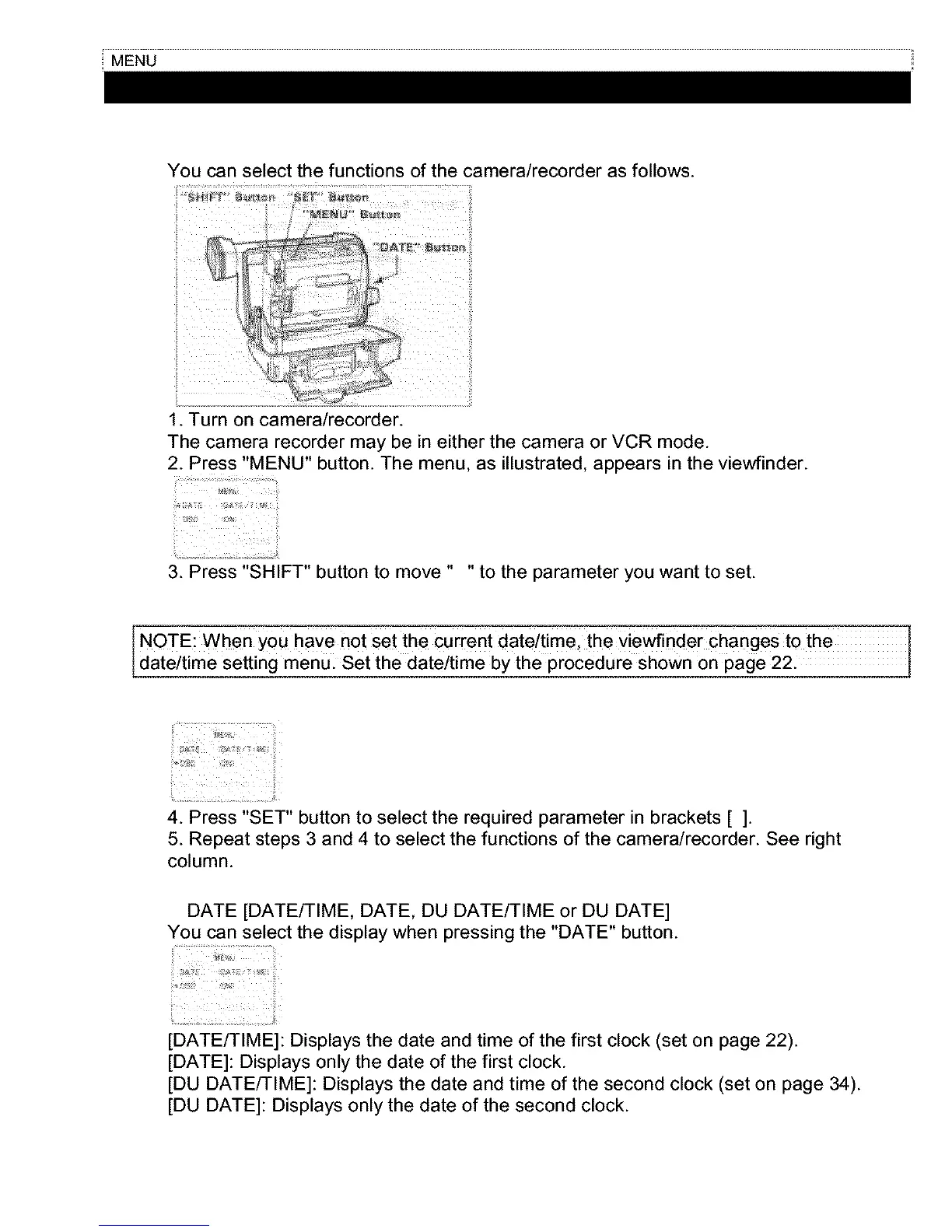
You can select the functions of the camera/recorder as follows.
1. Turn on camera/recorder.
The camera recorder may be in either the camera or VCR mode.
2. Press "MENU" button. The menu, as illustrated, appears in the viewfinder.
3. Press "SHIFT" button to move .... to the parameter you want to set.
NOTE: when you have not Set the current date/timel the Viewfinder Changes to the
date/time setting menU: Set the date/time by the procedure Shown on page 22.
4. Press "SET" button to select the required parameter in brackets [ ].
5. Repeat steps 3 and 4 to select the functions of the camera/recorder. See right
column.
DATE [DATE/TIME, DATE, DU DATE/TIME or DU DATE]
You can select the display when pressing the "DATE" button.
[DATE/TIME]: Displays the date and time of the first clock (set on page 22).
[DATE]: Displays only the date of the first clock.
[DU DATE/TIME]: Displays the date and time of the second clock (set on page 34).
[DU DATE]: Displays only the date of the second clock.



 To Next Page