MANUAL FOCUS
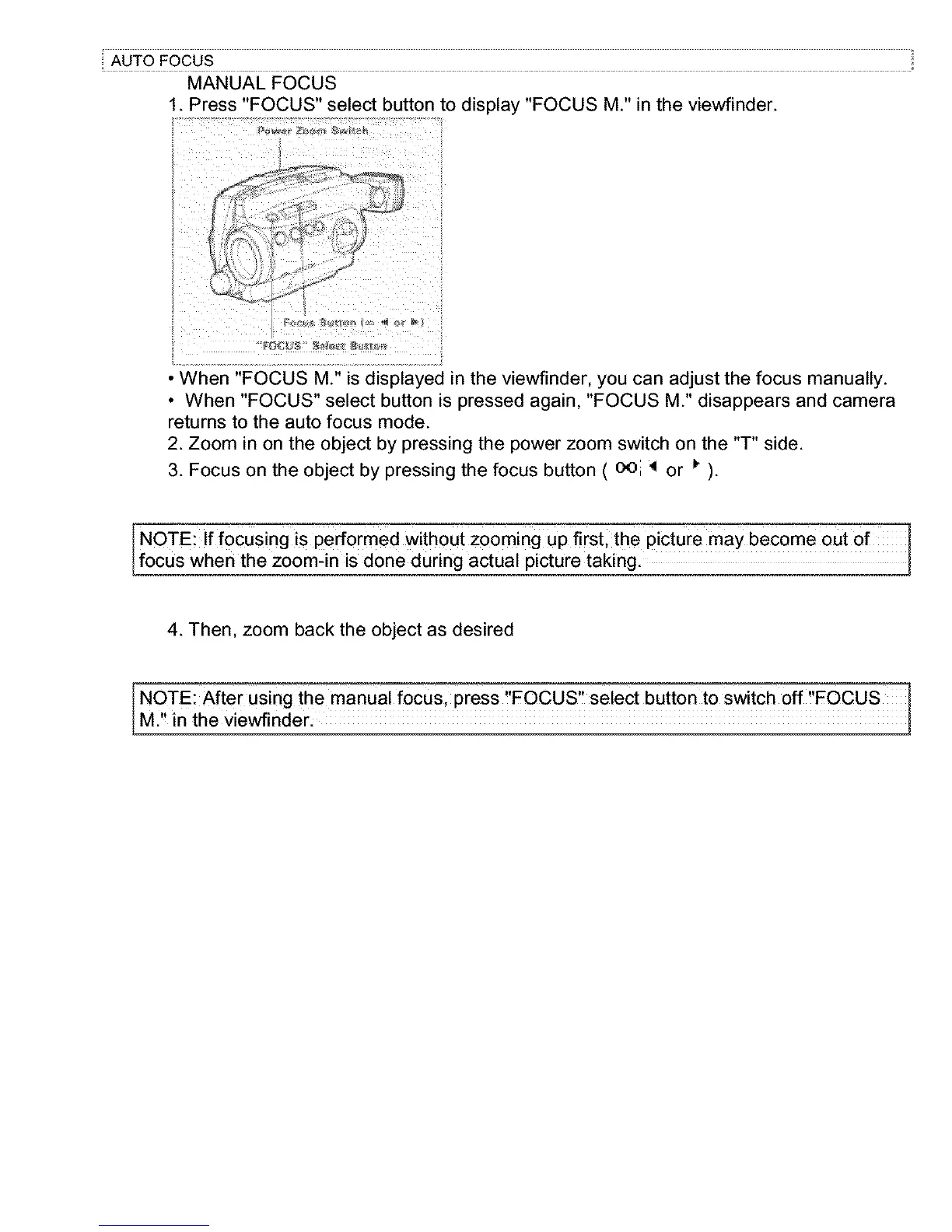
1. Press "FOCUS" select button to display "FOCUS M." in the viewfinder.
• When "FOCUS M." is displayed in the viewfinder, you can adjust the focus manually.
• When "FOCUS" select button is pressed again, "FOCUS M." disappears and camera
returns to the auto focus mode.
2. Zoom in on the object by pressing the power zoom switch on the "T" side.
3. Focus on the object by pressing the focus button ( oei _ or _ ).
NOTE: If focusing is performed without zooming up first,the picture may become out of
focus when the zoom-in is done during actual picture taking.
4. Then. zoom back the object as desired
NOTE: After Using the manUa! focus, press ,FOCUS, se!ect button to switch off ,FOCUS
M., in the viewfinder.



 To Next Page