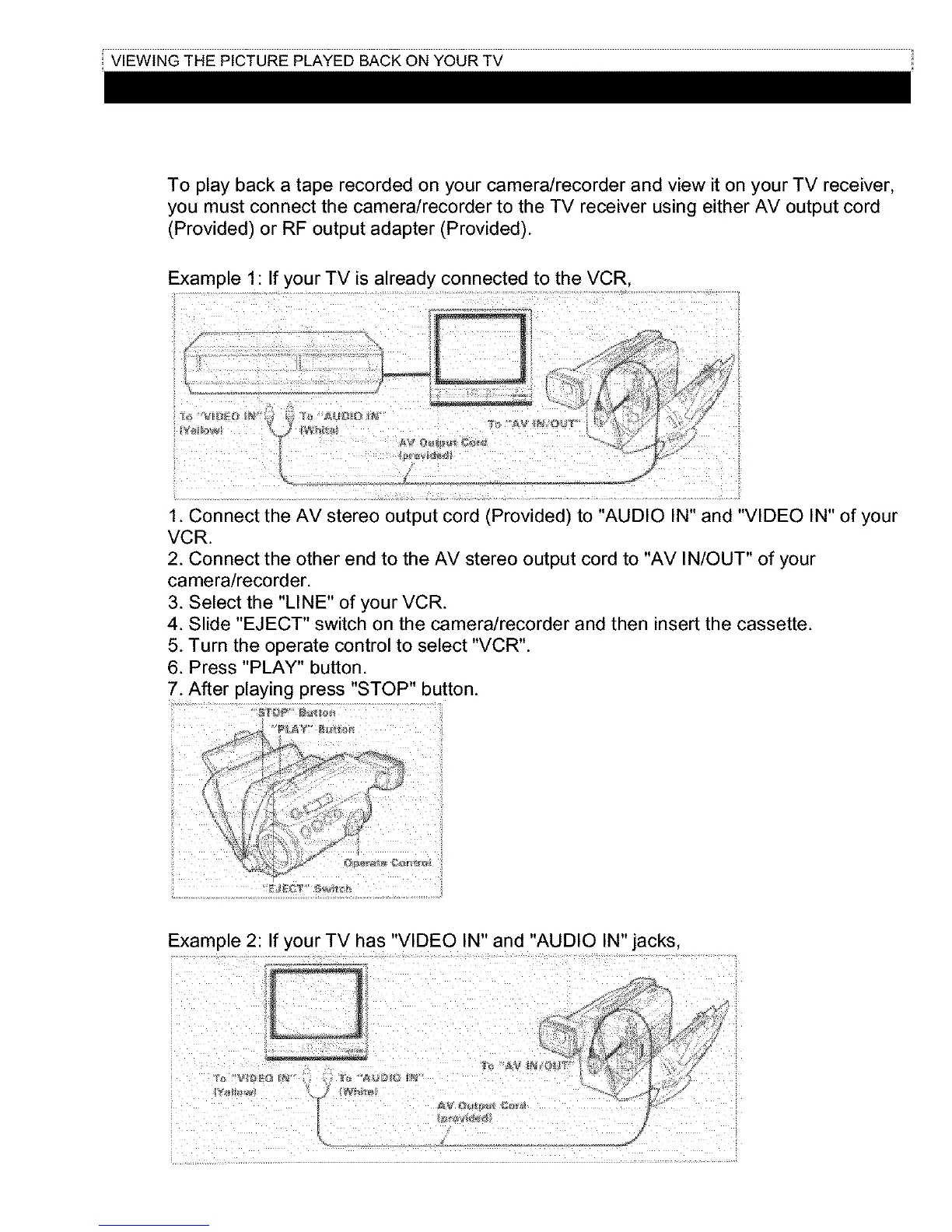
To play back a tape recorded on your camera/recorder and view it on your TV receiver,
you must connect the camera/recorder to the TV receiver using either AV output cord
(Provided) or RF output adapter (Provided).
Example 1: If your TV is already connected to the VCR,
1. Connect the AV stereo output cord (Provided) to "AUDIO IN" and "VIDEO IN" of your
VCR.
2. Connect the other end to the AV stereo output cord to "AV IN/OUT" of your
camera/recorder.
3. Select the "LINE" of your VCR.
4. Slide "EJECT" switch on the camera/recorder and then insert the cassette.
5. Turn the operate controlto select "VCR".
6. Press "PLAY" button.
7. After playing press "STOP" button.
Example 2: If your TV has "VIDEO IN" and "AUDIO IN"jacks,



 To Next Page