1
Contents
1. General Product Introduction .................................................................. 2
2. Warranty ................................................................................................. 3
3. Technical Info ........................................................................................... 4
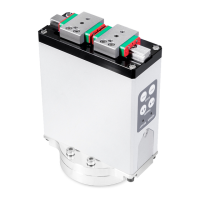
3.1. Integrated parallel electric gripper S-series ................................................................ 4
3.2. Parallel electric gripper X-series ................................................................................. 5
4. S-Series Getting Started ........................................................................... 6
4.1. What’s in the box? .................................................................................................... 6
4.2. Mechanical mounting ................................................................................................ 7
4.3. Electrical mounting ................................................................................................... 9
4.4. Installing URCap ...................................................................................................... 10
4.5. Installation page...................................................................................................... 13
4.6. Program page .......................................................................................................... 20
5. 5. X-Series Getting Started ..................................................................... 24
5.1. What’s in the box? .................................................................................................. 24
5.2. Mechanical mounting .............................................................................................. 28
5.3. Electric mounting .................................................................................................... 33
5.4. Installing URCap ...................................................................................................... 37
5.5. Installation page...................................................................................................... 39
5.6. Program page .......................................................................................................... 43
5.7. Other special functions............................................................................................ 47
Appendix.1:Example program ........................................................................ 50
Appendix.2:Certification ................................................................................. 52



 To Next Page
 Loading...