Built-in devices
10-13
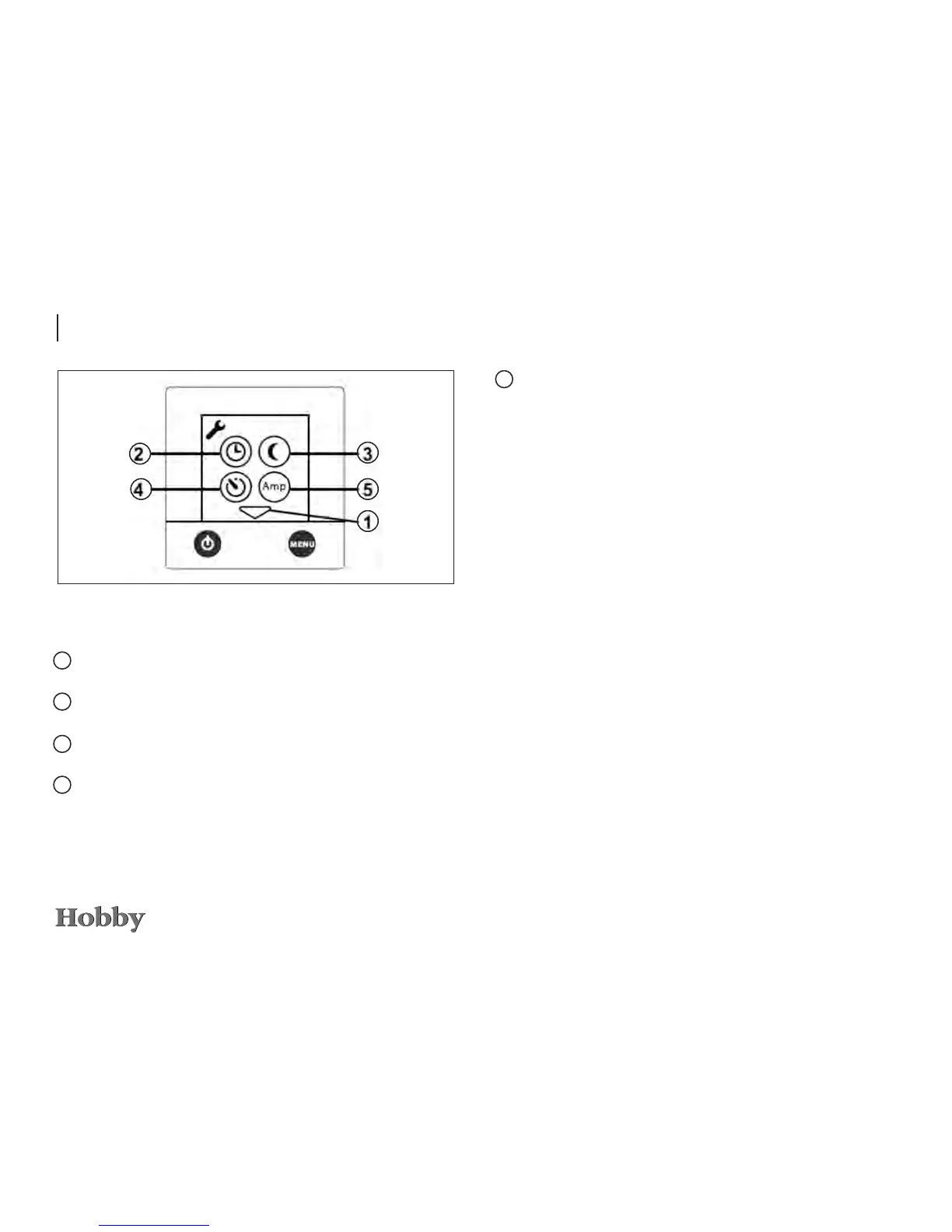
Functions of the Tools menu
1
Arrow icons enabling you to switch between the indivi-
dual Tools elds.
2
Setting the clock to use functions such as automatic
start or automatic temperature.
3
Automatic temperature change to set temperatures,
e.g. at night or on individual days.
4
Automatic start at a later time. The heating system will
run for 24 hours and repeats this procedure every week
at the same time. The On/Off button must be set to Off.
5 Overload protection prevents 230V fuses from overloa-
ding. If power consumption exceeds the value that has
been set, the electric output of the heating system will
automatically be reduced.





 To Next Page