I 0667 - 16
40 mm
GB
6.4 - AUTOMATIC GAUGES CALIBRATION
6.4.1 - RIM DISTANCE GAUGE
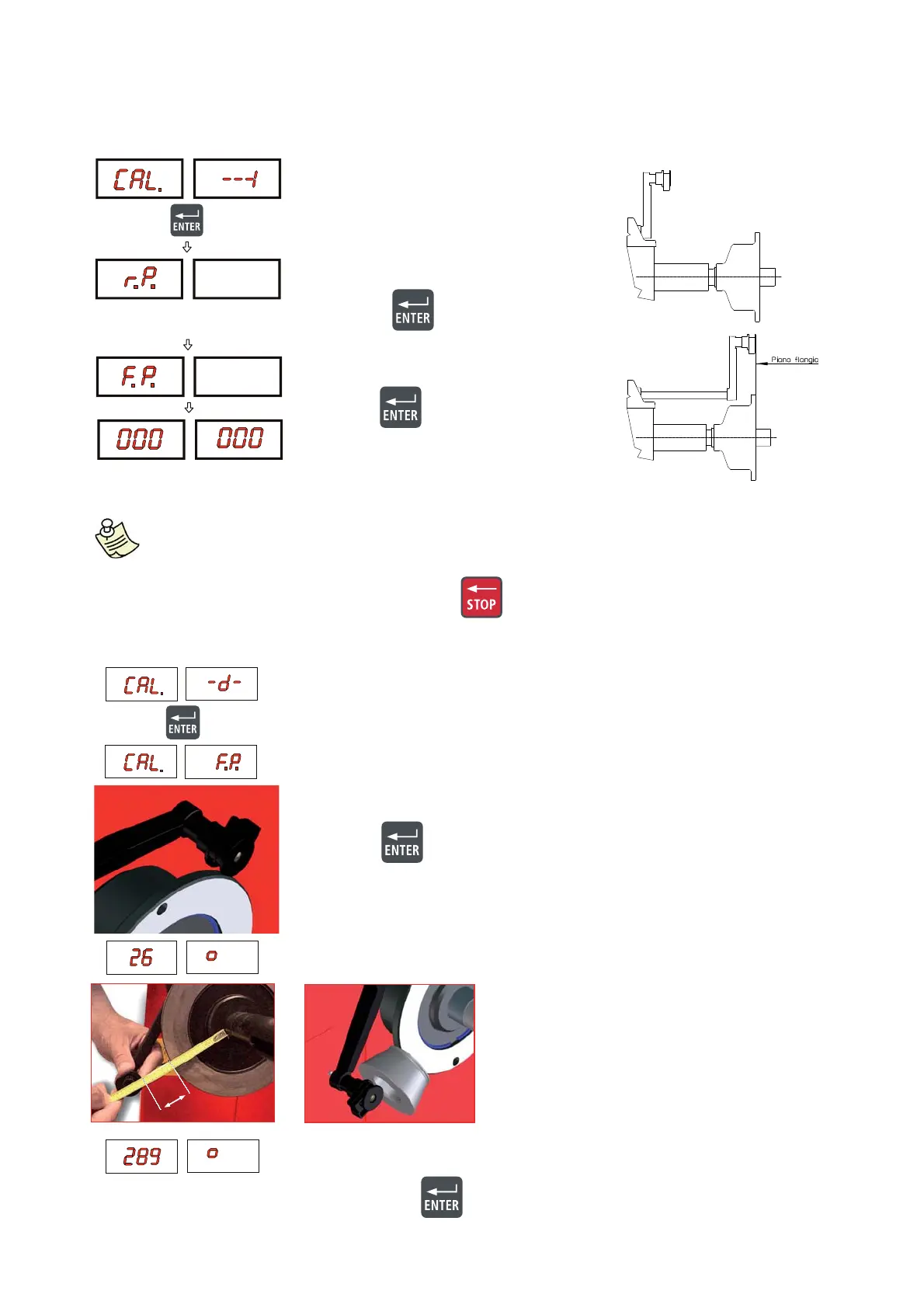
- Leave the distance gauge in rest position
and press
- Pull out the gauge up to the adapter fl ange
and press
CORRECT CALIBRATION
- Return the gauge to rest position
- The wheel balancer is ready for operation.
Plac ▪ e the round part of the gauge terminal on the fl ange as shown in the fi gure
and press
The number 26 ± 1° appears on the left display . ▪
N.B.: In the event of errors or faulty operation, the writing
“r.P.”: appears on the display : shift the
gauge to the rest position and repeat the calibration operation exactly as described above. If the
error persists, contact the Technical Service Department. In the event of incorrect input in the rim
distance gauge calibration function, press
to cancel it.
6.4.2 - DIAMETER GAUGE
E40 mm
Turn the gauge downward position the ▪
round part of the gauge terminal at 40 mm
(radial distance) from the fl ange as indicated
in the fi gure; alternatively use one of the cones
provided as shown in the images
The nu ▪ mber 289 ± 3° should appear on the left display. The calibration is
already correct.
If not, press the ▪
button holding the gauge still at 40 mm: the number 289
appears on the left display.
Return the gauge to rest position. ▪



 To Next Page