I 0667 - 8
7
7a
GB
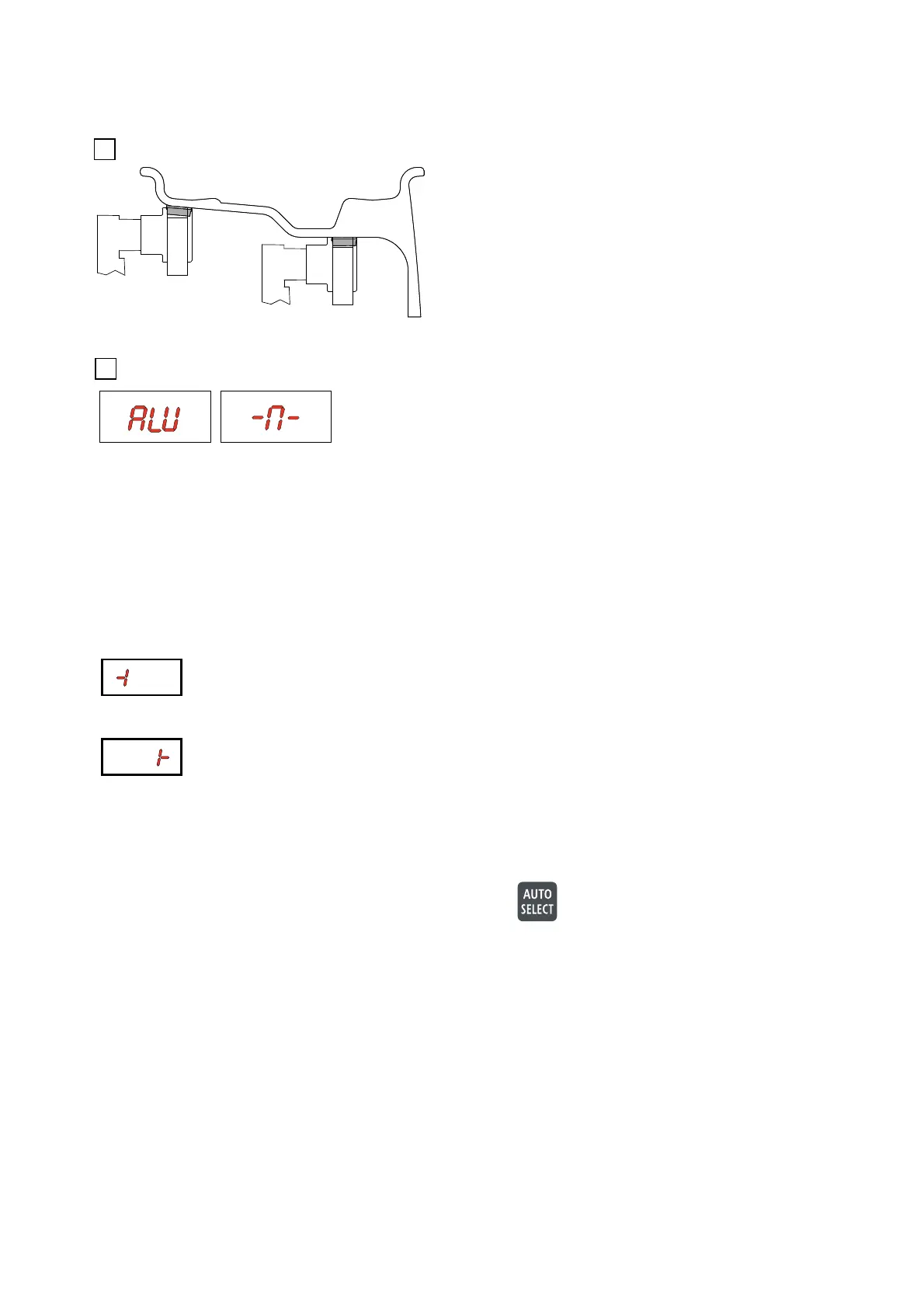
5.2.2 - AUTO SELECT FOR ALU M RIMS
Move the gauge further to the right until the unbalance value
is indicated.
Move the gauge further to the left until the unbalance
value is indicated.
Make a control spin.
To balance more tyres of the same type and dimensions the machine automatically stores the current wheel data.
To put in other dimensions or to change the balancing program press
.
Pull out the gauge to the left plane, where
you want to fi x an adhesive weight. Keep
the gauge there until to display the symbol indicated in
fi g. 6a. Pull it further out to the right plane and wait for to
display the symbol indicated in the picture below.
The machine automatically has detected the ALU M
mode.
Push back the gauge to the resting position.
Make a measuring spin.
For the adhesive weight In the left position turn the wheel to the correct angle and simply fi x the weight by hand at
the 12 o’ clock position or use the gauge for repositioning as described below.
For the adhesive weight In the right position turn the wheel to the correct angle.
Pull out the gauge for repositioning and re-adjust the angle.
For CHANGE OF GAUGE CHARACTERISTIC (see SETUP)



 To Next Page