4
CONNECTIONS
CAN/POWER
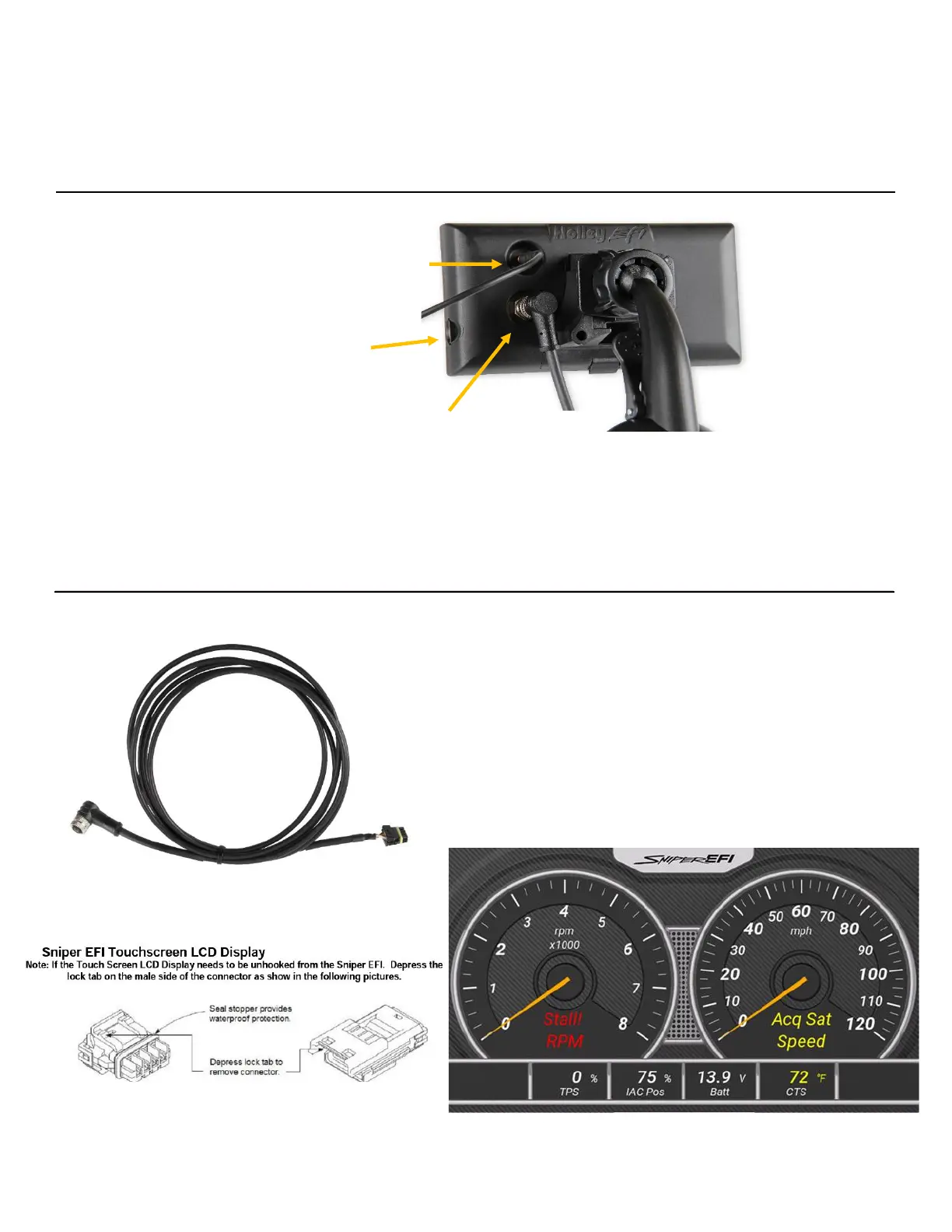
Connect the harness from the CAN connector on the
vehicle’s main harness to the 5” Sniper Dash.
A 4 pin male receptacle connector is used to connect to the
Sniper EFI Main Harness.
Once all connections have been made, the Sniper EFI 5”
Dash may be powered up. After a brief initial loading
sequence, the default gauge display will appear.
CAN Cable features indexing key and attaches
to the Display via threaded collar. Other end of
cable connects directly to the Sniper EFI











 To Next Page