Product Interfaces
1
3
4
5
6
7
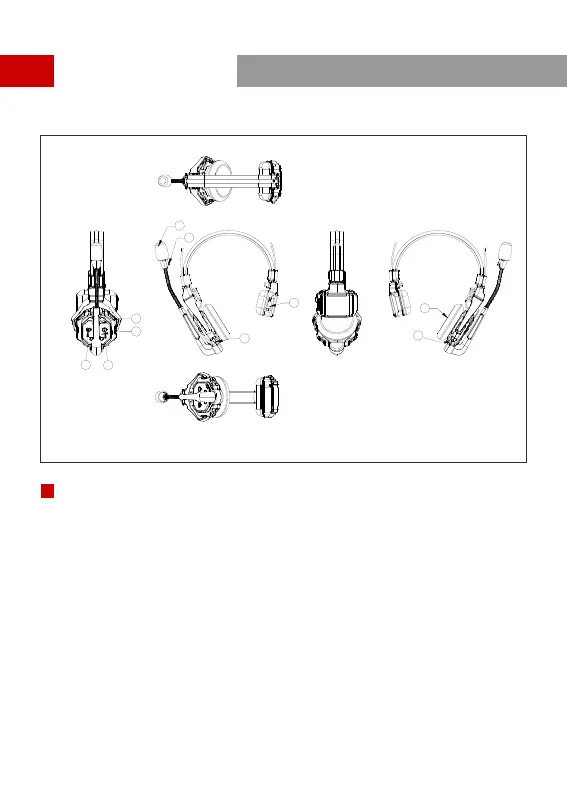
① Power/Connection Indicator
②Microphone
⑨Power Button
③ USB Type-C Interface - For firmware upgrade, and headset pairing
Headset Interfaces
B
⑤Volume + Button
⑥Volume - Button
⑦A Button - Lights up when joined Group A, turns off when exited Group A;
Long press for 5 seconds to pair
⑧B Button - Lights up when joined Group B, turns off when exited Group B
④Battery Compartment
⑩Speaker
B
2
8
9
10
3


 To Next Page