Quick Start Guide
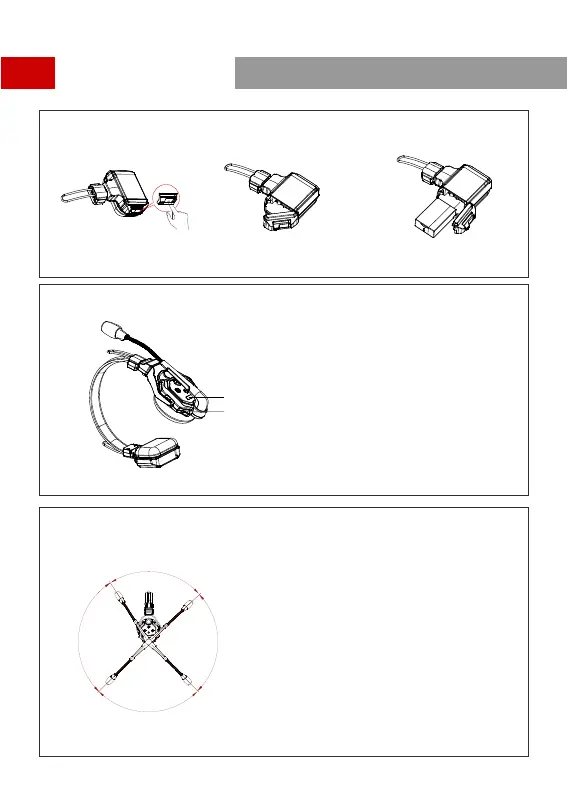
Install Headset Battery
Turn On Headset
Note: The indicator light stops flashing and turns to
static green when the HUB Base and the
Remote Headset(s) are successfully connected.
Mute/Unmute Microphone
Mute/Unmute the headset’s microphone by moving the mic boom up/down.
1.Move the mic boom up to the MUTE position that makes a
CLICK sound, and the HUB Base’s interface displays "MUTE"
corresponding to the headset status.
2.Move the mic boom down to the TALK position that makes a
CLICK sound, and the HUB Base’s interface displays "TALK"
corresponding to the headset status.
TALK
MUTE
S
t
o
p
-
p
oi
n
t
S
t
o
p
-p
o
i
n
t
The device is now ready for use.
MUTE
TALK
6
Step 1 : Slide the battery compartment
cover lock
Step 2 : Open the cover Step 3 : Place the batteries into the compartment
and cl ose the battery c over
Name plate
Powe r Switch
Powe r up the Headset


 To Next Page