6
© HOLMS INDUSTRI AB, ALL RIGHTS RESERVED 5/4/06
HOLMS INDUSTRI AB
MOTALA SWEDEN
HOLMS 300
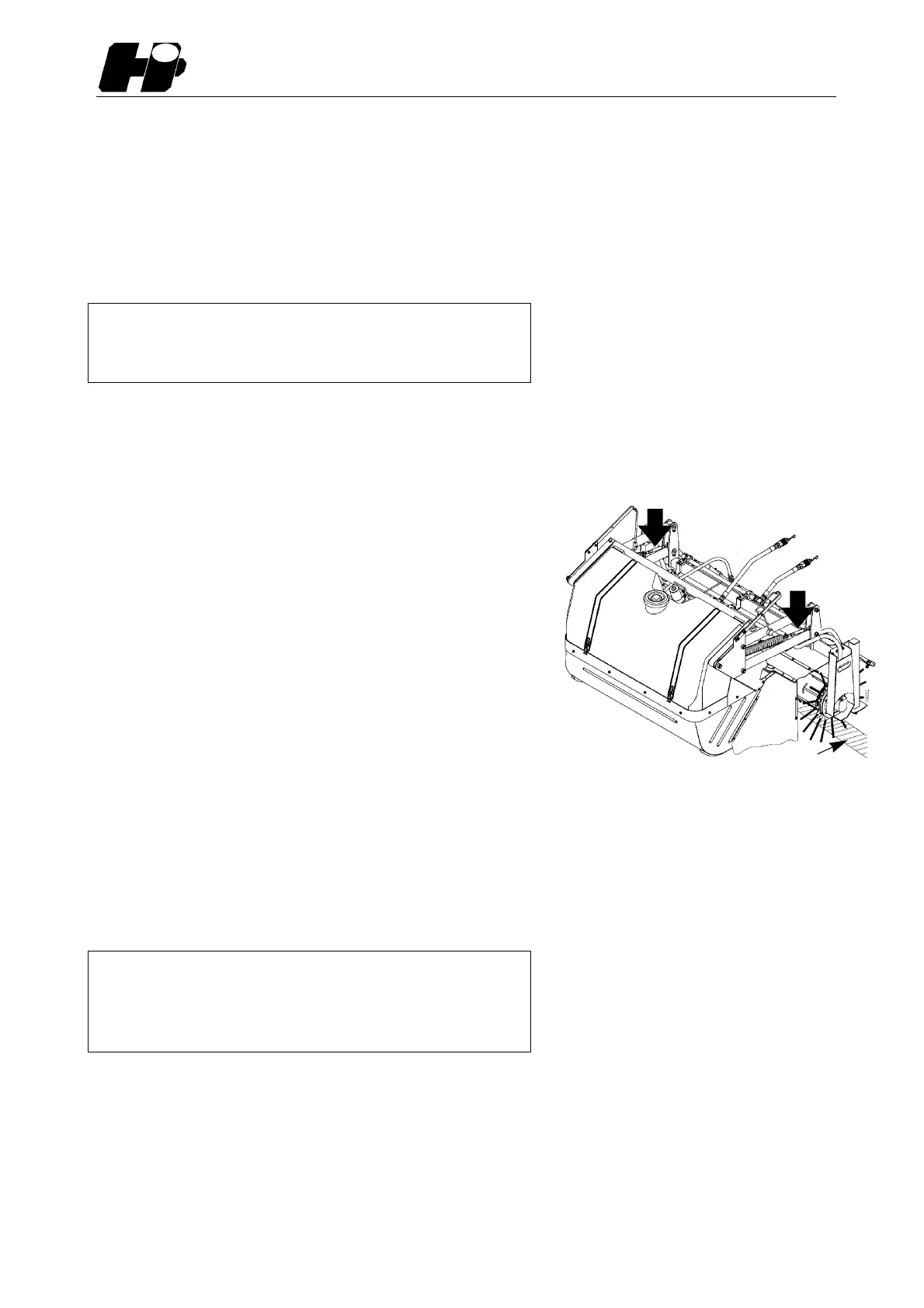
Setting of ground pressure
The sweeper´s ground pressure can be adjusted for differ-
ent requirements. The adjustment is done by means of the
two rigging screws. See picture 6.
Attention! Do not use the carrier lifting or tilting function
for ground pressure setting.
Warning!
Always stop the broom completely before
making any adjustments.
1. Set the sweeper height and tilt.
2. Let the sweeper rotate a short while against the ground.
3. Measure the clean-swept stripe, it shall normally be ca
10 cm (4 inch).
Decrease the ground pressure by tightening the rigging
screw and increase the ground pressure by unscrewing
the rigging screw.
The best way of checking that the ground pressure is even
is to put a balance under each support stand. The waste
container shall then be about 15 cm above the ground.
A weight of about 30-50 kg on each side is a good starting
point.
Emptying the waste container
Lift up the machine, tilt it backwards and the waste comes
out. ATTENTION! Make sure that the bartube doesn’t
clamp against the loaderarms when lifting the machine.
Disconnecting from carrier
1.Lower and secure the support stands in parking position.
Attention!
The sweeper brushes can be deformed
if the support stands are not used
when sweeper is parked.
2. Loosen the locking pins on the equipment bracket and
tilt the bracket maximum forward.See picture 3. The
machine can now be put down to the ground. This is
important, otherwise the sweeper can be damaged by
the loader arms.
3. Loosen the hydraulic quick couplings and the electric
cable harness.
6. Rigging screws
~ 10 cm


 To Next Page