Holtkamp Electronics SUNCASH engl. techn. Stand 04.2016 4047_04.2016 V09.2019
- 15 -
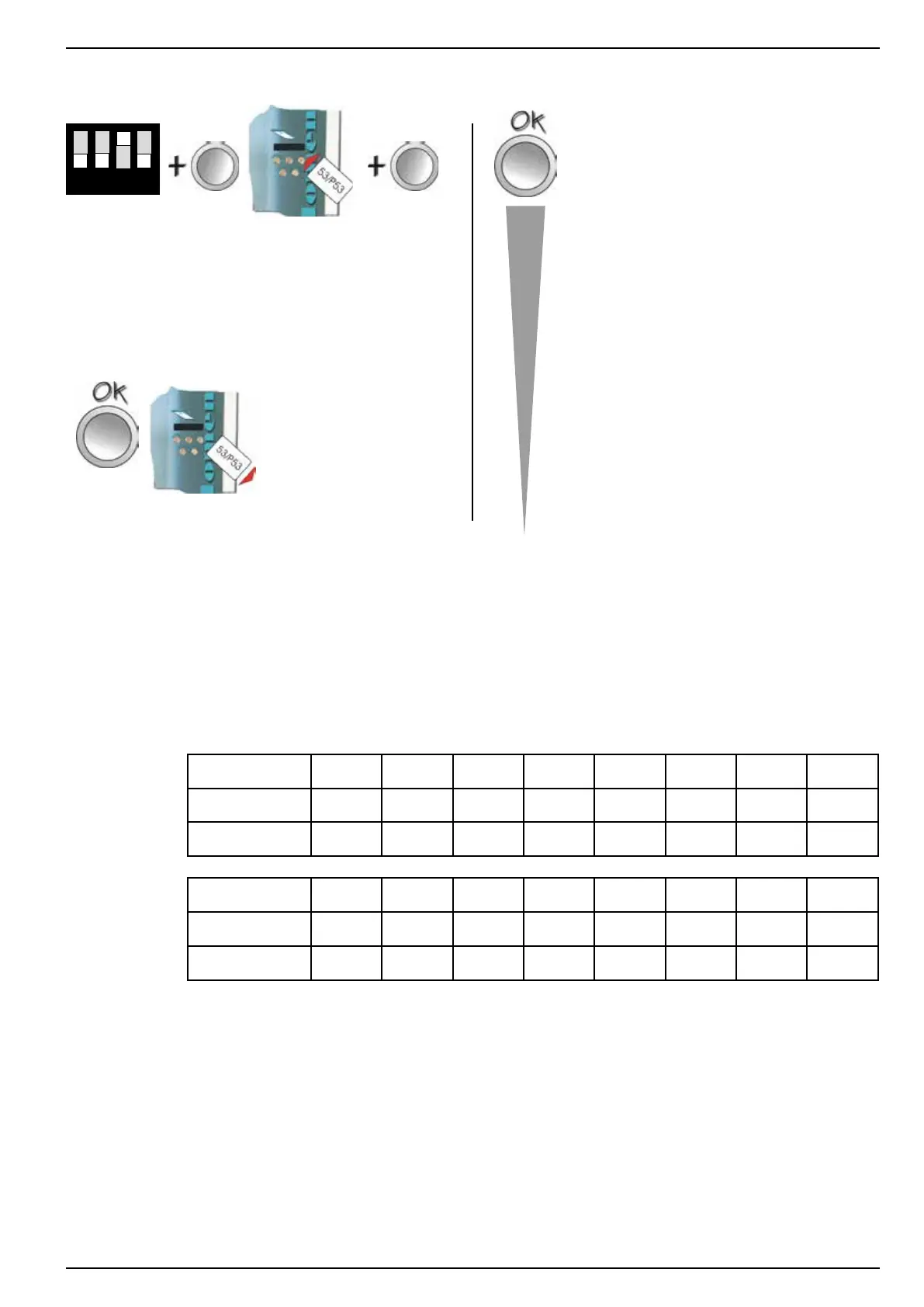
toopen: Congurationsmenu:
1 2 3 4
set DIP switch
No. 3 o „ON“
(upwards)
push PLUS
button and
hold
insert
chip card
type 53
release
PLUS button
Language
Coin tester value K1:
Coin tester value K2:
Coin tester value K3:
Coin tester value K4:
Coin tester value K5:
Coin tester value K6:
Note reader value K1:
Note reader value K2:
Note reader value K3:
Note reader value K4:
Note reader value K5:
Note reader value K6:
Coin value hopper 1
EMP channel hopper 1
Coin value hopper 2
EMP channel hopper 2
Currency
Putout lamp
Card will be rejected!
leave by:
Leave the menu by pressing
the OK button so often so the
end of the menu is attains. The
chip card will be automatically
rejected.
It is possible to block separate channels. Thereby the acceptan-
ce from the coin, which is accessed this channel, will be denied.
The blocking of separately channels is possible as follows:
● Please orientate you on the basis of the tables, which be
axedonthesidecoverfromthecointester
Example for attitude a EURO coin tester with 2 inserted hop-
pers:
Channels 1 2 3 4 5 6 7 8
Bank 1 Coin € 0,5 1 2 WM TK - - -
Assortment A C D A A - - -
Channels 9 10 11 12 13 14 15 16
Bank 2 Coin € 0,5 1 2 WM TK - - -
Assortment C A D A A - - -
A in cash WM Holtkamp-Standard-Token
C in hopper 2 TK free programmable token
D in hopper 1
● by repeated pressing of the OK button, you will arrive at the
required position
● change the value with the PLUS or RESET button to “0”
● leave the menu so often pressing the OK button as the chip
card is rejected



 To Next Page