Holtkamp Electronics SUNCASH engl. techn. Stand 04.2016 4047_04.2016 V09.2019
- 24 -
EmptyingcanbebrokenoatanytimewiththeRESETbutton.
After the stocktaking the stocktaking-jumper must be
removed. Otherwise the SunCash does not function
perfectly!!
15 Special functions
15.1 Stocktaking function of the hoppers
(after removing the cover)
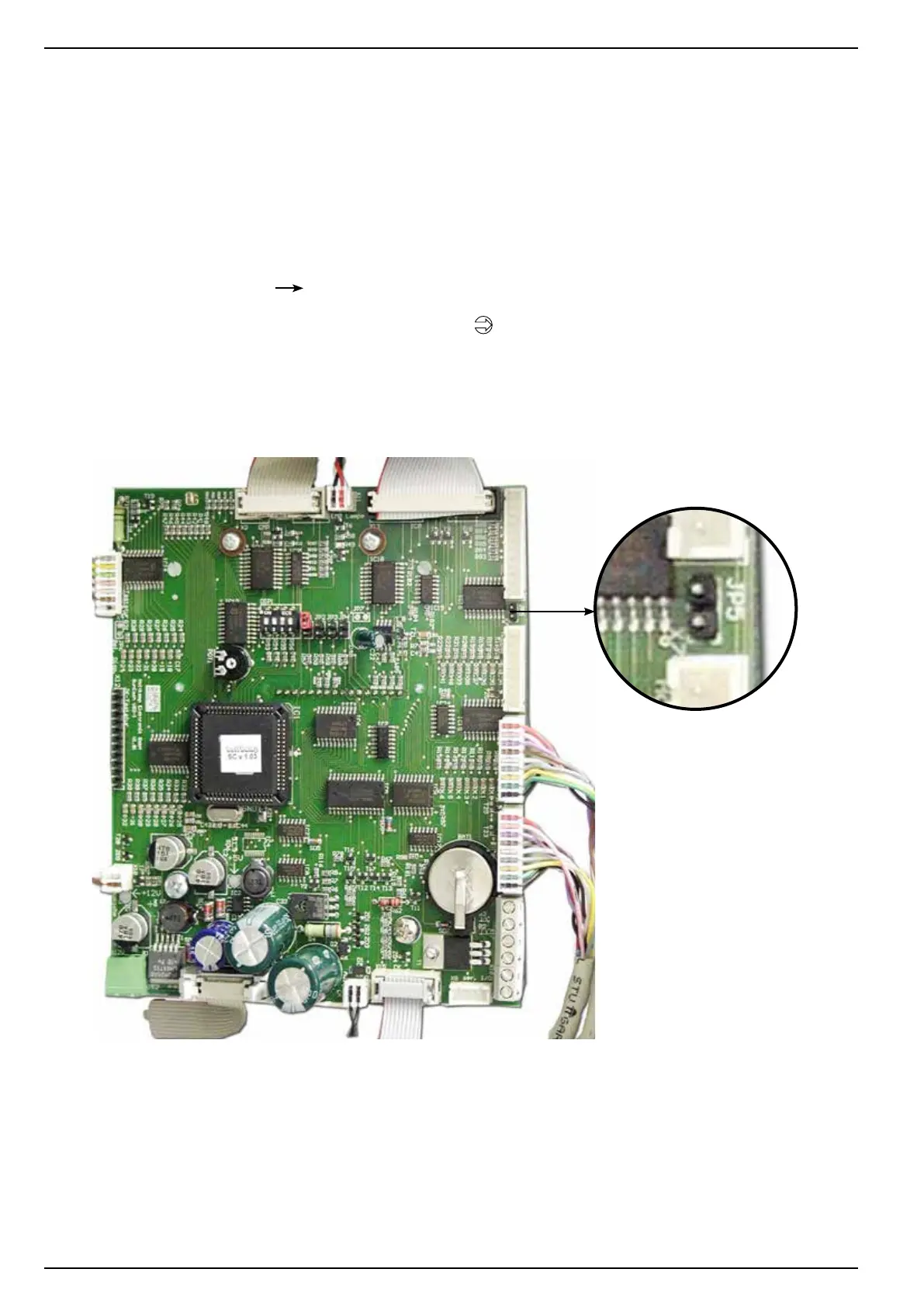
The entrance to the stocktaking function is made by setting the
stocktaking Jumpers (to JP5, see illustration below) and follo-
wing insert of the service chip card type 53.
1. by means of the PLUS button the hopper can be selec-
ted, which is to be emptied
2. with the OKbuttonconrmthechargebegins,on
the display the number of disbursed coins and the value
conrmisindicated.
3. afterthehopperstopped,canbeconrmedwiththeOK
button. Now the next hopper can be selected, or you
can leave the menu with RESET button.
15.2 Door switch
Behind the lock plate is a door switch, which closes a contact
when opening the door. With this switch can be coupled an alarm
installation, a camera or something.



 To Next Page