Holtkamp Electronics SUNCASH engl. techn. Stand 04.2016 4047_04.2016 V09.2019
- 20 -
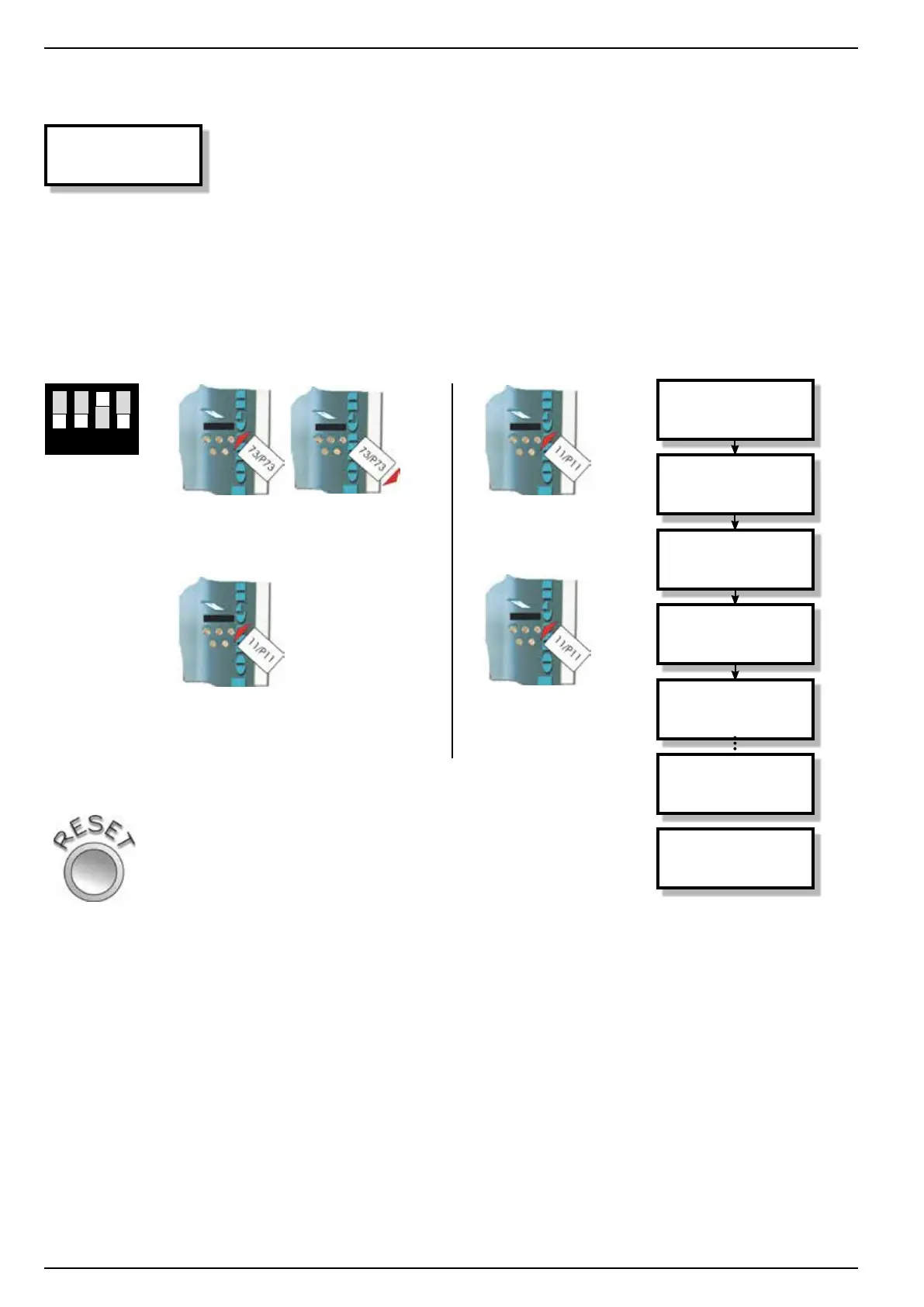
to open: Card initialisation menu:
1 2 3 4
DIP switch
no. 3 to
„ON“
(upwards)
insert
chip card
type 73
leave by:
Press RESET button
or automatically after 20 seconds
13.1.3 Card initialisation menu
Card
initialisation!
Theinitialisationmodeoerstheoperatorthepossibility,toset
the chip cards type 11 to a certain value. Should there be a resi-
dual amount on the chip card, this will be deleted and then with
the pre-set value overwritten.
The deleted amounts will be deposited in the statistic menu.
pull out
chip card
type 73
insert
chip card
type 11
insert
chip card
type 11
insert
chip card
type 11
Card
initialisation!
One moment
please…
Card
initialisation!
One moment
please…
Card
initialisation!
Card
initialisation!
ready



 To Next Page