EasyManua.ls Logo

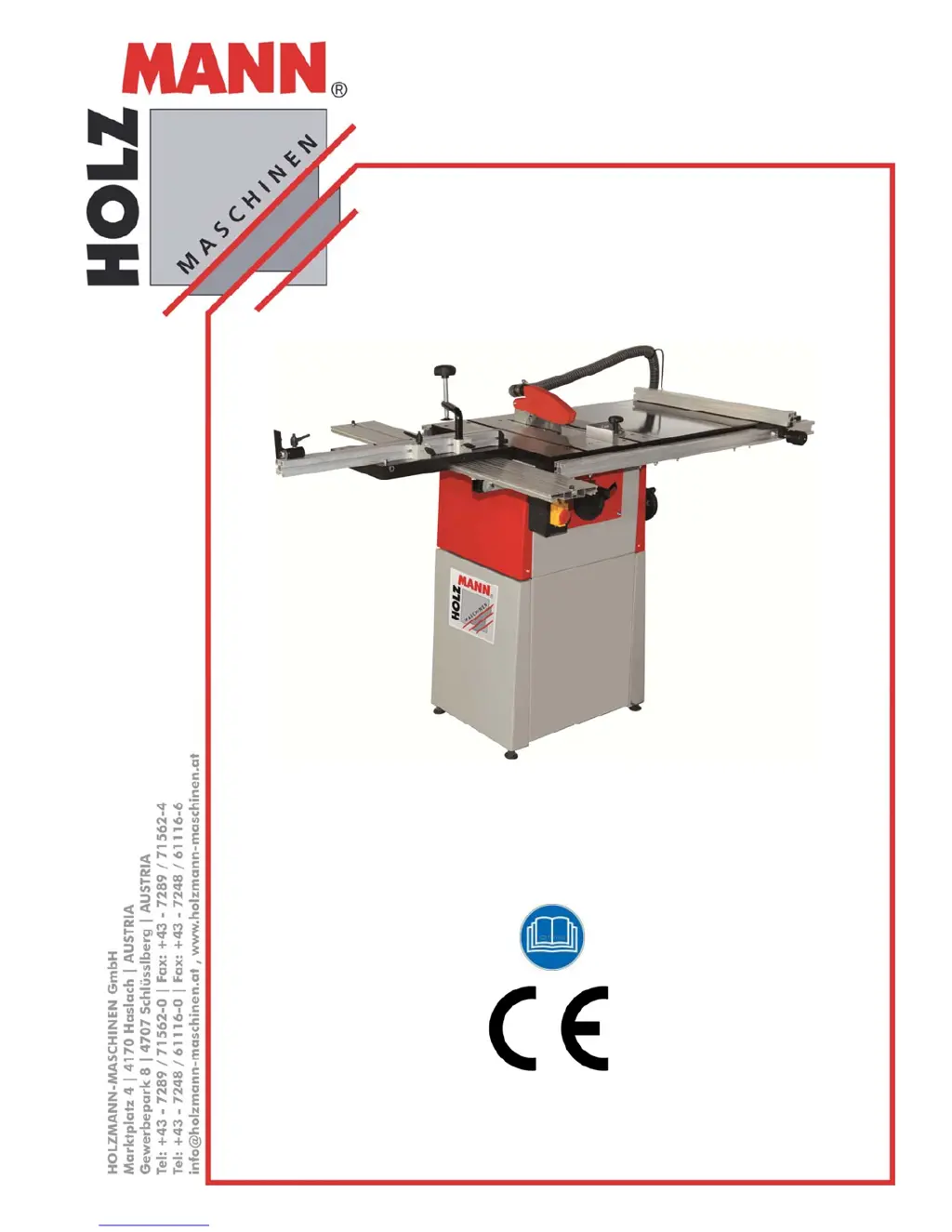
Holzmann TS 250 - User Manual

Holzmann TS 250
63 pages
Go to English
Print Icon
To Next Page IconTo Next Page
Loading...
DE Original Betriebsanleitung
Tischkreissäge
EN User Manual
Table saw
TS 200 / TS 250
Tischkreissäge
Table saw
Bedienungsanleitung und
Sicherheitshinweise lesen
und beachten!
Technische Änderungen
sowie Druck- und Satz-
fehler vorbehalten!
Read the operation manual
carefully before first use!
Technical data subject to
changes, errors excepted!
Ausgabe/Edition: 2015 – Revision 00 – DE/EN

Table of Contents

Other manuals for Holzmann TS 250

Questions and Answers

  • K
    Kimberly RandallAug 8, 2025
    What to do if Holzmann Saw workpiece clamped in advancing?
    • J
      Jennifer ReynoldsAug 8, 2025
      If the workpiece is clamped while advancing, the cause may be a dull blade or a riving knife thickness that doesn't match the blade. Replace the blade with a sharp one. Ensure the splitting wedge thickness is greater than or equal to the blade thickness.
  • S
    sarahschultzAug 14, 2025
    Why Holzmann Saw machine does not start?
    • B
      Brian CruzAug 14, 2025
      If the Holzmann Saw machine does not start, it could be due to the emergency stop switch being activated or a broken switch. Turn the emergency OFF switch to the right to unlock it. If the switch is broken, repair the switch.
  • C
    Casey TranAug 20, 2025
    Why are there burn marks on the workpiece with my Holzmann Saw?
    • M
      Mrs. Ashley MarquezAug 20, 2025
      Burn marks on the workpiece when using the Holzmann Saw are likely due to a blunt blade. Replace the blade to resolve this issue.
  • B
    Brian RamirezAug 27, 2025
    What to do if finished size of the machined workpiece does not correspond to the set cutting width on rip fence of Holzmann Saw?
    • A
      Amy CarterAug 27, 2025
      If the finished size of the machined workpiece does not correspond to the set cutting width on the rip fence for your Holzmann Saw, the adjusted measurement scale for the cutting width display may be the cause. To set the dimension scale: cut a workpiece on the rip fence, measure the workpiece, and then move the measuring scale so that the measured average width is shown at the edge of the ruler.
  • L
    Lindsey ShafferSep 1, 2025
    How to fix broken edges on the workpiece using Holzmann Saw?
    • S
      Stacie JonesSep 1, 2025
      If you notice broken edges on the workpiece when using the Holzmann Saw, it could be because the scoring saw is not on the same line with the main saw. To fix this, set the scoring saw anew.

Summary

11 TECHNIC

11.1 Main components

Identifies and illustrates the key parts and features of the table saw for user familiarization.

11.2 Specifications

Details the technical data and dimensions of the TS 200 and TS 250 models, including power, speed, and capacity.

12 SAFETY

12.1 Intended use

Defines the specific purpose and approved applications for the TS 200/250 table saw.

12.2 Prohibited use

Outlines actions and uses that are forbidden to ensure safe operation and prevent damage or injury.

12.3 General Safety

Provides essential safety principles and checks to prevent malfunctions, damage, and personal injury.

12.4 Safety devices

Describes the protective features integrated into the machine's design to enhance user safety.

12.5 Residual risk factors

Identifies potential risks that may remain even when all safety regulations are followed.

13 ASSEMBLY

14 OPERATION

14.1 Adjustments before initial

Covers essential checks and adjustments to be made before operating the machine for the first time.

15 OPERATION

15.1 Saw blade start; stop

Describes how to safely start and stop the saw blade using the control buttons and emergency stop.

15.1.2 Saw blade height adjustment

Guides the user on how to adjust the saw blade's height relative to the workpiece.

16 MAINTENANCE AND CARE

17 TROUBLESHOOTING

Troubleshooting Table

Presents common problems, their possible causes, and recommended solutions for the table saw.

18 ELEKTRISCHE SCHALTUNGEN; ELECTRIC DIAGRAM

Electric Diagram

Displays the electrical schematic for the machine, illustrating its wiring and components.

19 ERSATZTEILE; SPARE PARTS

TS 200 Parts Diagram A

Exploded view and parts list for the TS 200 model, Diagram A.

Parts Diagram B

Exploded view and parts list for the machine, Diagram B.

TS 200 Parts Diagram E

Exploded view and parts list for the TS 200 model, Diagram E.

TS 200 Parts Diagram F

Exploded view and parts list for the TS 200 model, Diagram F.

20 KONFORMITÄTSERKLÄRUNG; CERTIFICATE OF CONFORMITY

Holzmann TS 250 Specifications

General IconGeneral
TypeTable saw
Motor Power s11.5 kW
Voltage230V
Cutting Height 90°80 mm
Cutting Depth80 mm
Cutting Height 45°55 mm
Cutting Depth at 45°55 mm
Weight24 kg

Related product manuals