20 / 24
HOMAG CUBE
Smart device 4.6.2
9082462090 _ 100210512 _ 82 _ ENU _ 00
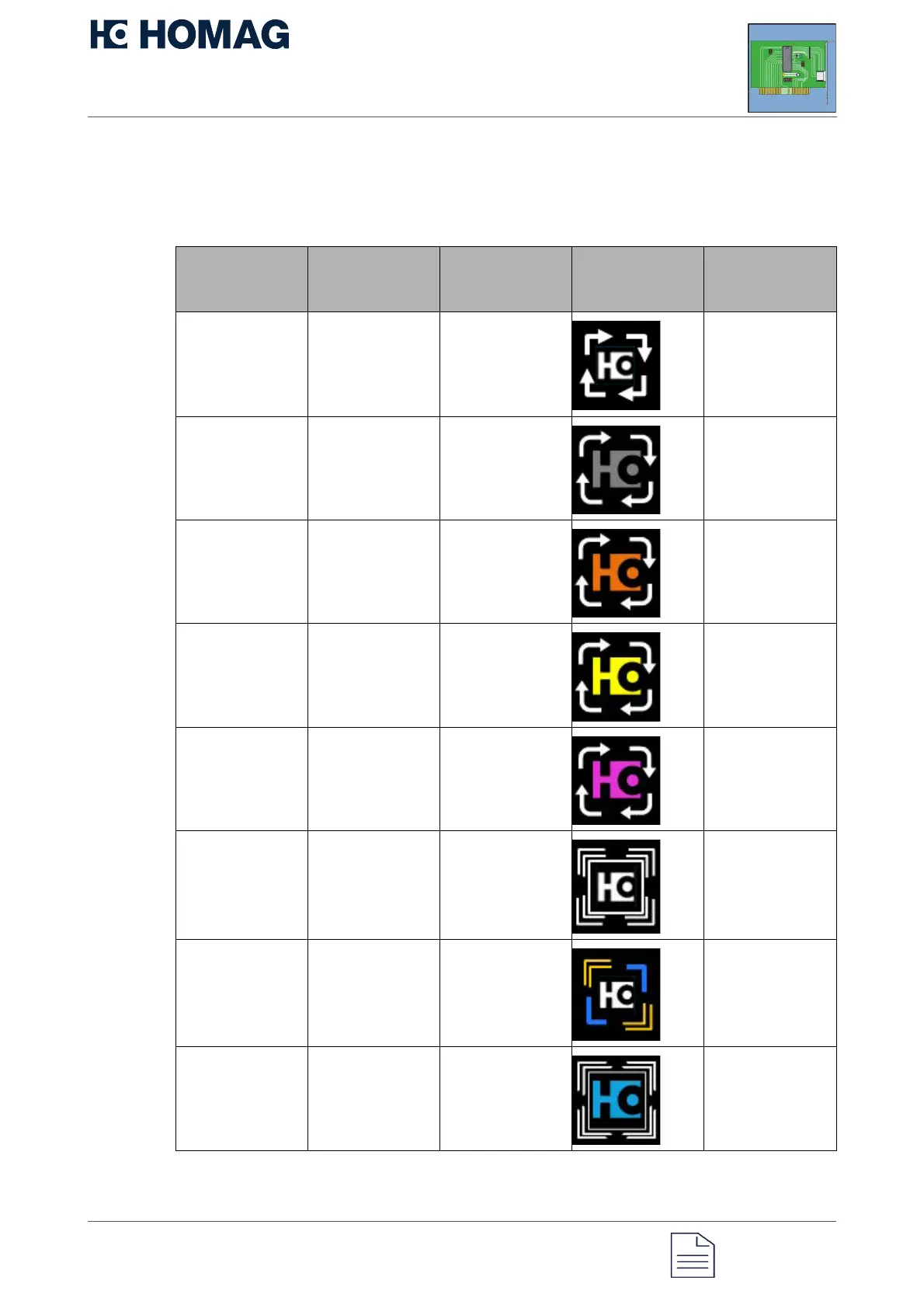
5 Status display
General meaning of the status
display
Meaning of
status display
status
Color Animation Status light Note
Connect, device
starts
White, logo white Chaser lights Wait
Network error White, logo off Chaser lights Restart the
device
LAN cable not
connected
properly
White, logo
orange
Chaser lights Check the wiring
on the
CUBE/switch/rou
ter
No link White, logo
yellow
Chaser lights Check the wiring
on the
CUBE/switch/rou
ter
No IP address White, logo
purple
Chaser lights Check DHCP
server/router
settings
No Internet White, logo white Flashing Check
firewall/DNS/gat
eway
Remote
diagnostics
active
Yellow/blue, logo
white
Flashing, static Wait, or
disconnect via
Web diagnostics
or button
Network
error/NTP not
available
White, logo blue Flashing Check
router/switch
connections


 To Next Page