uuAudio System Basic OperationuPlaying Pandora®
260
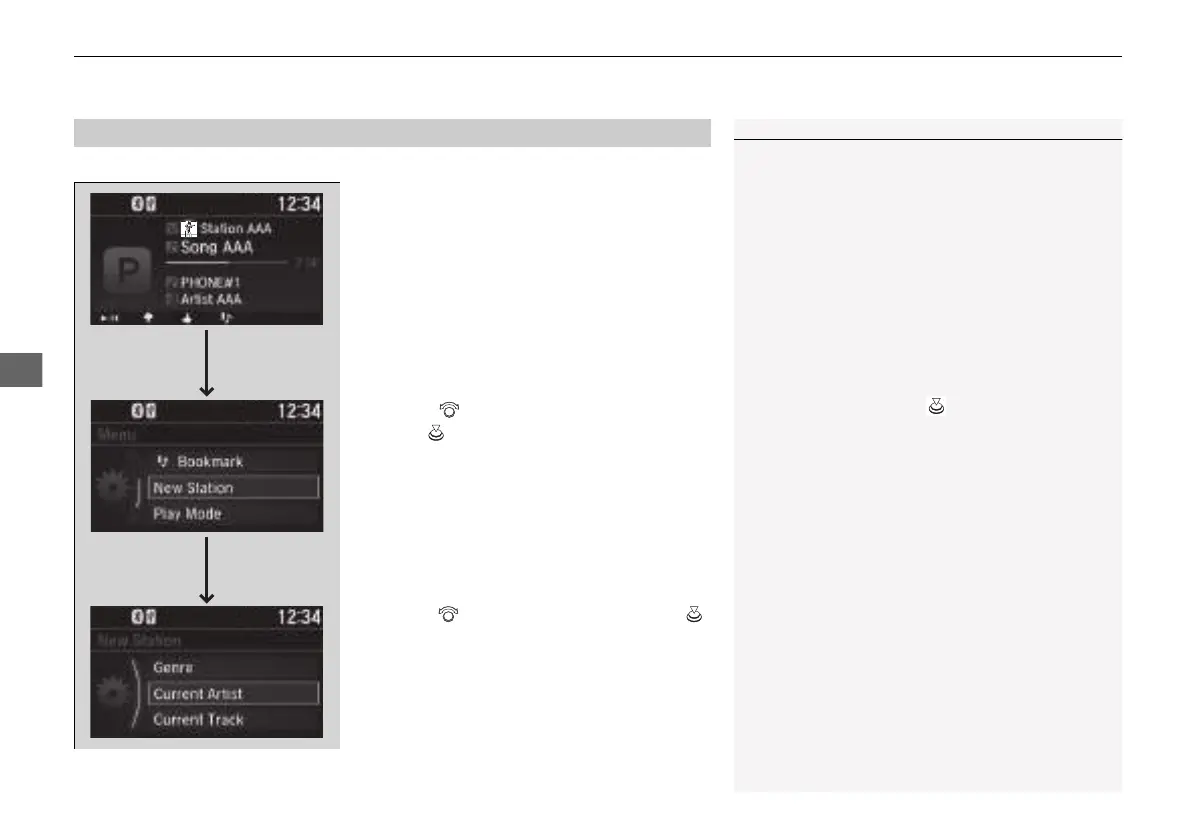
You can create a station when playing Pandora®.
1. Press the MENU/CLOCK button.
2. Rotate to select New Station, then
press .
3. Rotate to select an item, then press .
u You can select Genre, Current Artist,
or Current Track.
■
How to Create a Station
1How to Create a Station
Available operating functions vary on software
versions. Some functions may not be available on the
vehicle’s audio system.
If there is a problem, you may see an error message
on the audio/information screen.
2 Pandora® P. 340
Pandora® may limit the total number of skips allowed
on the service. If you dislike a track after the skip limit
has been reached, your feedback will be saved but
the current track will continue to play.
To change stations, press on the main Pandora®
screen, and then select a new station.
21 INSIGHT-31TXM6200.book 260 ページ 2020年2月5日 水曜日 午前10時0分














 To Next Page