Continued
265
uuAudio System Basic OperationuPlaying Bluetooth® Audio
1. Make sure that your phone is paired and
connected to HFL.
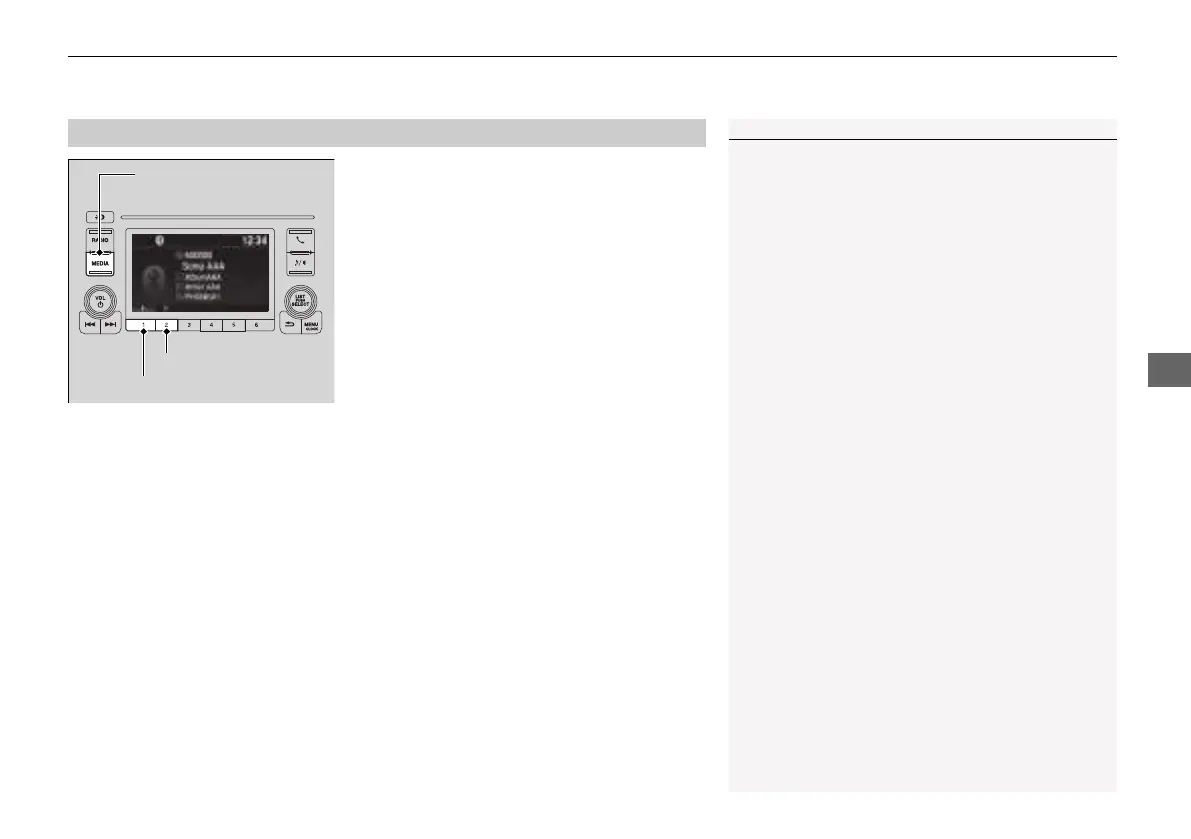
2. Press the MEDIA button until the
Bluetooth® Audio mode is selected.
If the phone is not recognized, another HFL-
compatible phone, which is not compatible
for Bluetooth® Audio, may already be
connected.
■
To pause or resume a file
Press the play button (preset 1) or pause button (preset 2) to select a mode.
■
To Play Bluetooth® Audio Files
1To Play Bluetooth® Audio Files
To play the audio files, you may need to operate your
phone. If so, follow the phone maker's operating
instructions.
The pause function may not be available on some
phones.
If any audio device is connected to the USB port, you
may need to press the MEDIA button repeatedly to
select the Bluetooth® Audio system.
Switching to another mode pauses the music playing
from your phone.
Play Button (Preset 1)
Pause Button (Preset 2)
MEDIA Button
21 INSIGHT-31TXM6200.book 265 ページ 2020年2月5日 水曜日 午前10時0分














 To Next Page