uuAudio System Basic OperationuPlaying SiriusXM® Radio
*
302
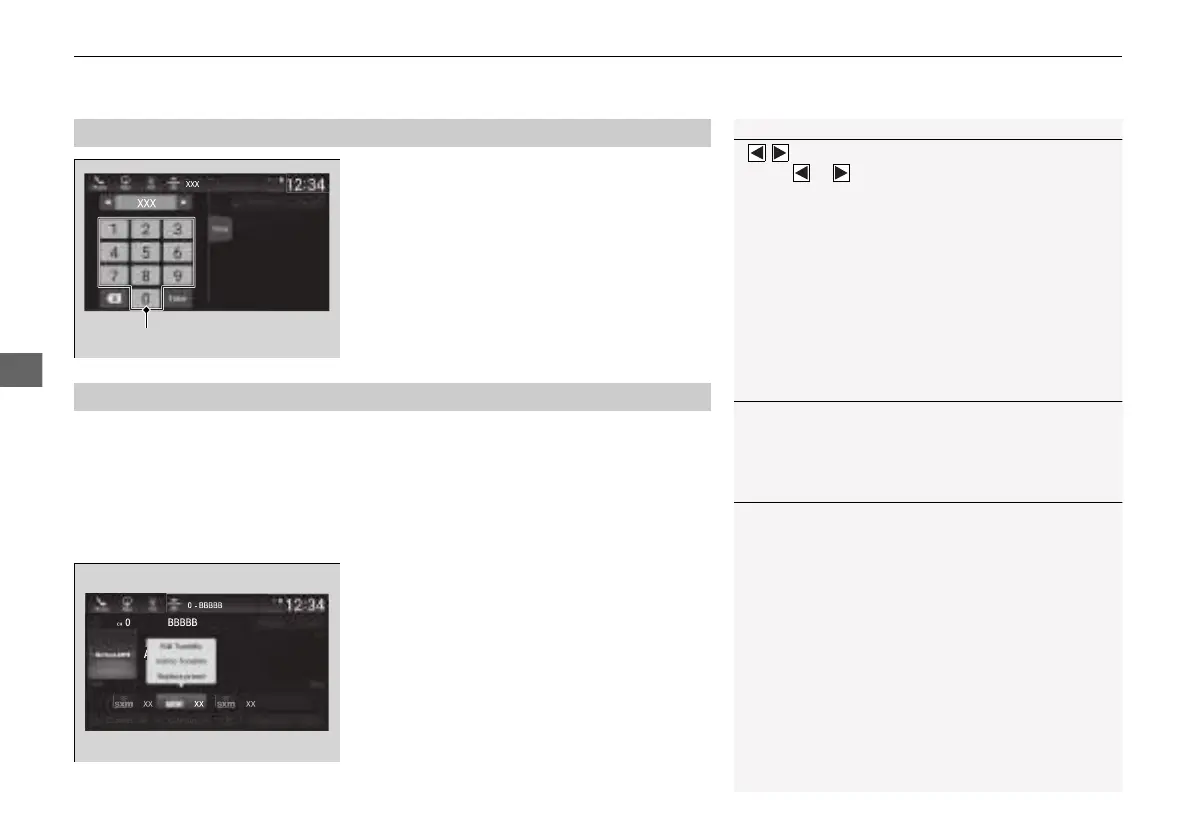
1. Select Channel List.
2. Select Keypad.
3. Enter the desired channel number using the
on-screen keyboard.
4. Select Enter to tune into the channel.
To store a channel:
1. Tune to the selected channel.
2. Select and hold the preset number for the station you want to store.
■
Multi-channel preset (for music channels only)
You can store up to 10 of your preferred music channels per preset.
1. Tune a station.
2. Select and hold the preset number you
want to add a music channel.
3. Select Add to TuneMix or Create
TuneMix.
u A message appears if there are no
available presets.
■
SiriusXM® Channel Manual Tune Screen
1SiriusXM® Channel Manual Tune Screen
/ icons:
Select or to the previous or next channel.
Select and hold to rapidly skip 10 channels at a time.
■
Preset Memory
1Preset Memory
You can store 12 SiriusXM® channels into the preset
memory.
1Multi-channel preset (for music channels only)
TuneMix
TM
is registered trademarks of SiriusXM®
Radio, Inc.
TuneMix:
The multi-channel preset function can be turned on
or off by the following procedure.
1. Select Settings.
2. Select TuneMix.
3. Select ON or OFF.
When you want to replace the channel, select
Replace preset.
If you want to delete a channel, select Edit TuneMix,
and then select the channel you want to delete.
21 INSIGHT-31TXM6200.book 302 ページ 2020年2月5日 水曜日 午前10時0分













 To Next Page