Continued
415
uuBluetooth® HandsFreeLink® uHFL Menus
■
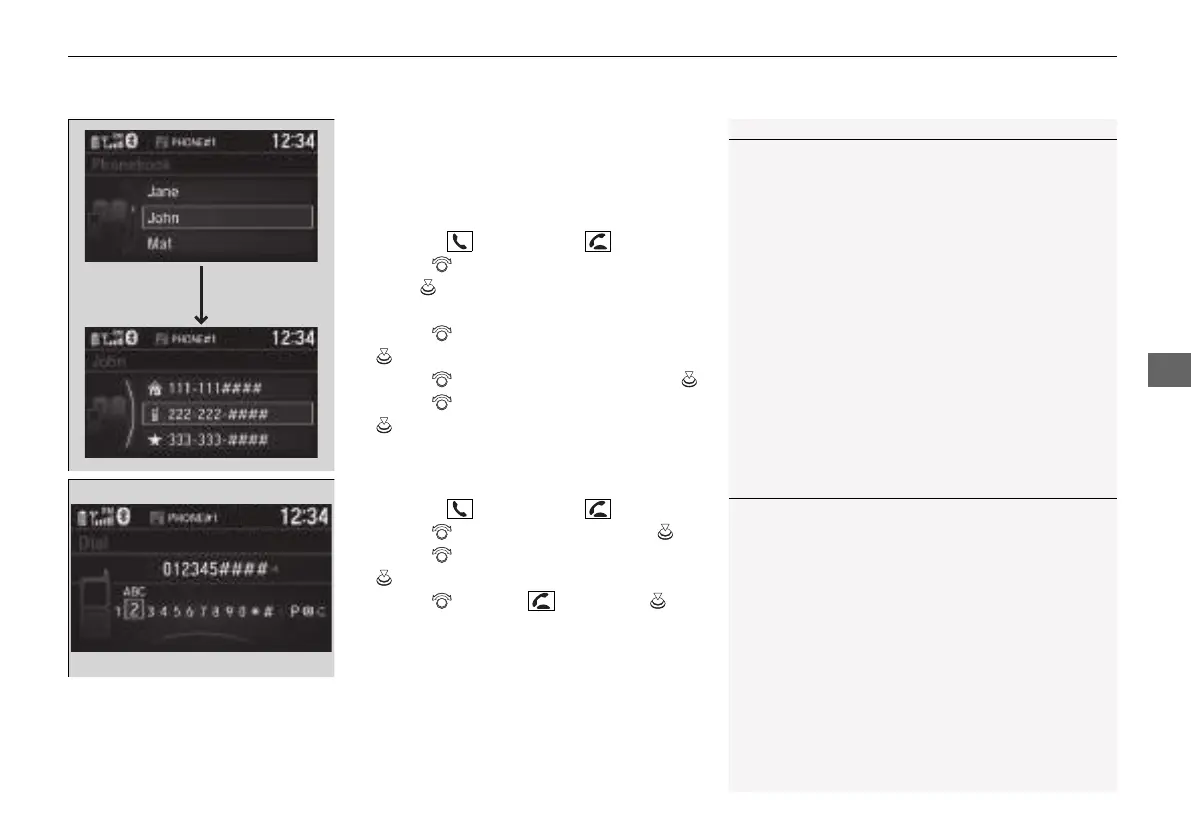
To make a call using the imported
phonebook
When your phone is paired, the contents of its
phonebook are automatically imported to
HFL.
1. Press the button or the button.
2. Rotate to select Phonebook, then
press .
3. The phonebook is stored alphabetically.
Rotate to select the initial, then press
.
4. Rotate to select a name, then press .
5. Rotate to select a number, then press
.
u Dialing starts automatically.
■
To make a call using a phone number
1. Press the button or the button.
2. Rotate to select Dial, then press .
3. Rotate to select a number, then press
.
4. Rotate to select , then press .
u Dialing starts automatically.
1To make a call using the imported phonebook
This function is disabled while the vehicle is moving.
However, you can call a stored voice-tagged speed
dial number using voice commands.
2 Limitations for Manual Operation P. 396
2 Speed Dial P. 411
1To make a call using a phone number
This function is disabled while the vehicle is moving.
However, you can call a stored voice-tagged speed
dial number using voice commands.
2 Limitations for Manual Operation P. 396
2 Speed Dial P. 411
21 INSIGHT-31TXM6200.book 415 ページ 2020年2月5日 水曜日 午前10時0分














 To Next Page