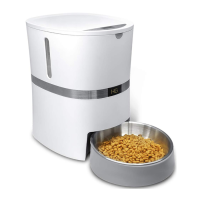
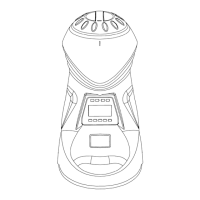
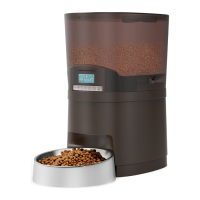
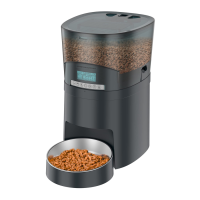
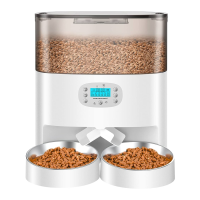
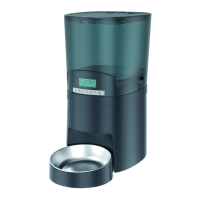
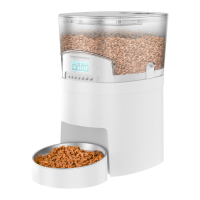
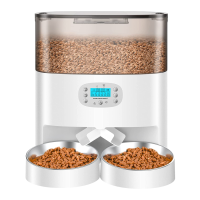
The HoneyGuardian Automatic Pet Feeder, available in models A303D and A305D, is a smart device designed to automate pet feeding, ensuring your pet receives meals consistently and on schedule. This feeder is suitable for dry food only, with a recommended kibble size ranging from 2-15mm (0.07-0.6 inches) in diameter. Larger kibble sizes may cause blockages at the food outlet.
Function Description:
The primary function of the HoneyGuardian Automatic Pet Feeder is to dispense pre-programmed portions of dry pet food at scheduled times throughout the day. It supports up to six meals per day, with each meal's portion size adjustable from 0 to 24 portions. A portion size of 0 for a meal means no food will be dispensed at that specific time. The feeder also includes a voice recording feature, allowing pet owners to record a personalized message (up to 10 seconds) that plays at meal times, helping to call pets to eat and provide a familiar sound. For manual feeding, a dedicated button allows for immediate dispensing of one portion of food per bowl. The device operates on a dual power system, utilizing a 5V power adapter for primary operation and three D alkaline batteries (not included) as a backup in case of power outages, ensuring continuous feeding even when electricity is interrupted. A low battery reminder icon on the LCD screen alerts users when battery levels are low, and the screen will turn off when new batteries are installed.
Usage Features:
- Time Setting: The feeder allows users to set the current time, which is crucial for accurate meal scheduling. The hour and minute digits flash during setting, and users can adjust them using dedicated hour and minute buttons. The time can be set in either 12-hour or 24-hour format by pressing the hour and minute buttons simultaneously for 3 seconds. When the 12-hour format is selected, an AM/PM icon appears on the screen.
- Meal Scheduling: After setting the current time, users can program up to six daily meals. For each meal, the feeding time and portion size can be customized. The meal number, time, and feeding portion volume flash during the setting process, allowing for easy adjustment.
- Portion Control: The portion button enables precise control over the amount of food dispensed for each meal, with a range of 0 to 24 portions. Each portion is approximately 15ml (0.06 cup or 6g), though the weight may vary depending on the kibble type.
- Voice Recording: A recording button allows users to record a 10-second voice message. The recording indicator light illuminates during recording. Once recorded, pressing the button once plays the message. To delete a recording, the button must be pressed twice quickly, and the indicator light will flash three times before the recording is deleted.
- Manual Feeding: For immediate feeding outside of the schedule, a manual feeding button can be pressed and held for 3 seconds to dispense one portion of food into each bowl.
- Factory Reset: All settings can be cleared and the feeder restored to factory defaults by pressing and holding both the manual feeding button and the time button simultaneously for 3 seconds.
- Dual Power Supply: The feeder can be powered by the included 5V power adapter or by three D alkaline batteries. This ensures that your pet's feeding schedule is maintained even during power outages. It is important to use the original 5V power supply and ensure all parts are clean and dry before connecting power.
Maintenance Features:
- Easy Assembly and Disassembly: The feeder is designed for straightforward assembly and disassembly, facilitating cleaning and maintenance. Accessories, including the desiccant box, are easily accessible by pressing the lid release button.
- Desiccant Box: The lid incorporates a desiccant box to keep the food fresh and prevent mold growth. It is recommended to change the desiccant every 15 days and remove the desiccant bag before cleaning the lid.
- Washable Parts: For hygiene, several parts of the feeder are washable, including the lid, food tank, bowl, and bowl holder. Before cleaning, it is essential to disconnect the power and remove the batteries.
- Food Tank Removal: The food tank can be removed by pressing the buckles on both sides with your thumbs and pushing upwards simultaneously.
- Bowl Holder Installation/Removal: The bowl holder attaches to designated notches underneath the feeder base. To remove it, press the holder bowl down. When moving the feeder, it is advised to hold the base rather than other parts, especially if there is food in the bowl, to prevent spilling.
- Rinsing and Drying: After cleaning, all washable parts should be thoroughly rinsed and air-dried before reassembling them to the machine.
- Food Tank Installation: When reinstalling the food tank, ensure the direction arrows on the bottom rubber rotor are aligned on both sides to ensure proper function.
- Ant Proof Design: The feeder features a soft rubber rotor and rubber strip designed to plug the gaps of the outlet, preventing air, water, and ants from entering the tank, thus keeping the food fresh and secure.
- Troubleshooting Guidance: The manual provides solutions for common issues such as voice recording deletion, display problems (checking power adapter, battery levels), and kibble dispensing issues (checking kibble size, avoiding moist food, clearing blockages). For persistent problems, users are advised to contact customer support.
Safety Precautions:
- Always dispose of packaging materials properly, keeping polybags away from children and pets to prevent suffocation.
- Close supervision is required when the appliance is used near children.
- Never immerse the base part of the feeder in water, as this can damage electronic components.
- Do not use the feeder outdoors.
- Only use dry food; wet, canned, or moist food is not suitable and can cause blockages or spoilage.
- Use only manufacturer-recommended attachments. Do not modify the feeder.
- Unplug the feeder when not in use and before cleaning.
- Ensure the power cord and plug are dry before connecting.
- Position the power cord out of foot traffic to prevent tripping.
- Prevent pets from chewing on or swallowing any parts. Consider purchasing a cord conduit for protection if needed.
- Do not install or store the feeder in extreme temperatures (below 4°C / 39°F).
- Use alkaline D batteries for backup power and replace them regularly, especially before extended absences.
- Regularly check the feeder's operation to ensure proper dispensing.



 To Next Page
 General