Performance Series IP Camera Software Configuration Guide
10
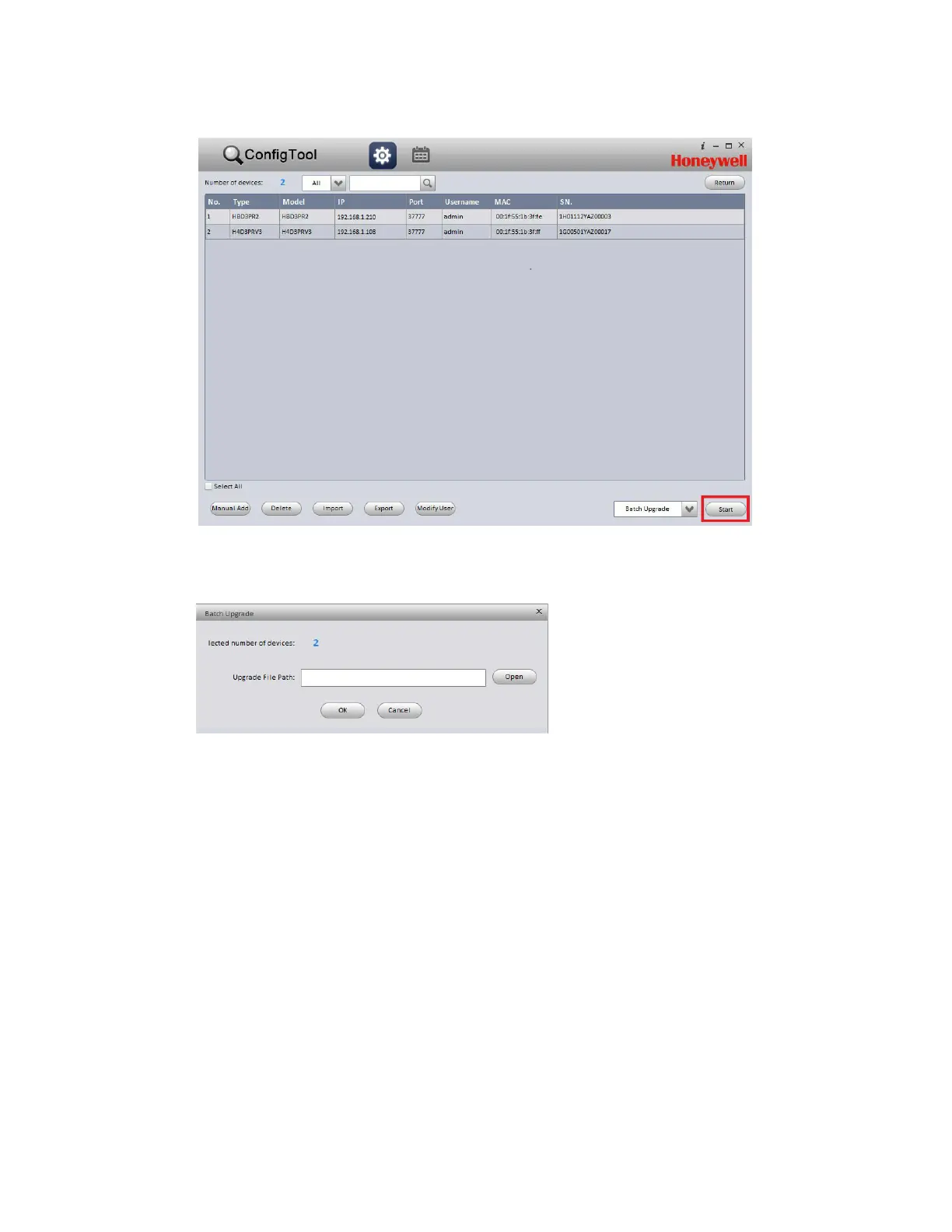
Figure 2-5 Batch Mode Screen
3. On the Batch Upgrade screen, click Open, navigate to the directory that contains the firmware file,
and then click OK.
Figure 2-6 Batch Upgrade Dialog Box
When the upgrade is complete, the devices will reboot. While a device is rebooting, the message
"Device is offline: [device IP address]" appears.
Opening a Web Client
You can configure individual camera settings using the web client. To open the web client from
ConfigTool, click the device that you want to open a web client for, and then, in the Operate column,
click the Microsoft Internet Explorer icon. The web client opens in your browser.



 To Next Page
 Loading...