EasyManua.ls Logo

Honeywell QuantumT 3580 - User Manual

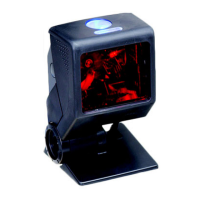
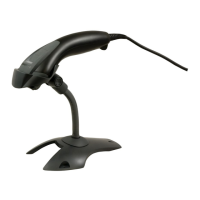
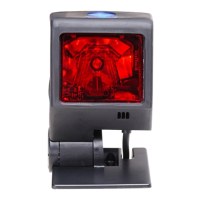
Honeywell QuantumT 3580
60 pages
Print Icon
To Next Page IconTo Next Page
Loading...
QuantumT
®
3580
Omnidirectional Laser Scanner
User’s Guide

Questions and Answers

  • D
    Deborah AndrewsSep 12, 2025
    Why alpha characters show as lower case on Honeywell QuantumT 3580 Scanner?
    • W
      Wanda CrawfordSep 12, 2025
      If alpha characters show as lower case when using your Honeywell Scanner, the computer may be in caps lock mode. Enable the caps lock detect setting of the scanner to detect whether the PC is operating in caps lock.
  • E
    Erica SnowSep 13, 2025
    How to fix Honeywell QuantumT 3580 that is not transmitting each character?
    • C
      Craig JacksonSep 13, 2025
      If your Honeywell Scanner is not transmitting each character, adjust whether the F0 break is transmitted. It may be necessary to try both settings.
  • P
    Paul LoveSep 15, 2025
    Why some characters don't work on Honeywell Scanner?
    • M
      Matthew HarrellSep 15, 2025
      If everything works except for a couple of characters on your Honeywell Scanner, these characters may not be supported by the current country’s key lookup table. Try operating the scanner in Alt Mode.

Summary

Introduction

Scanner Components

Identifies and describes the physical parts of the Quantum T scanner.

Mounting Specifications and Stand Assembly

Details how to mount the scanner using pedestal or flex stands.

Installation

Interface Connections

Instructions for connecting the scanner via RS232, RS485, USB, and emulation interfaces.

Scanner Operation

Scan Patterns and Button Functions

Explains scan modes, button functions, and related settings.

Depth of Field Specifications

Details scanning range for normal and reduced depth of field.

Troubleshooting Guide

General Troubleshooting

Solutions for common scanner issues across interfaces.

Design Specifications

Operational and Mechanical Specs

Lists operational parameters, laser specs, physical dimensions, power, and operating conditions.

Default Settings - Communication Parameters

Parameter Defaults

Shows default enabled/disabled states for symbologies and parameters.

Upgrading the Firmware

Firmware Update Process

Step-by-step guide for updating firmware using MetroSet2.

Scanner and Cable Terminations

Pinout and Connector Configurations

Details scanner pin assignments and host cable connector configurations.

Regulatory Compliance

Safety and EMC Information

Critical safety warnings and electromagnetic compatibility standards.

Customer Support

Technical Assistance and Service

Contact information for technical support, service, and repair.

Honeywell QuantumT 3580 Specifications

General IconGeneral
Dimensions (WxDxH)67 x 66 x 108 mm
TypeFixed bar code reader
Scan speed80 sec/page
Wavelength650 nm
Sensor typeLaser
Scanner type1D
Linear (1D) barcodes supported-
2D (matrix & stacked) barcodes supportedNot supported
Standard interfacesRS-232
Connectivity technologyWired
Product colorBlack
Storage temperature (T-T)-40 - 60 °C
Operating temperature (T-T)-20 - 40 °C
Operating relative humidity (H-H)5 - 95 %
Power source typeDC
Harmonized System (HS) code84716070
Weight and Dimensions IconWeight and Dimensions
Weight170 g

Related product manuals