Heat: The thermostat will control your heating system according to the schedule you have programmed
(heat pump in heating mode).
Em. Heat: The emergency heater element of the heat pump is on.
Cool: The thermostat will control your air conditioning system according to the schedule you have
programmed (heat pump in cooling mode).
No status display: Both the heating and air conditioning systems are off (heat pump off ).
Fan control: There are two fan settings: auto and on. Set the fan by pressing the
fan
key. Each time you
press the
fan
key, the fan status changes to the next setting. When fan is displayed, the fan is on
continuously. Use this setting for improved air circulation during special occasions or for more
efficient electronic air cleaning. When nothing is displayed, the fan is in
auto mode (it comes on with the
heating or cooling equipment, as needed).
Auto is the normal setting for most homes and allows a
single-speed fan to turn on automatically with the air conditioner or heating system. If you have a
two-speed fan, it runs on high with the air conditioner, and on low with the heating system.
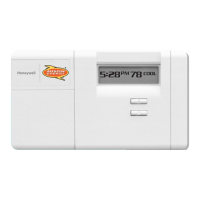
Step 4. Starting the thermostat program. To start the thermostat using the program you just entered, press the
run program
key. If you decide not to program the thermostat, it automatically controls heating and
cooling temperature as follows: starting at 6:00 a.m. every day, the thermostat sets the heating temperature
to 68 F and the cooling temperature to 76 F. At 10:00 p.m. every night, the thermostat sets the heating
temperature back to 60 F and the cooling temperature remains at 76 F. You do not need to enter a time and
temperature program for every period if your schedule does not require it. For example, if your house is
occupied during the day on weekdays, you may program only the wake and sleep times.
OPERATING YOUR THERMOSTAT
You want your thermostat to run according to the settings you program. These operations will give you
greater control for additional comfort.
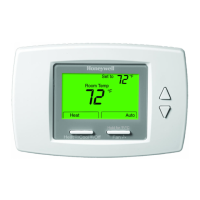
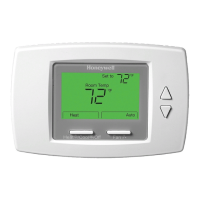
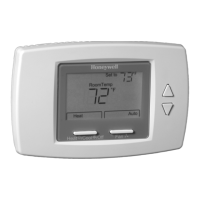
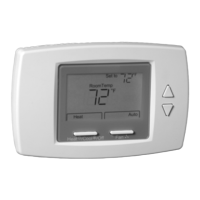
Temporarily change temperature settings for the current period only. Press the
warmer/cooler
keys until the
desired temperature is displayed. The temporary setting stays in effect only until the next scheduled
program change. To cancel the temperature change, press the
run program
key. When a temporary
setting is in effect, the display alternates between the time/temperature and the temporary setting.
Holding a temperature indefinitely. You may find this operation useful when you go out of town on business
or on vacation. Press the
hold temp key, then set the temperature using the
warmer
or
cooler
keys. This
temperature stays in effect until you press the
run program
key or the
present setting
key.
Checking the current temperature setting. To check the current (programmed) temperature setting, press the
present setting
key.
Review the programs you entered. Press the
weekday schedule
or
weekend schedule
key. Each time you
press the key, the next program schedule is displayed. You may use this feature to verify that you correctly
entered the program shown in your personal programming charts.
Cancelling a program. You may cancel a program by pressing the
weekday schedule
or
weekend schedule
key until the program you want to cancel is displayed; then press the
clear
key. The weekday wake program
cannot be cancelled.
Checking your usage. Your thermostat keeps a record of the current and accumulated on-time usage of
your heating and cooling equipment. It tracks current day usage (since midnight) and accumulated usage
(since the accumulator was last cleared). To view heating or cooling equipment usage, press the
system
key
5
Austin Energy
®
Call toll-free at 1-877-549-2774
Fan
Run
Program
Run
Program
Cooler
Warmer
Cooler
Warmer
Run
Program
Present
Setting
Weekend
Schedule
Weekday
Schedule
System
Clear



 To Next Page