8
MPWR
™
40v Battery & Charger (Sold Separately)
1
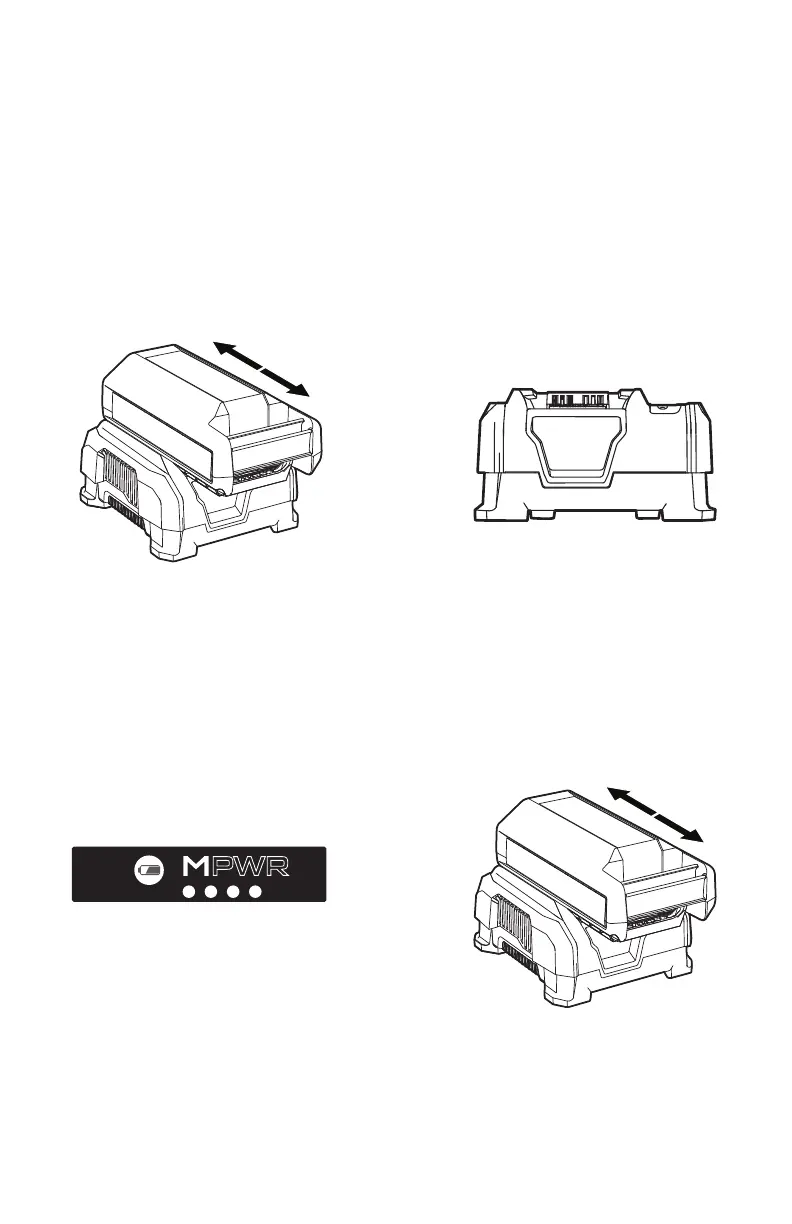
To charge the battery, slide battery
into charger. Push backward until
battery clicks into place and LED
Status Indicator is lit.
3
When charging, the fully lit LEDs
on the battery will indicate charge
level.
2
Charger LED Status Indicator will
turn green when battery is fully
charged.
4
To remove battery, press the
release button and slide battery
forward while holding down on
charger base.
NOTE: Batteries are shipped in a low charge condition to prevent possible problems. You should
charge them before rst use.
CHARGING AMBIENT TEMPERATURE RANGE:
5 °C – 40 °C (41 °F – 104 °F)







 To Next Page