Language
Max. Input Power
LCD Backlight
Min. Input Voltage
Wireless Charge
Volume
< System Settings
English
700W
6.5V
High
High
Repeat
Name
On
Completion Signal
Device Name
Back
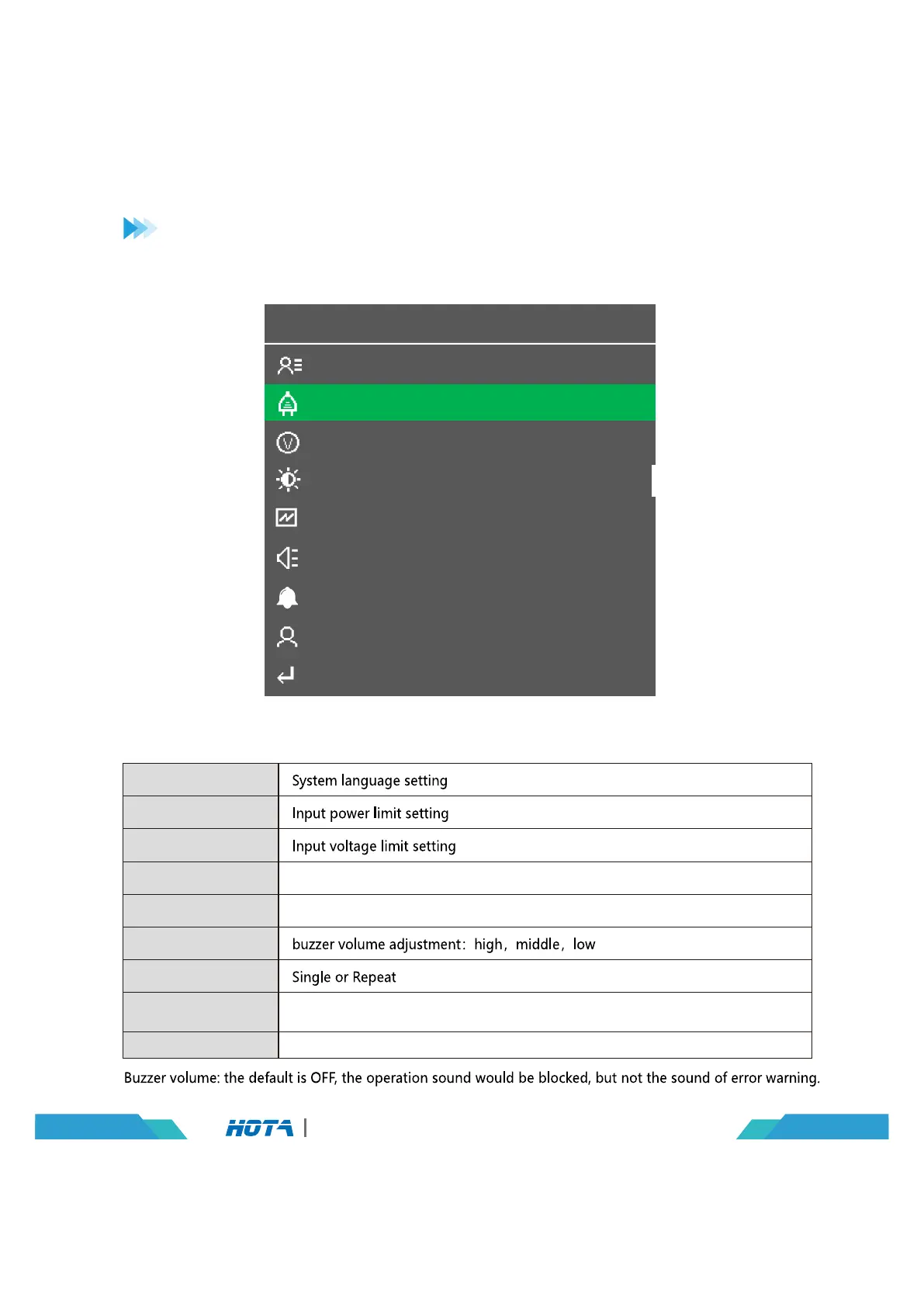
Charger Settings > System Parameters
Operation and Setup
Backlight adjustment:high,middle,low
Buzzer volume adjustment:high,middle,low
Exit the “System settings” menu
Language
Max. Input Power
Min. Input Voltage
LCD Backlight
Wireless Charge
Volume
Completion Signal
Device Name
Back
07
D6 Pro AC/DC Dual Channel Smart Charger
In the standby interface, Long press the speed shuttle key to pop up the“Charger Settings”
menu. and then choose“System parameters”item, the menu items are as follows:
Press the speed shuttle key to enter, need to manually enter the name of
the device, long press the speed shuttle key to exit


 To Next Page