Task Parameters
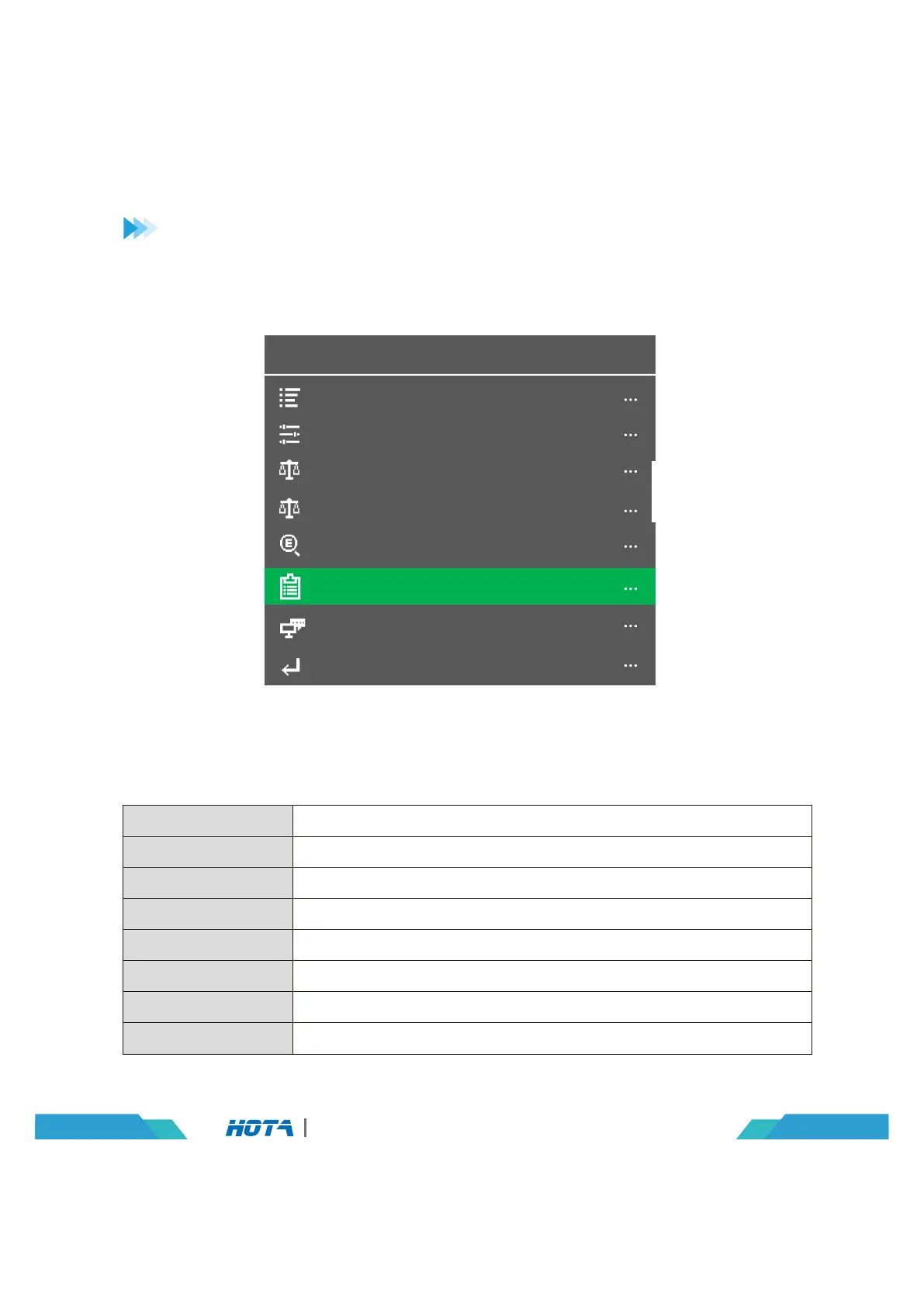
System Parameters
CH2 Calibrations
CH1 Calibrations
System Self-checking
Factory Settings
Charger settings
System Info
Back
Charger Settings
Operation and Setup
Adjust Safety Timer, Max Capacity, End Current and other parameters
Adjust Language, input power, Volume and other parameters
Used for channel 1 data calibration
Used for channel 2 data calibration
Start self-checking of the charger
Restore all parameters to factory settings(User calibration data cleanup)
Display system information, serial number
Exit “Charger Settings”
Task Parameters
System Parameters
CH1 Calibrations
CH2 Calibrations
System Self-checking
Factory Settings
System Info
Back
05
D6 Pro AC/DC Dual Channel Smart Charger
In the standby interface, Long press the speed shuttle key to pop up the “Charger Settings”
menu. The menu items are as follows:


 To Next Page