Product Overview
Introduction
Warnings and Safety Notes
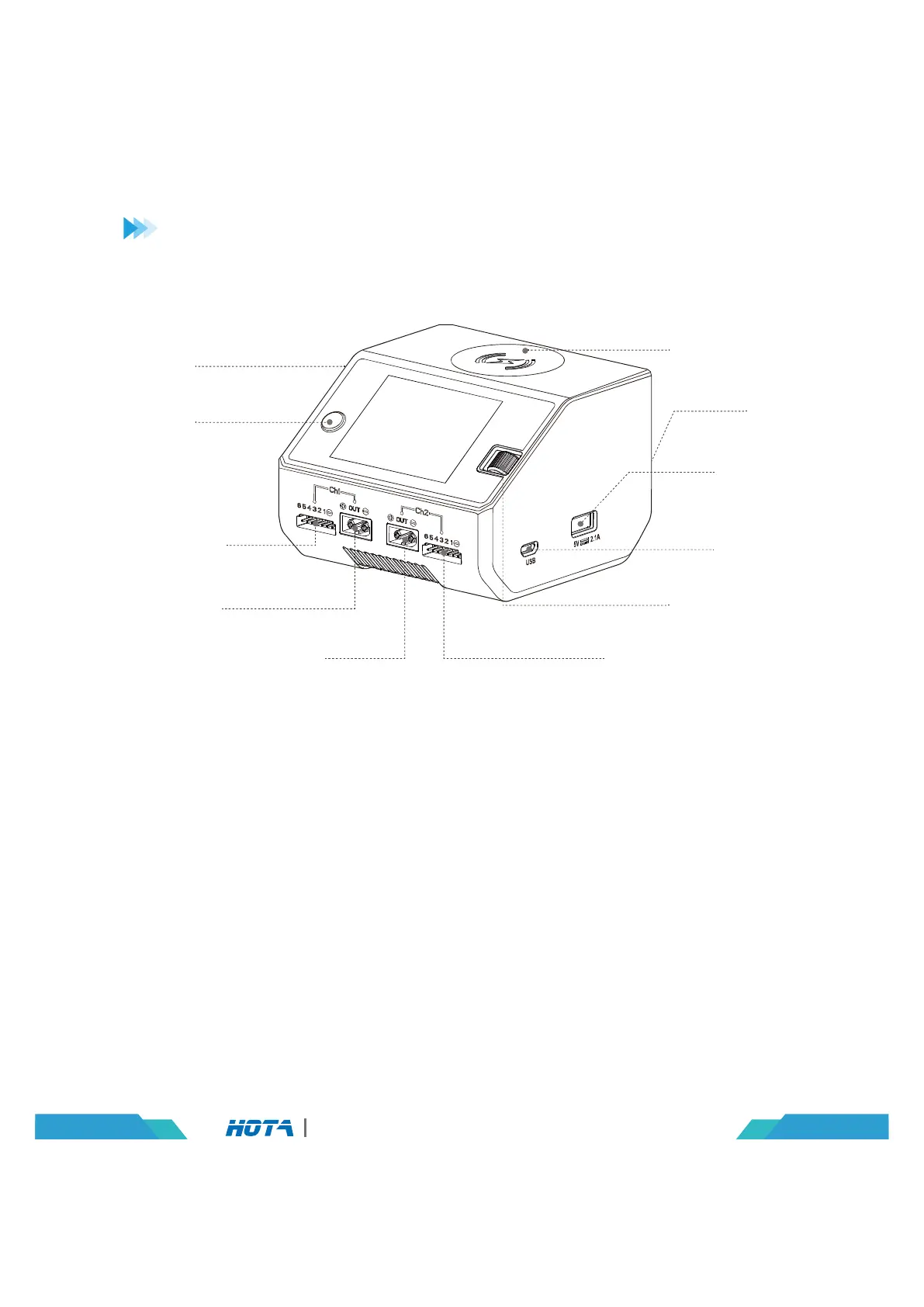
Channel
Switch
DC Port
1. Do not use the charger in an unattended manner,in case of any functional abnormity,
please stop using it and refer to the manual.
2. Keep the charger away from dust,humidity,rain and high tempreture,as well as avoid
direct exposure to sun and intense vibration.
3. Input voltage of the charger is 6.5-30V DC. When connecting the power supply, make sure
that the input voltage match the operating voltage range of the charger.
4. Please place the charger on a heat-resisting,non-flammable and insulating surface. Do not
use it by placing it on the car’s seats,carpet or other similar place. Keep inflammable and
explosive objects away from operation areas of the charger.
5. Make sure the heat emission hole at the bottom of the charger is uncovered while in use,
and ensure the cooling fan smoothly extracts heat.
6. Please fully understand the charging and discharging characteristics as well as the battery’s
specifications. Additionally,set up proper charging parameters in the charger. Incorrect
setting of parameters can cause damage to the charger and battery and/or result to
disastrous consequences such as fire or explosion.
7. When charging or discharging is completed,please press the speed shuttle key to terminate
current task,and remove the battery when charger shows the standby screen.
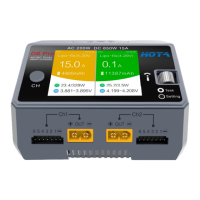
Balance Port
for Channel 1
Balance Port for Channel 2
Speed Shuttle Key
USB Port 5V
AC Port
Wireless Charging
Update Port
Battery Port for Channel 2
Battery Port
for Channel 1
02
D6 Pro AC/DC Dual Channel Smart Charger


 To Next Page