Working Parameters Display
Operation and Setup
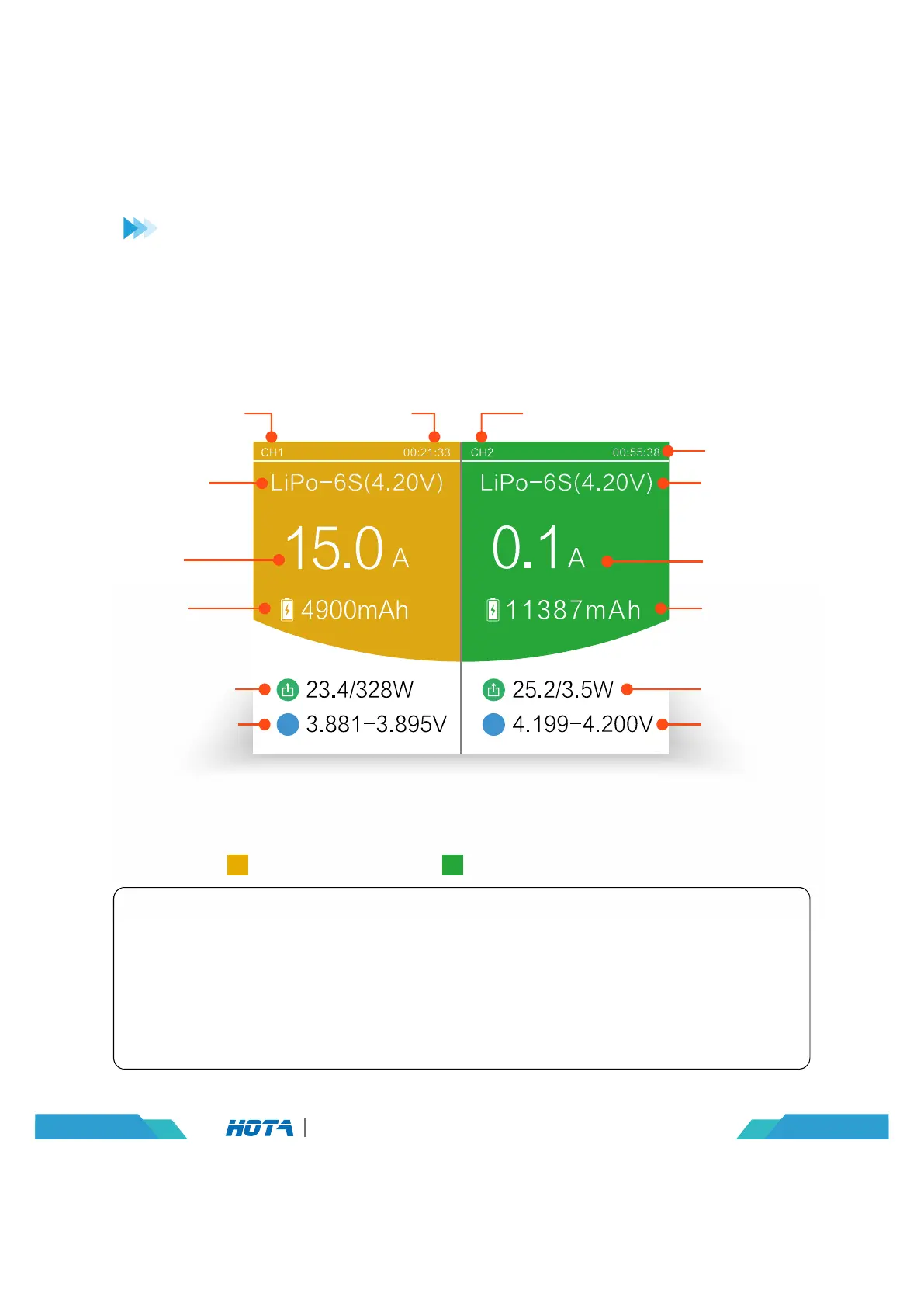
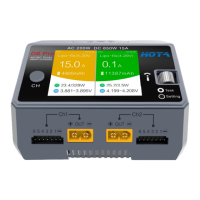
Split-Screen Display
Operation TimeCurrent Channel
Current Channel
Battery
Type-string
Number Current
Task Status
Battery
Type-string
Number Current
Task Status
Present
Current
Capacity
Charged
Output
Voltage/power
Battery Voltage
Operation Time
Present
Current
Capacity
Charged
Output
Voltage/power
Battery Voltage
12
D6 Pro AC/DC Dual Channel Smart Charger
CH1: Charging CH2: Fast Charging Done
Split-Screen Display Simple Operation
1. Boot into the split-screen display – free state;
2. Long press the speed shuttle key to enter“Charger Settings”menu in the
standby state;
3. Short press CH key display the channel you choose;
4. Long press the CH key to stop the current task.


 To Next Page