Task Settings
Operation and Setup
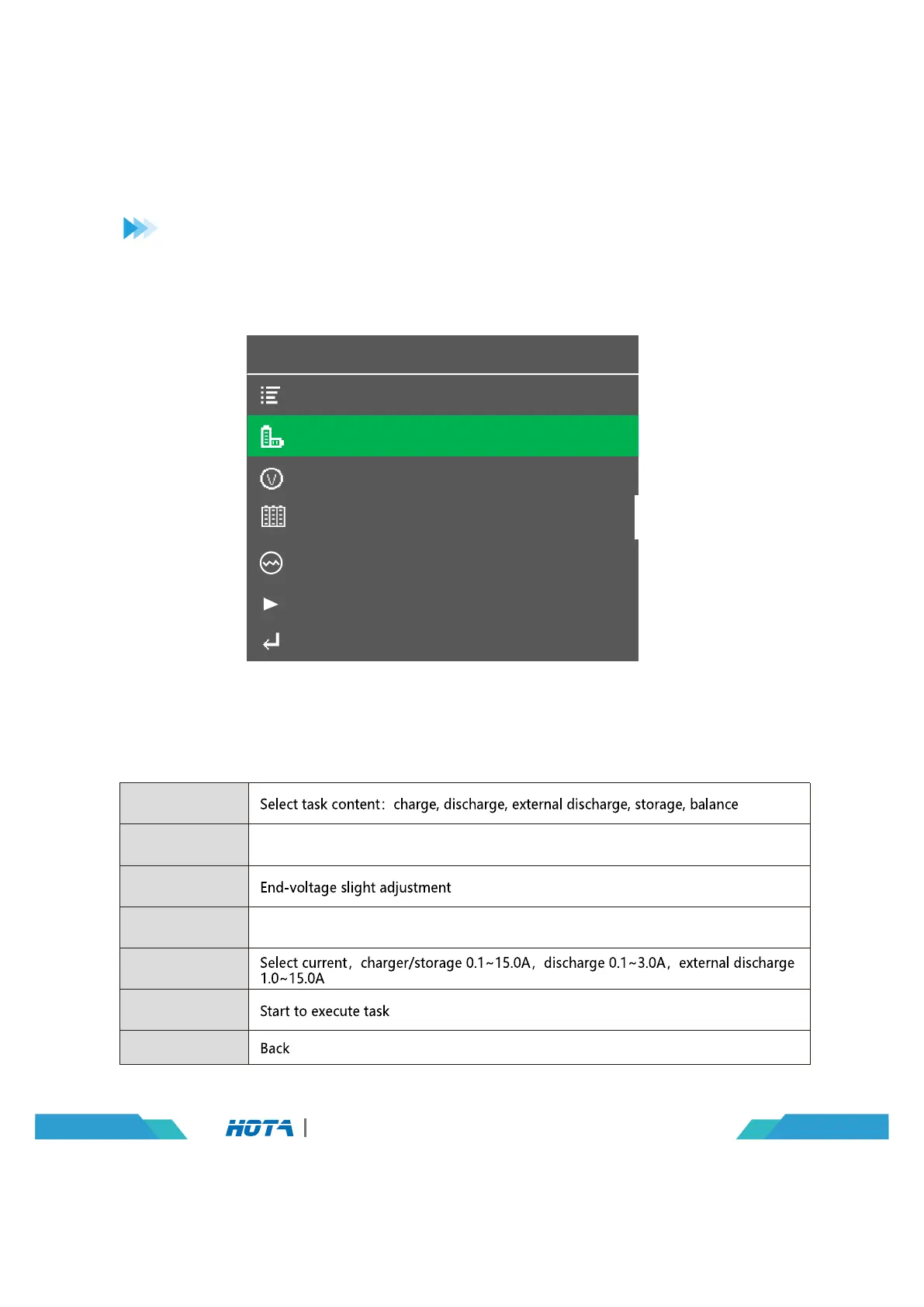
Select Task
Battery Type
Cell Voltage
Cell Count
Current Setting
Start Task
Back
Select Task
Battery Type
Cell Count
Cell Voltage
Current Setting
Start Task
CH1 Task Settings
Charge
LiPo
2.40V.
6S(12V)
2.0A
Back
Select battery types:smart battery, LiHV, LiPo, Lilon, LiFe, LiXX, NiZn, Pb,
NiCd, NiMH, Eneloop
Select battery's strings:1~6S, if balance port is inserted, then it processes
automatic test, no need to do setting
08
D6 Pro AC/DC Dual Channel Smart Charger
Connect power supply to the charger's AC or DC port, wait for the system to complete the self-check-
ing. Connect the battery to the charger under standby interface, and short press the CH key
to select the switching channel freely,after select the corresponding channel,short press the
speed shuttle key to make the“Task Setting”menu to pop up.


 To Next Page