27 of 36
Indesit Company
Service Manual UK English
PROGRAMMING METHODS EXPLAINED: METHOD 1 - Indesit ENGINEERS ONLY
If the Power Module has been replaced it will require programming using the following method.
The module can be programmed via a Hand-Held or PC (Emit), using a USB lead (Part No.
C00222800), Black Hardware key (Part No. C00115587), Low End Adaptor 2007 (Part No. C00255979
& the Memwriter software. (For more comprehensive information on Memwriter, refer to Manual
C00256775)
1. Disconnect the appliance from the electricity supply.
2. Connect the Low End Adaptor version 2007 to the module.
(See “Connecting the Low End Adaptor” on page 30)
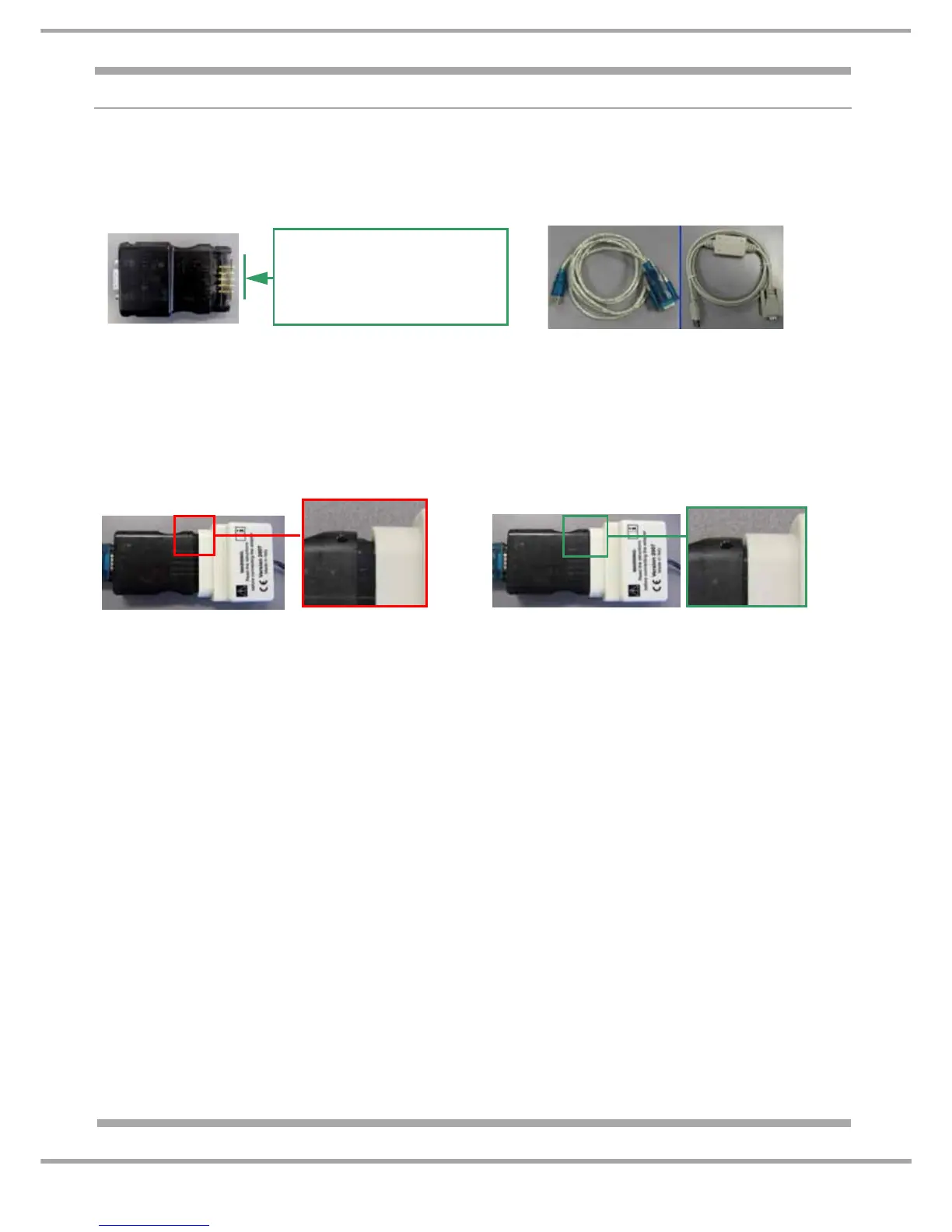
3. Insert the Black Hardware key into the Low End Adaptor. Ensure the Hardware key is correctly
orientated before inserting into the Low End adaptor (there are locating guides on the Hardware key to
assist you). NOTE: The Hardware Key may require firm pressure to fully locate to the Low End
Adaptor. See photo 3 & 3a below.
4. Connect the Hardware key to a Hand-Held or PC (Emit), using the USB lead.
5. Connect the appliance to the electricity supply.
6. Select Memwriter programme.
7. Ensure the correct Valid COM PORT is selected.
8. Ensure the correct Hardware key is selected (Black).
9. Ensure the correct Appliance type is selected (New Platform)
10. Open Com Port (A bright green connection icon will light on screen).
11. Select "Part No." or "Commercial Code" for the search method.
12. Insert the "Part No." or "Commercial Code". (For UK models refer to the relevant Special Notice
if against the Eeprom and/or SmartCard in Partfinder). IMPORTANT: Always use the serial No.
from the rating plate where prompt; this is to ensure you download the correct file version.
13. Click search button.
14. File to download boxes will now display the programme information. It is important to remember
that the actual model No. may not appear, as the programme may be used on other models also.
To confirm the correct file is shown, refer to the relevant parts list in Partfinder.
15. Click download.
If the module has already been programmed with the most updated file a warning box will
appear indicating "ALREADY UPDATED"
16. Disconnect the appliance from the electricity supply.
17. Remove the Low End Adaptor from appliance.
NOTE: When starting Memwriter programme the default search is always Get From Hardware. Only
use "Part No." or "Commercial Code" search when programming a Non-Programmed module.
Not Located
Photo 3
Located
Photo 3a
A Hardware Key Pin Repair
Kit is available which
contains 5 replacement pins
(Part Number C00114723)


 To Next Page